Built to help you sell
One page for every kind of sale.
Add a product, file, booking, membership, or ticket. Share one link. Your customer opens it, pays on their phone, and gets what they bought.
The selling flow
One link that does the selling.
Your page shows the product, takes the payment, sends the right email, and gives your customer the next step.
One place
Stop sending people to five different tools.
Sell the thing you have today, then add the next thing tomorrow. Products, files, appointments, memberships and tickets can all live on one page.
- Physical products you ship
- Files customers download
- Times customers book
- Memberships people join
- Tickets people scan
Payment
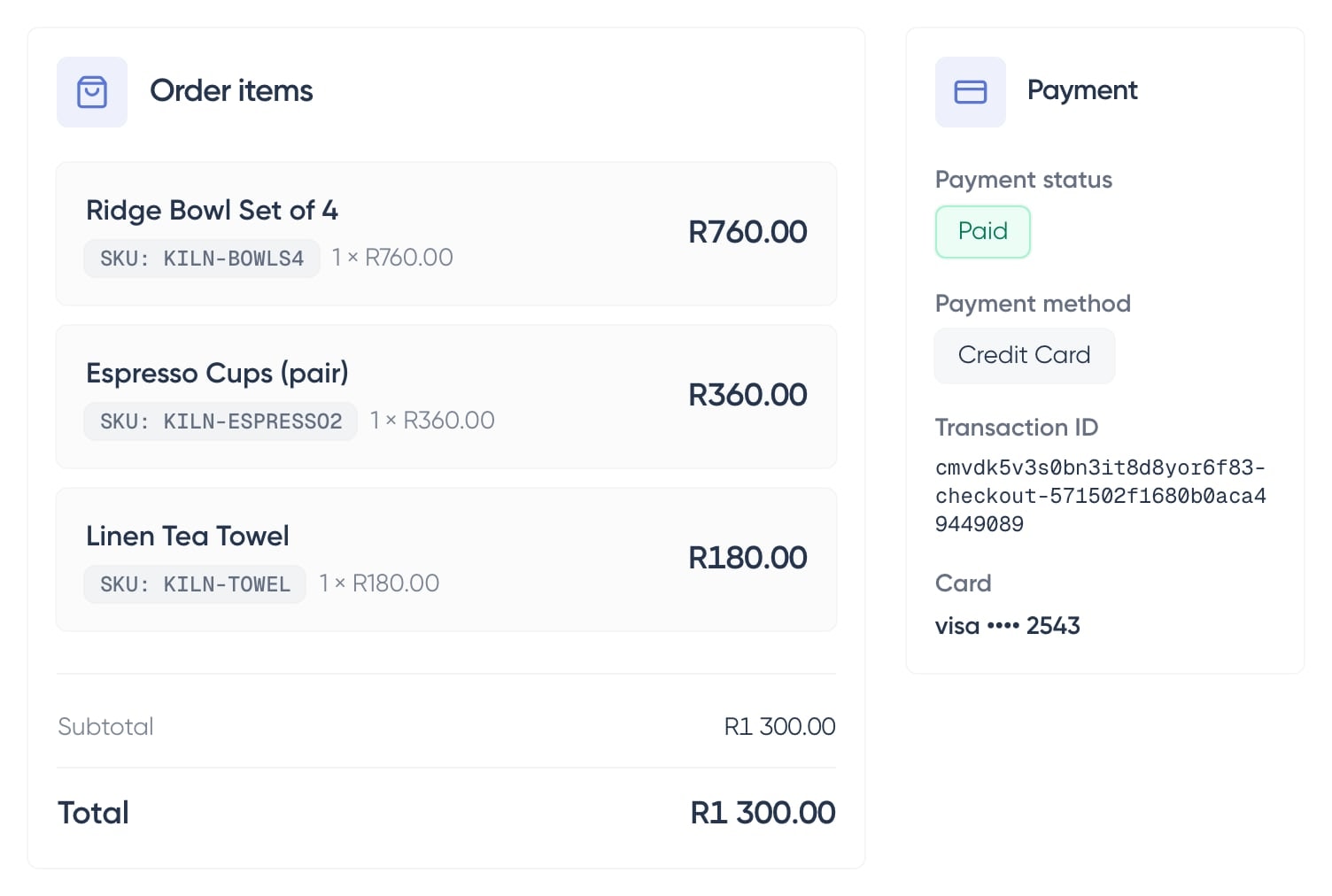
Payments are already built in.
Take online payments without opening your own gateway account. Shopstar handles the setup, keeps gateway fees low, and pays you out automatically every day.
- Card, Apple Pay and Scan to Pay with Shopstar Go
- No gateway account to open
- Automatic daily payouts
- Low gateway fees
What happened?
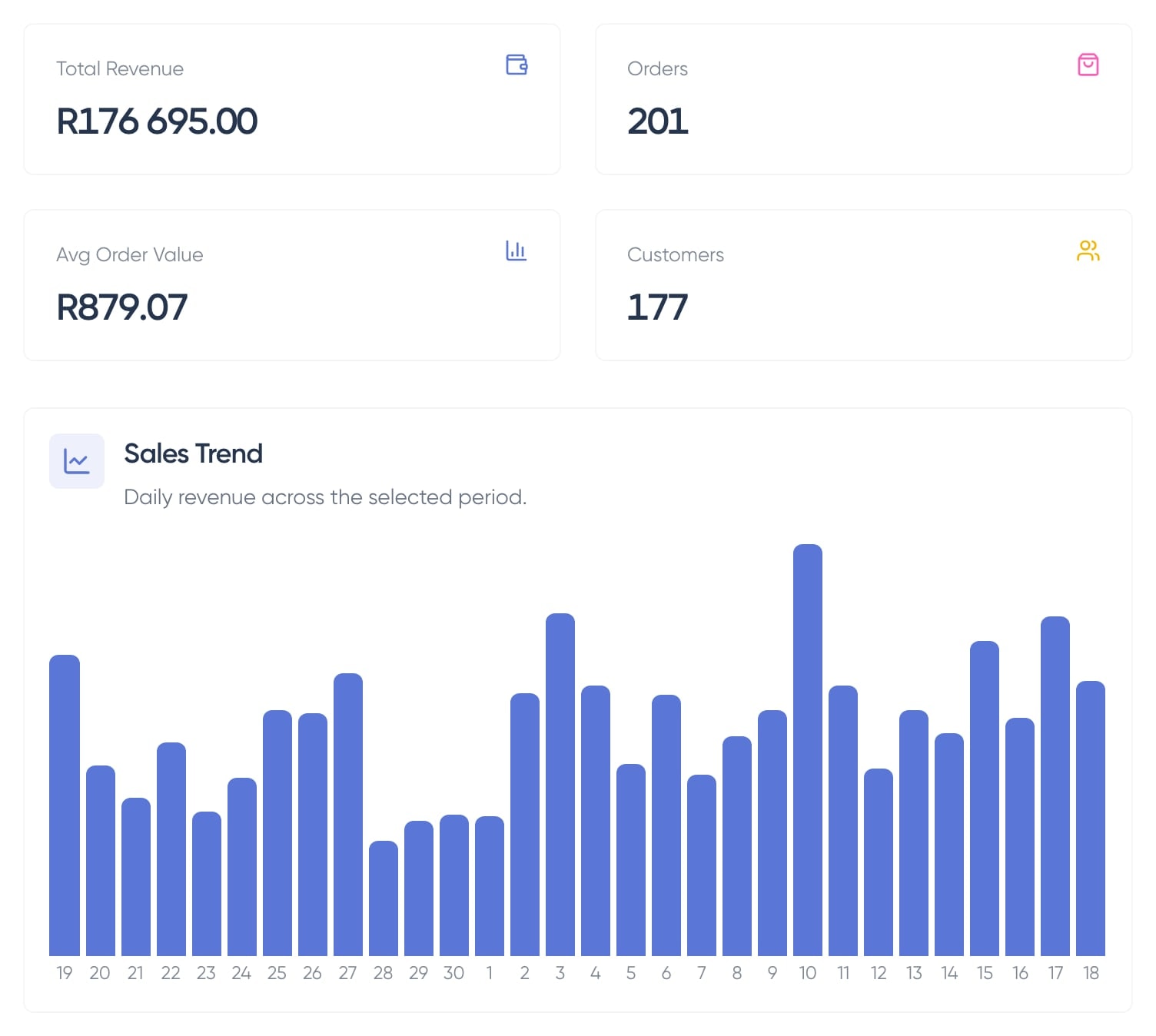
See your sales in real time.
See each sale as it happens, where shoppers came from, what they bought, and where to double down next.
- Live sales
- Today’s traffic
- Best-selling products
- Where shoppers came from
What are you selling?
Every kind of product, one simple page.
A download should deliver itself. A booking should reserve a time. A ticket should scan at the door. Pick the product and Shopstar handles the messy part.
No manual sending
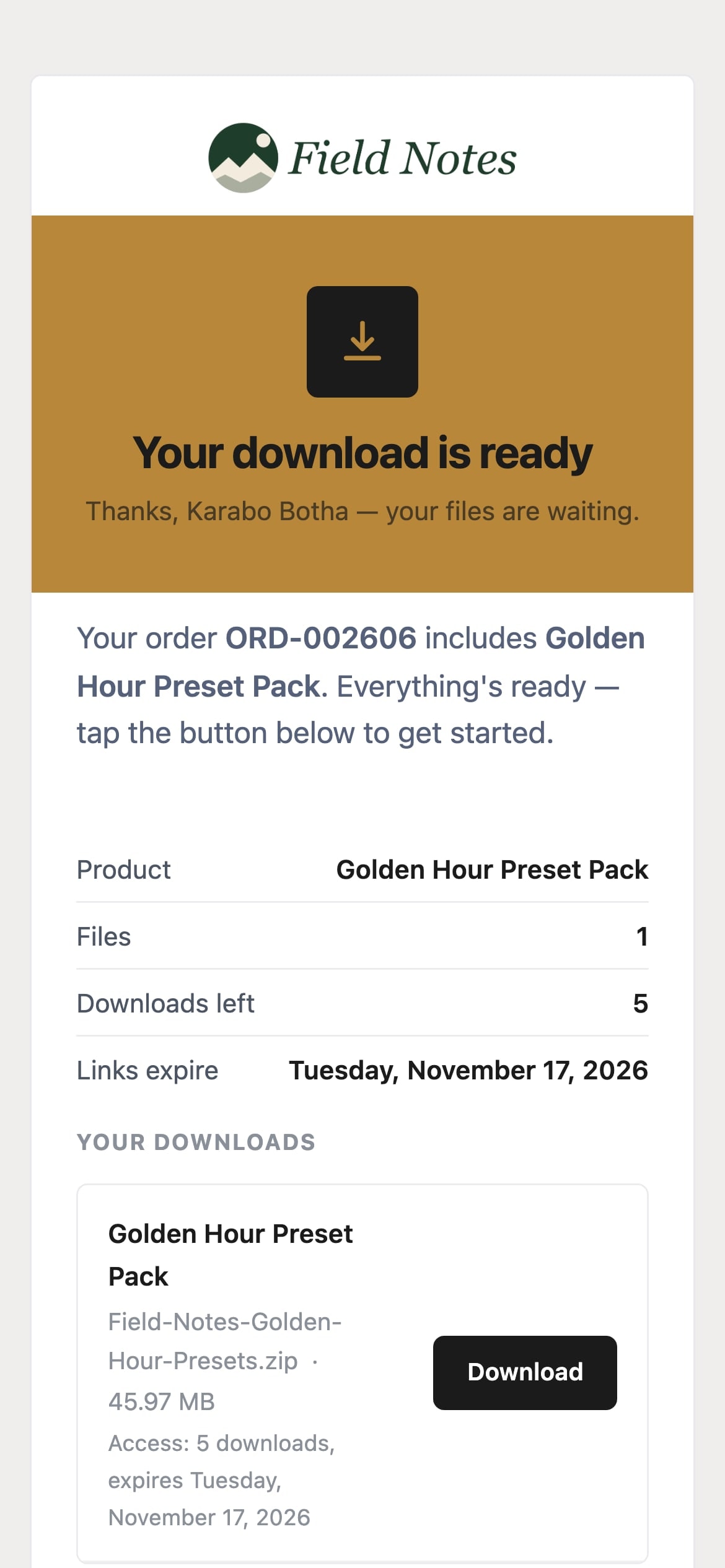
Your file is delivered the moment they pay.
No emailing files after the sale. No “please send the link” messages. The download is ready as soon as payment clears.
- Delivered as soon as they pay
- Works on phones and laptops
- Files up to 2GB each
- A download page they can come back to
No link sharing
Control how long downloads stay open.
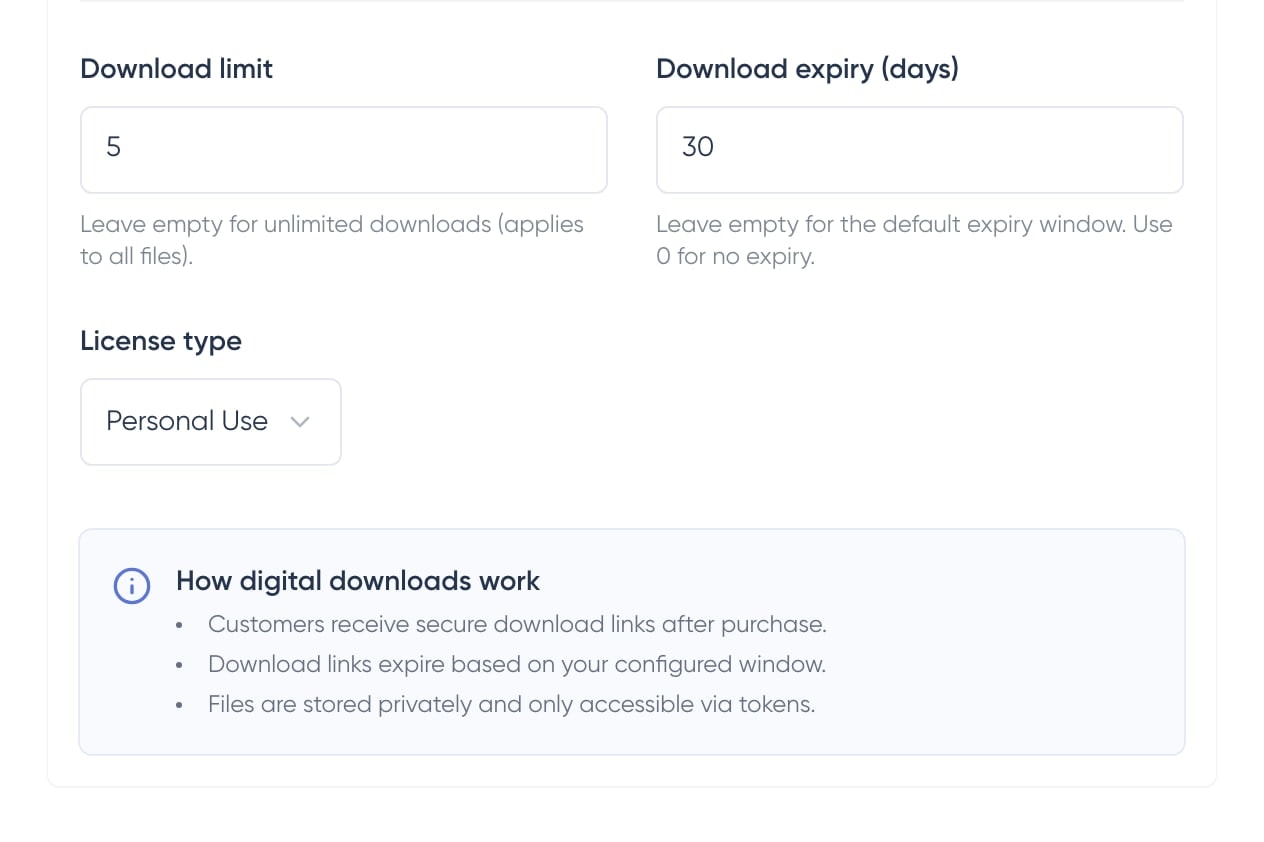
Limit downloads, set an expiry date, and turn access off after a refund. Customers get what they paid for. Random strangers do not.
- Download counter per customer
- Expiry dates on links
- Anti-sharing protection
- Refund = access revoked
No shipping
Sell worldwide without packing a box.
Files do not need couriers, customs, or delivery estimates. Put the link out there and let customers buy wherever they are.
- No shipping, ever
- Sells worldwide on day one
- Charge in supported currencies
- Same delivery experience everywhere
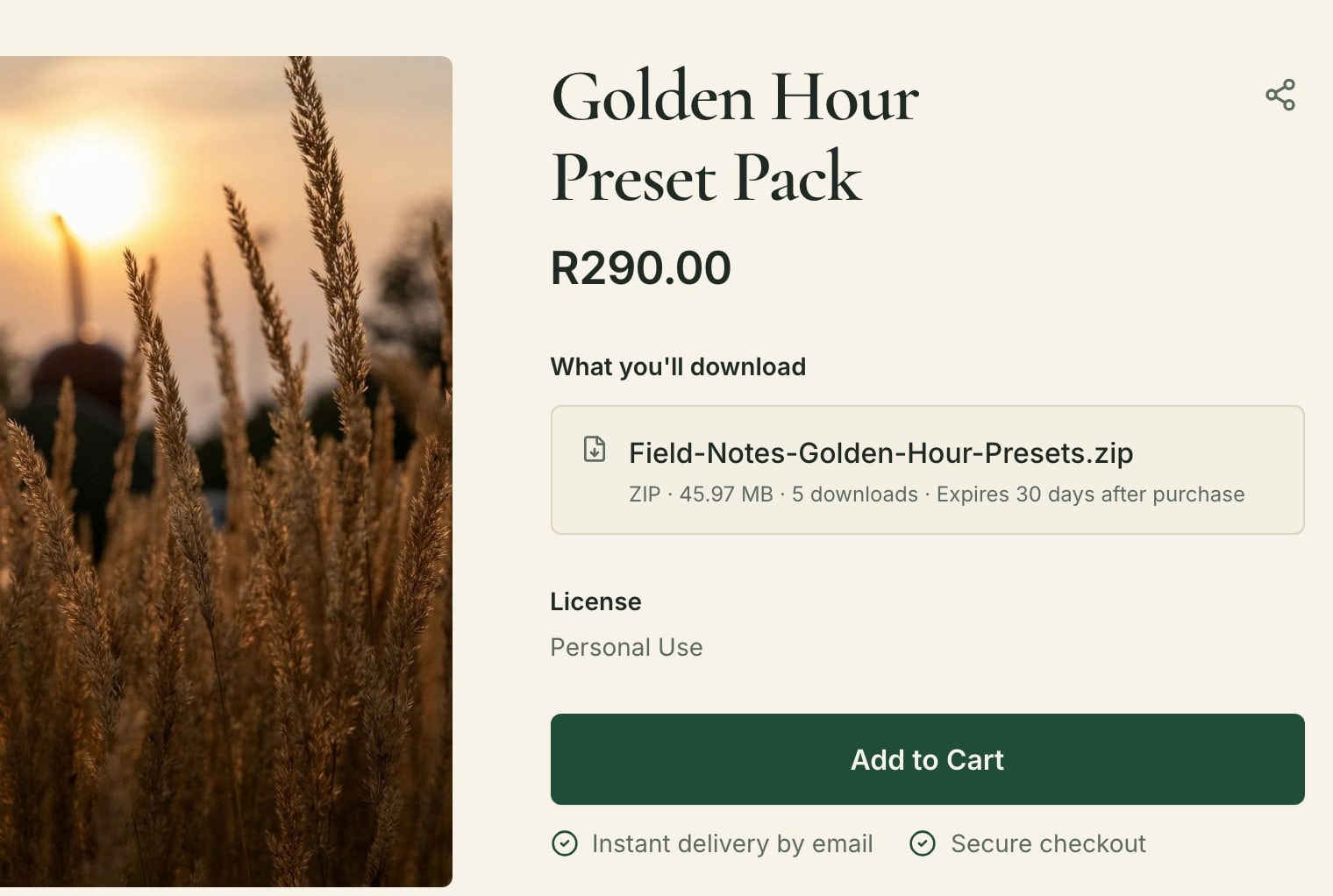

The part software can't do.
You make the thing. Shopstar handles the checkout, the emails, and the follow-up.
AI help
AI help, where it matters.
Connect approved AI tools to your Shopstar page, ask about the shop, and let them take scoped actions through MCP.
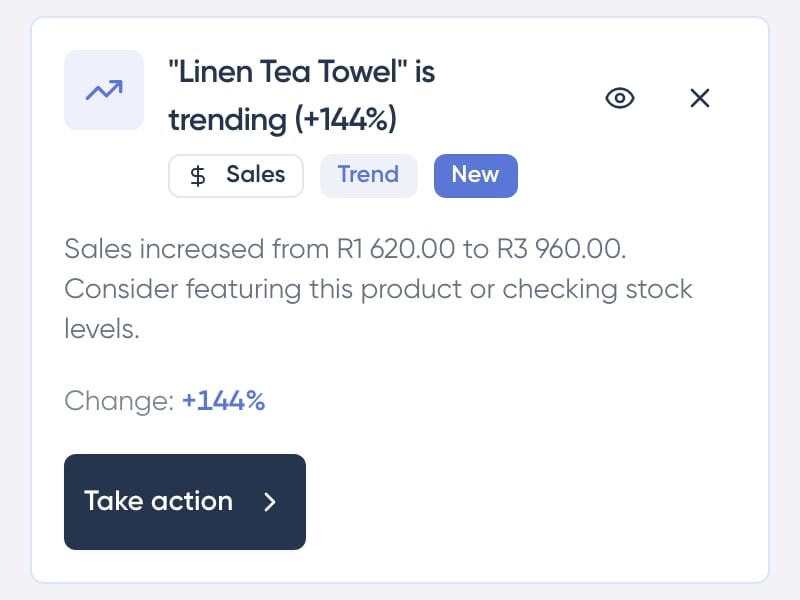
Spot what needs your attention.
Every few hours, Shopstar looks at your sales, stock and carts and flags what is trending, what is running low and where sales are slipping.
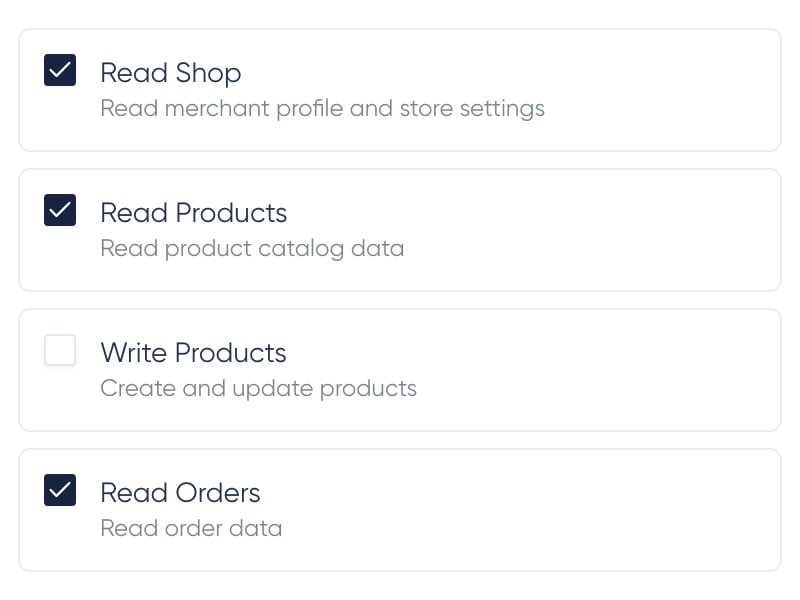
Approve what your AI can do.
Choose read-only access or allow specific product and order actions. Disconnect at any time.
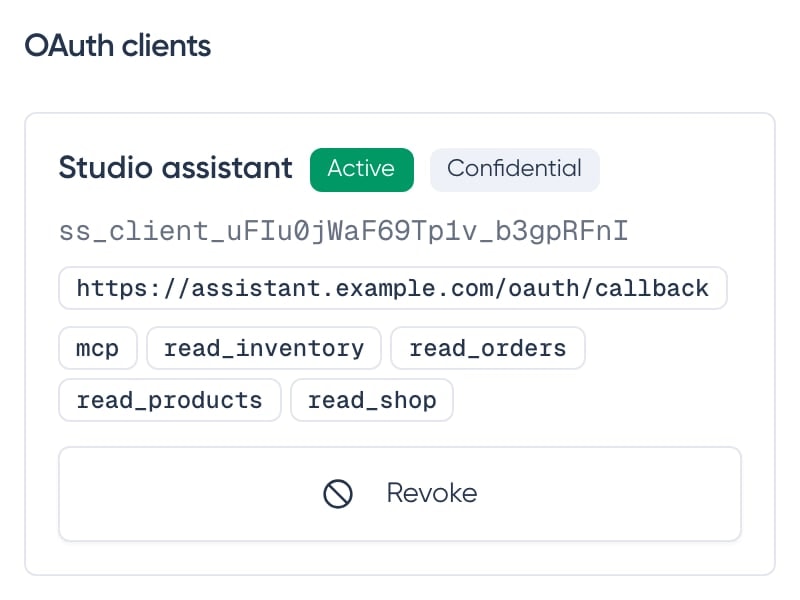
Connect AI tools through MCP.
Give supported assistants a structured, secure way to use your approved Shopstar tools.
Browser assistants can help shoppers, too.
In a compatible browser, an assistant can find products, prepare the shopper’s cart, and help fill in checkout. The shopper confirms the order and completes card payment on the secure payment page. This works automatically on your Shopstar page.

Tools that stay out of the way.
Bookings fill the chair. The page runs itself while you work.
FAQ
Common questions, answered.
- Why a 'single page' store?
- Most customers don't read your About page. They scroll products, maybe check a review, and buy or leave. We cut everything else out so there's less to distract them.
- Can I sell different types of products?
- Yes. Physical goods, digital downloads, bookings, memberships, and event tickets all work on the same storefront. You can mix them however you want.
- Do I need to be a designer?
- No. Pick a theme, add your logo and colours, upload products. Most people start selling in under an hour. If you can use Instagram, you can use this.
- Is it really free to start?
- Yes. No monthly fee on the free plan. We take a small cut of each sale instead. If you sell nothing, you pay nothing.
- Can I bring my own domain?
- Yes. Connect any domain you already own, or use a free Shopstar store URL while you decide.
- How does checkout work?
- One page, guest by default, with built-in online payments. With Shopstar Go, South African sellers can accept Card, Apple Pay and Scan to Pay, with Apple Pay on compatible devices. Memberships use a card for recurring payments. Customers never have to create an account to buy, and you do not need to open a separate payment gateway account.
Start selling today
Try Shopstar free.
No credit card to start. Pay nothing until you make a sale — and keep everything you build.