
For event hosts, promoters and organisers
Your event.Sold out.
Sell tickets from one link, send every guest a QR ticket when they pay, and scan them in with your phone. You get to host the night, not run the list.
- Start free
- Scan tickets with your phone
- No app for guests to download
For people who bring people together
The venue is booked.
The posters are up.
The group chat won’t stop buzzing.
Shopstar Go runs the door. You run the night.
How a night sells out
From the first Early Bird to a full room.
Follow one supper club from the night you set it up to the last guest through the door. You host the night. Shopstar Go runs the list.
YouSet up the night
Price it the way your crowd buys.
Open with Early Bird, then General and VIP, each with its own price and number of places. The event never sells more than the room holds.
- As many ticket types as you need
- A cap per type and for the event
YouShare the link
One link, everywhere they talk.
Share your event page in the group chat, in your bio and on the posters. Every ticket type sells from the same link.
- One link for the whole night
- Works on any phone
Your guestGrabs tickets
They get theirs before it sells out.
Guests choose their tickets and pay in one go. When Early Bird sells out the other types keep selling, and the page says when they’re running low.
- Selling fast when tickets run low
- Promo codes if you want them
Your guestGets their ticket
Every ticket finds its guest.
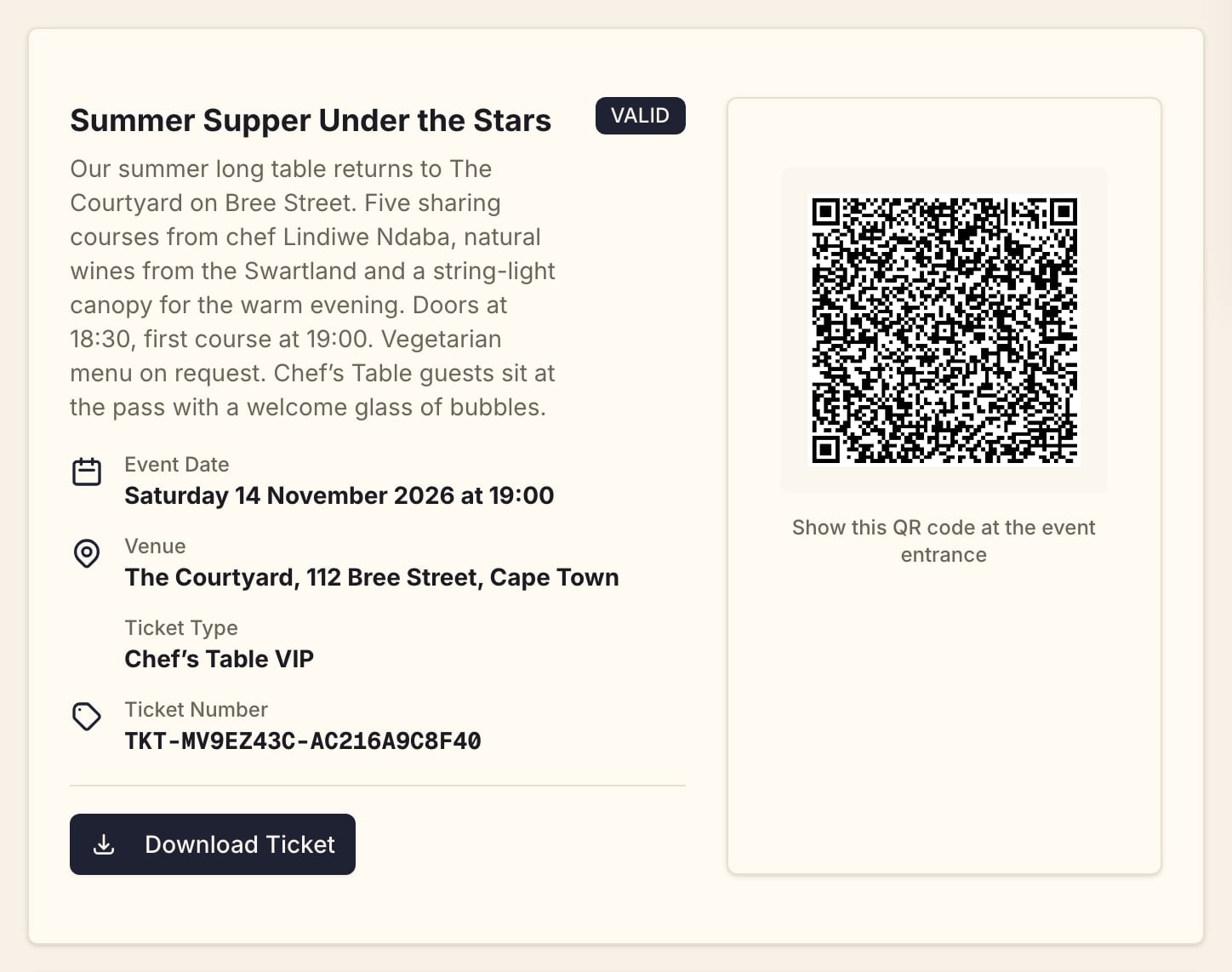
Tickets are emailed straight away, each with its own QR code, and guests can open them again from their account on your page.
- A unique QR code on every ticket
- Add to calendar links
Your guestGets reminded
Nobody forgets the date.
Every guest gets a reminder 7 days, 1 day and 2 hours before your event, with their ticket one tap away.
- Reminders 7 days, 1 day and 2 hours before
YouRun the door
Your crew runs the door.
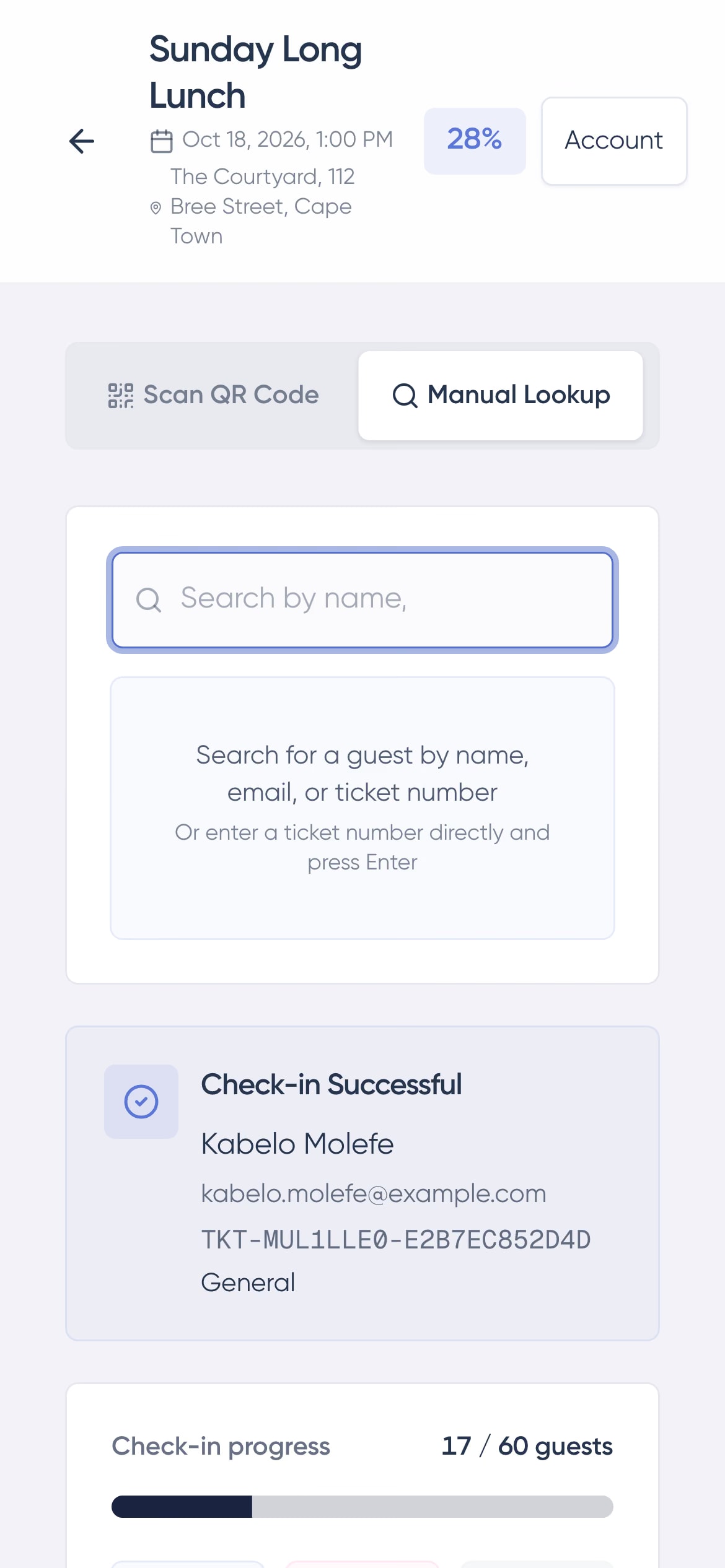
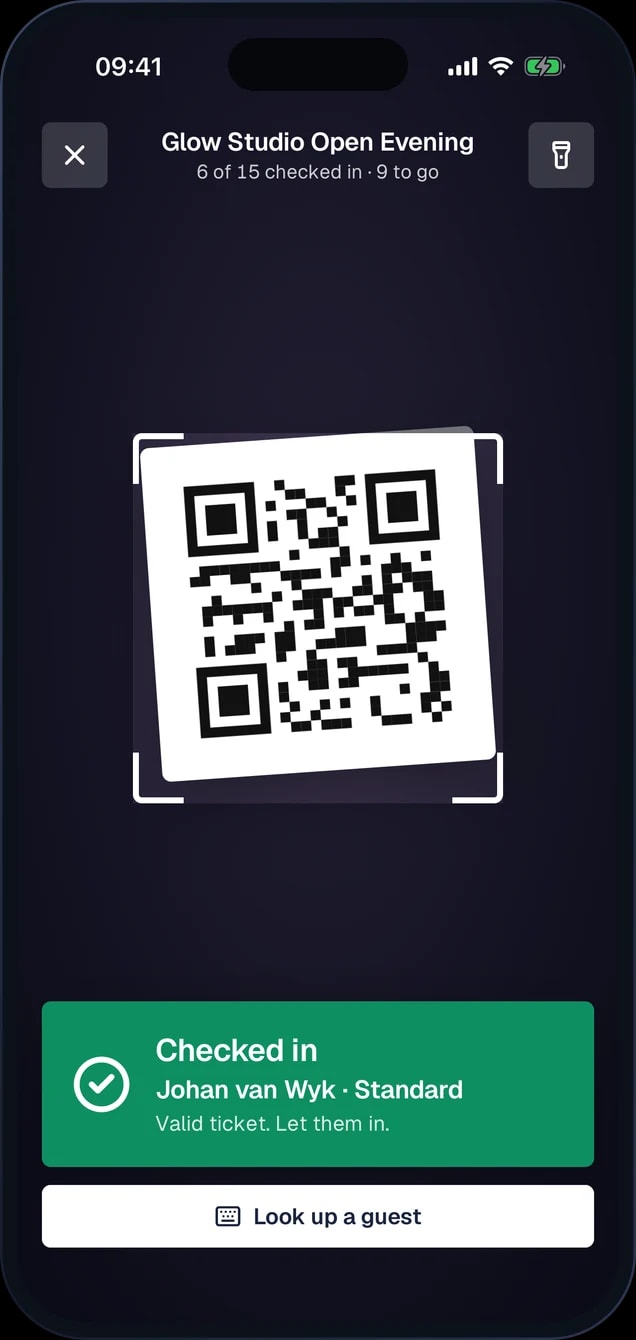
Give door staff a Check-in Only role. They scan tickets with their phone or Shopstar Go Front Desk, and a ticket that has already been used shows when it was scanned.
- A Check-in Only role for door staff
- Several phones scanning at once
- Look guests up by name or email
YouSell at the door
Walk-ups welcome.
Create the order from your dashboard and mark it paid in cash, or send the guest a payment link. It comes off the same ticket count.
- Cash at the door
- Payment links
- One ticket count

Fill the place with people.
Create your event, set your ticket types and share the link with your crowd.
Fill the place with people.
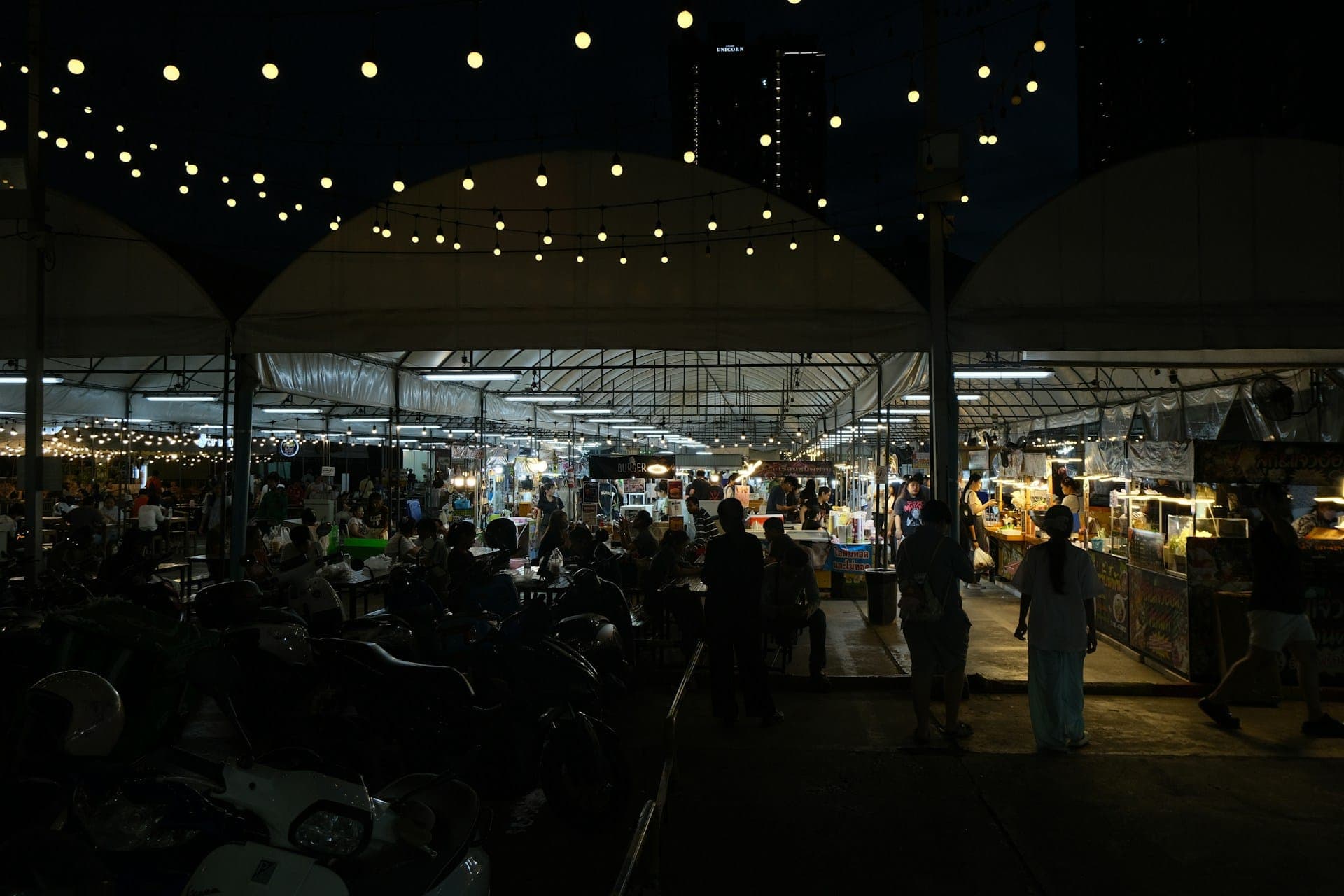
Markets, gigs, supper clubs and workshops. If it needs a ticket, sell it from your page.
Everything included
Everything else you would expect, on every plan
Ticket tiers
Sell early-bird, general, and VIP tiers, each with its own price and limit.
Capacity control
Cap sales to your venue size, tracked in real time so you never oversell.
Fast check-in
Check guests in quickly on the day with ticket scanning.
Sent automatically
Buyers receive their tickets automatically after payment.
Sell at the door
Take walk-ups in cash or send a payment link. Tickets come off the same count.
Free events
Set a price of zero and still send tickets and scan guests in.
Promo codes
Give a code for a percentage or an amount off.
Secure payments
Accept cards and local payments with automatic payouts.
Your event, your brand
A branded event page on a Shopstar link or your own domain.

Shopstar Go Front Desk
Scan them in at the door.
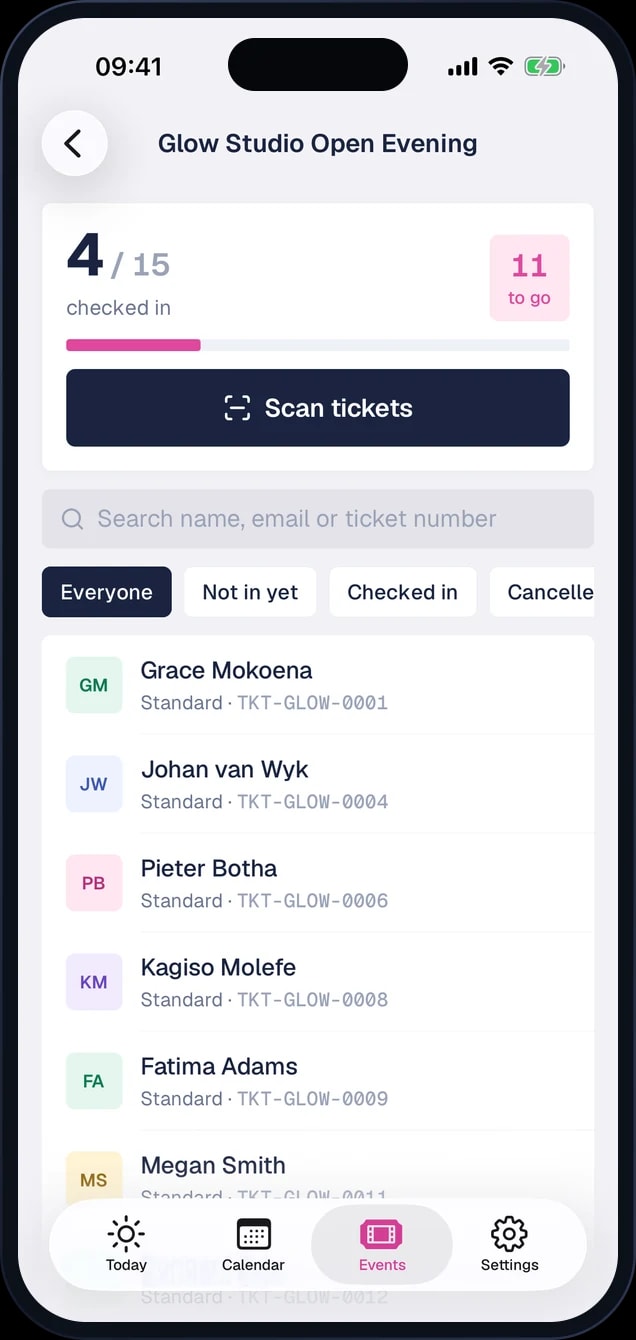
Turn a phone or iPad into a door scanner. Your crew sees each event’s guest list and how many are in, and a ticket that has already been used shows when it was scanned.
- Scan tickets with the camera
- Guest list and check-in count
- Look guests up by name or email
- Included on both plans

FAQ
Selling tickets, answered
- Can I sell different ticket types?
- Yes. Create multiple tiers — early bird, general, VIP — each with its own price and capacity.
- How do guests receive their tickets?
- Automatically after payment, so there is nothing for you to send manually.
- How does check-in work?
- Check guests in quickly on the day by scanning their tickets.
- Can my door staff check guests in?
- Yes. Give them the Check-in Only role and send them your event’s check-in link. They can scan tickets and look guests up by name, and nothing else.
- Is there an app for checking guests in?
- Yes. Shopstar Go Front Desk turns a phone or iPad into a door scanner, with each event’s guest list and check-in count in one place. It is included on both plans.
- Can I run a free event?
- Yes. Set the ticket price to zero. Guests still get a ticket with a QR code to show at the door.
- Can I sell tickets at the door?
- Yes. Create the order from your dashboard and mark it paid in cash, or send the guest a payment link. It comes off the same ticket count.
- Do ticket holders get reminders?
- Yes. They get a reminder email 7 days, 1 day and 2 hours before your event.
- What does it cost?
- Start free and pay per ticket, or subscribe for lower per-sale fees. See pricing for details.
Sell anything
One page for everything you sell
Get started
Open the doors
Create your event, set your ticket types and share the link with your crowd.