
For photographers, designers, writers and teachers
Your best work.On repeat.
Turn what you made into a download people can buy from your page. Shopstar Go takes the payment and sends the file, so work you did once keeps selling.
- Start free
- Files delivered automatically
- No stock, no shipping
For people who make things you can download
The preset you perfected.
The guide you rewrote ten times.
The template everyone keeps asking you for.
On Shopstar Go, that’s a product. And you’re in business.
How a download sells
Made once. Sold again and again.
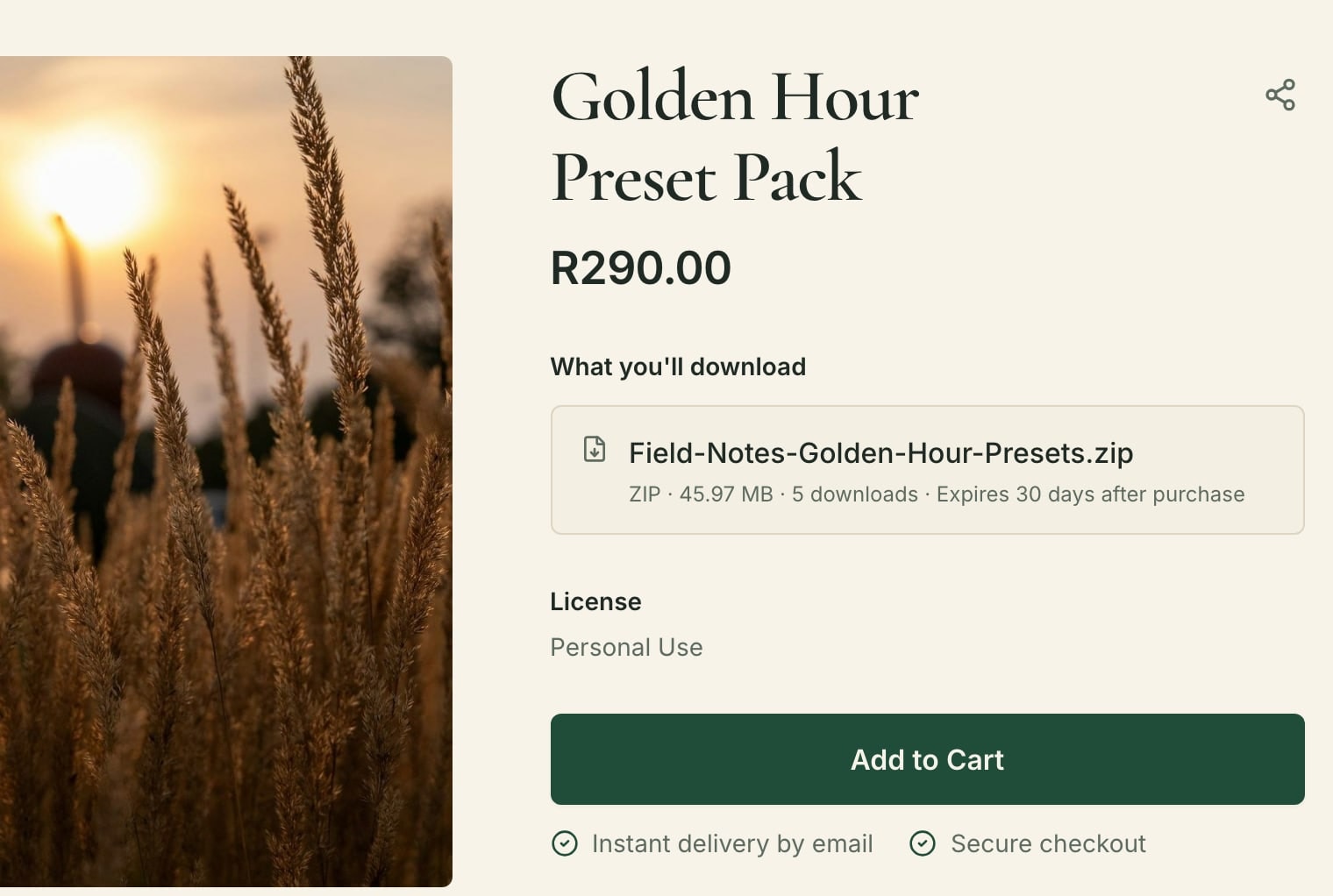
Follow one preset pack from your laptop to a happy buyer. You do your side once. Shopstar Go does the rest every time someone buys.
YouUpload it once
Make it once. Set the rules once.
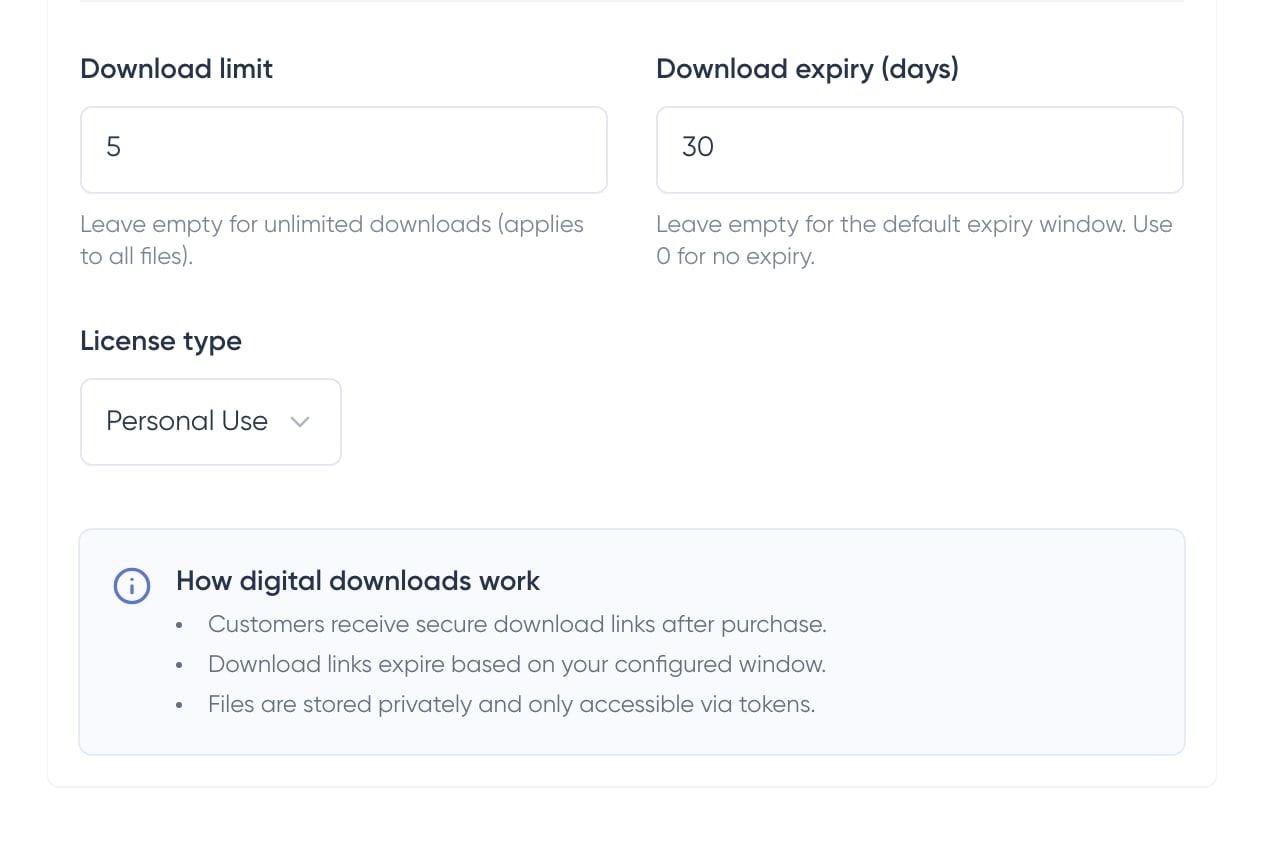
Upload your file, set a price and choose how many times each buyer can download it, how long their link lasts and the licence they get.
- Files up to 2GB each
- A download limit per buyer
- Your licence terms
YouShare your link
Put it everywhere you post.
One link to your page goes in your bio, your newsletter and your group chats. Every product you add sits behind it.
- One link for everything
- Works on any phone
Your buyerFinds it
They know exactly what they’re getting.
Your buyer sees the price, the file they’ll download, how many downloads they get and the licence, then adds it to their cart.
- File, size and downloads shown
- No account needed
Your buyerPays
Paid in a few taps.
They pay by card or a local payment method, right there on their phone. No payment account for you to open.
- Cards and local payments
- Payouts to your bank
Your buyerGets the file
They pay. The file is on its way.
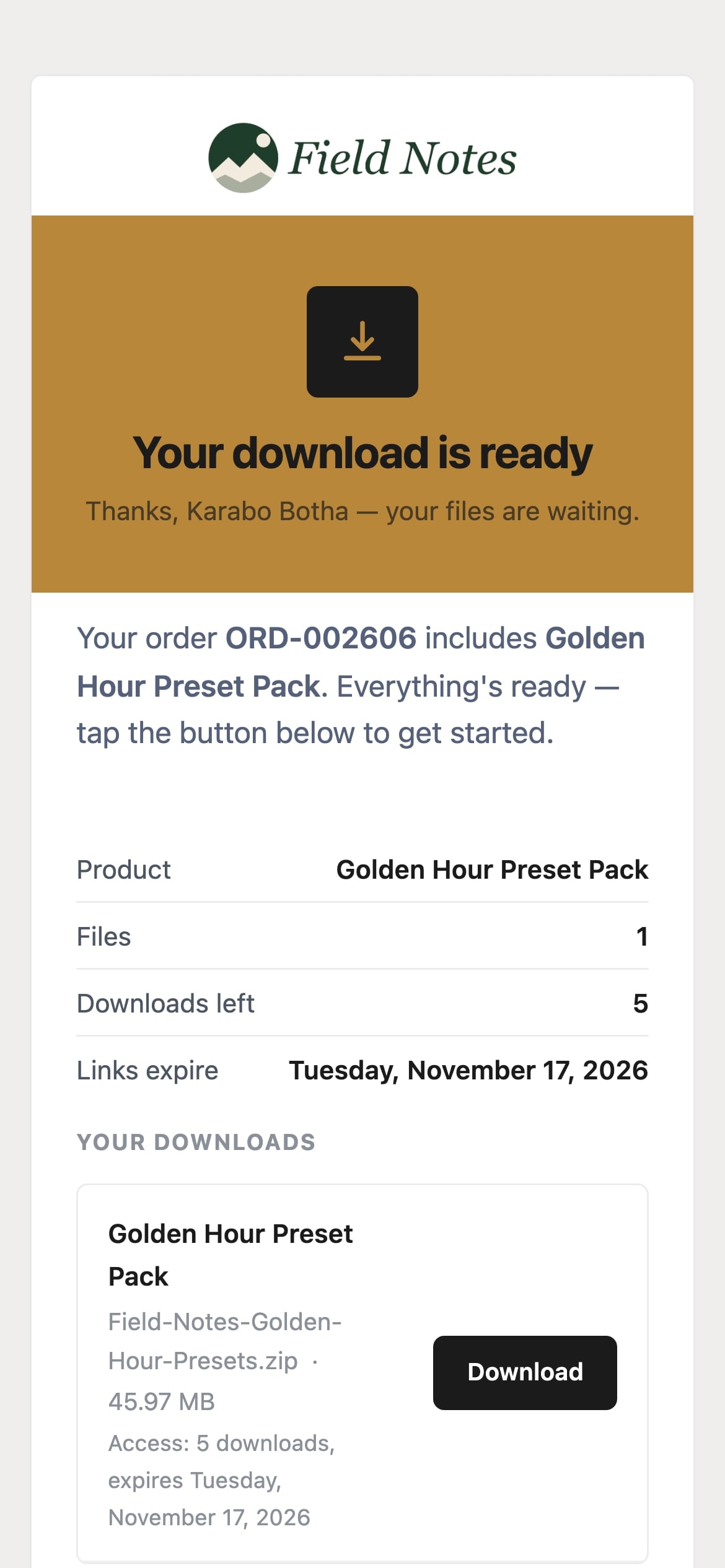
The download link goes out by email as soon as payment clears, and it waits on their order page too. No “can you resend the link?”.
- Download link by email
- On their order page too
YouSee the sales
Every sale, already delivered.
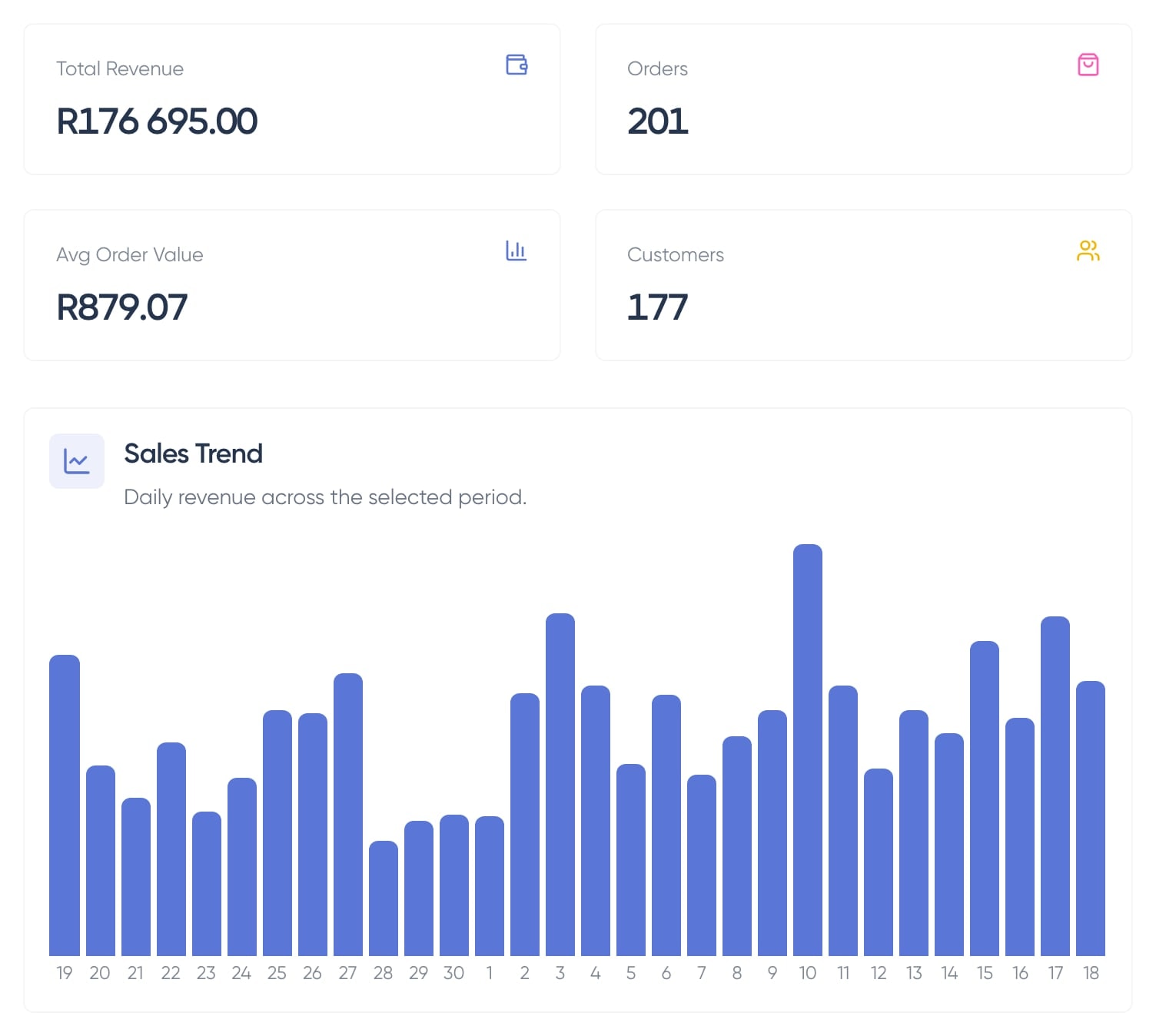
Each file went out the moment it was paid for. Your dashboard shows what sold, who bought it and how the month is going.
- Sales and customers at a glance
- Nothing to pack or post
Your buyerComes back for it
Their file is there when they need it.
Buyers download again from their account, within your limits, and get an email three days before their link expires. Refund someone and their access closes.
- Downloads again from their account
- A reminder before the link expires
- Access closed after a refund
Your best work, on repeat.
Upload your first file, set your price and share your link.
You’re in good company
Creators already selling downloads on Shopstar Go
Real stores selling files, guides and templates from their Shopstar Go page.

Kies Jou Kat
🇿🇦 Handmade ceramic cups for people with a sense of humor | 💌 [email protected] | 👇 Adopt your KatCup today
South Africa

The Core Collective
A lifestyle built from within. Movement. Mindset. Nutrition. Wellness. Helping you build healthier habits, find a balance and feel stronger in every part of life. From everyday movement, mindful nutrition to accessorising while doing it, we're here to make wellness feel achievable, sustainable and part of who you are.
South Africa5.0
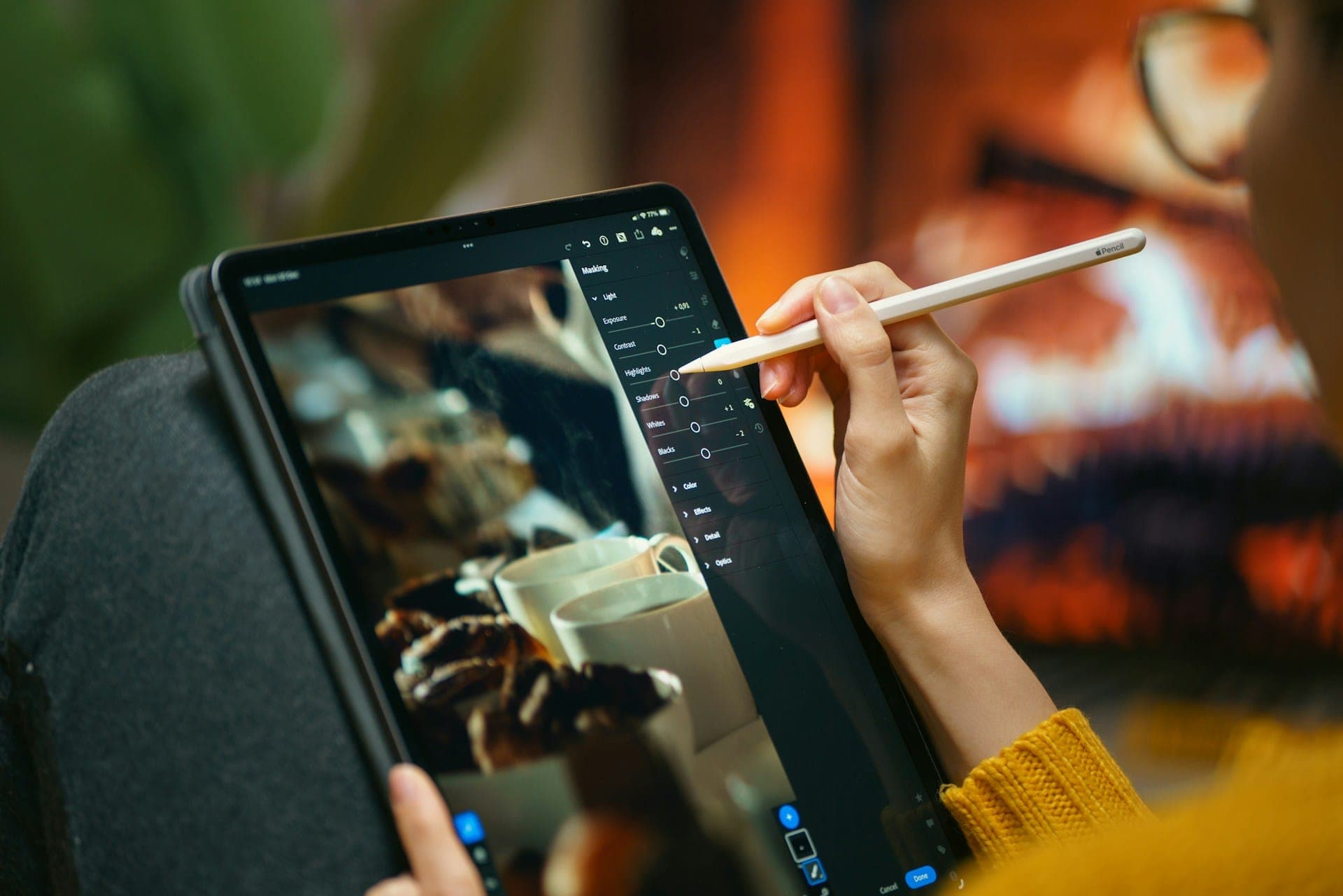
Every sale delivers itself.
Shopstar Go sends the file the moment they pay, so you can get on with making the next one.
Everything included
Everything you need to sell downloads
Automatic delivery
Buyers get a secure download link as soon as payment succeeds.
Secure, protected links
Private download links, with the download limit and expiry you choose.
Sell unlimited copies
One upload can sell again and again. No stock, no shipping, no fulfilment work.
The files you make
PDF, EPUB, ZIP, MP3, MP4, images, documents and spreadsheets, up to 2GB each.
Easy to find again
Buyers can download again from their account, within your limits.
Expiry reminders
Buyers get an email a few days before their download link expires.
Your licence terms
Show buyers whether a file is for personal or commercial use.
Virus-scanned uploads
Every file you upload is scanned, so buyers can trust what they download.
Get paid securely
Accept cards and local payment methods, with payouts to your bank.
What you can sell
Perfect for every kind of digital product
If it fits in a PDF, ZIP, audio, video or image file, you can sell it on Shopstar Go. A few ideas:
- Ebooks, guides, and PDFs
- Spreadsheet and document templates
- Lightroom presets and design assets
- Printables and planners
- Music, samples, and audio
- Fonts, graphics, and mockups
- Photography and stock media
- Video lessons and tutorials
Guide
How to sell digital products online
Selling digital products is one of the simplest ways to earn online: you create something once and sell it again and again, with no stock, packaging, or shipping. The hard part is usually the admin: taking payment securely and getting the file to the buyer every time. Shopstar Go takes care of both.
With Shopstar Go you upload your file, set a price, and share a link. When a customer pays, they get a secure download link by email and on their order page, and payouts go to your bank. You can cap downloads per buyer, set links to expire, and buyers get a reminder before their link runs out.
Because there is no stock, a digital product can sell to one customer or thousands from the same page. Start with one file, see what sells, and add more when you are ready.
FAQ
Selling digital products, answered
- How are digital products delivered to customers?
- Automatically. As soon as a payment succeeds, the buyer receives a secure download link — you do not need to send anything manually.
- Can I limit how many times a file is downloaded?
- Yes. You can set a download limit and an expiry window per product, so access stays under your control.
- What file types can I sell?
- PDF, EPUB, ZIP, MP3, MP4, JPG, PNG, DOCX, XLSX, CSV, TXT, and Markdown files, up to 2GB each. Put design files, fonts, presets, or bundles in a ZIP.
- Can buyers download their file again later?
- Yes. Buyers can download again from their order page or their account, until they reach your download limit or the link expires.
- What happens if I refund a buyer?
- Their download access closes automatically when the refund goes through.
- How much does it cost to sell digital products?
- You can start free and pay per sale, or move to a subscription plan for lower per-sale fees. See the pricing page for current rates.
Sell anything
One page for everything you sell
Get started
Turn your best work into sales
Upload your first file and share your link today. Start free — no card required.