How to Set Up a Booking System That Gets You Paid Instantly
Set up a booking system that takes payment upfront in rand, sends reminders and cuts late payments and no-shows, without needing a separate website.
16 min read
On this page
How to Set Up a Booking System That Gets You Paid at Booking in South Africa
The simplest way to stop chasing payments is to merge booking and checkout into one step, so a client can't lock in a slot until they've paid. A good booking system lets you take a deposit or full payment in rand when someone books. It also sends confirmations and reminders, and shows your cancellation terms before anyone pays. With a platform like Shopstar, you can set this up on one page in an afternoon, with no separate website needed.
Below, I'll walk through why this works, what to set up, how to word your policies, and the mistakes I see freelancers make most often. Coach, hairstylist, photographer, tutor or consultant, the goal is the same: you do the work, and the admin mostly looks after itself. ✨
Why separate booking and payment tools cost freelancers money 💸
You know this story. A client WhatsApps you, you agree a time, and you pop it in your calendar. Afterwards you send an invoice with your banking details. Three weeks later there's still no proof of payment, so you write a polite nudge. Then a slightly less polite one. Meanwhile, you feel awkward asking for money you've already earned.
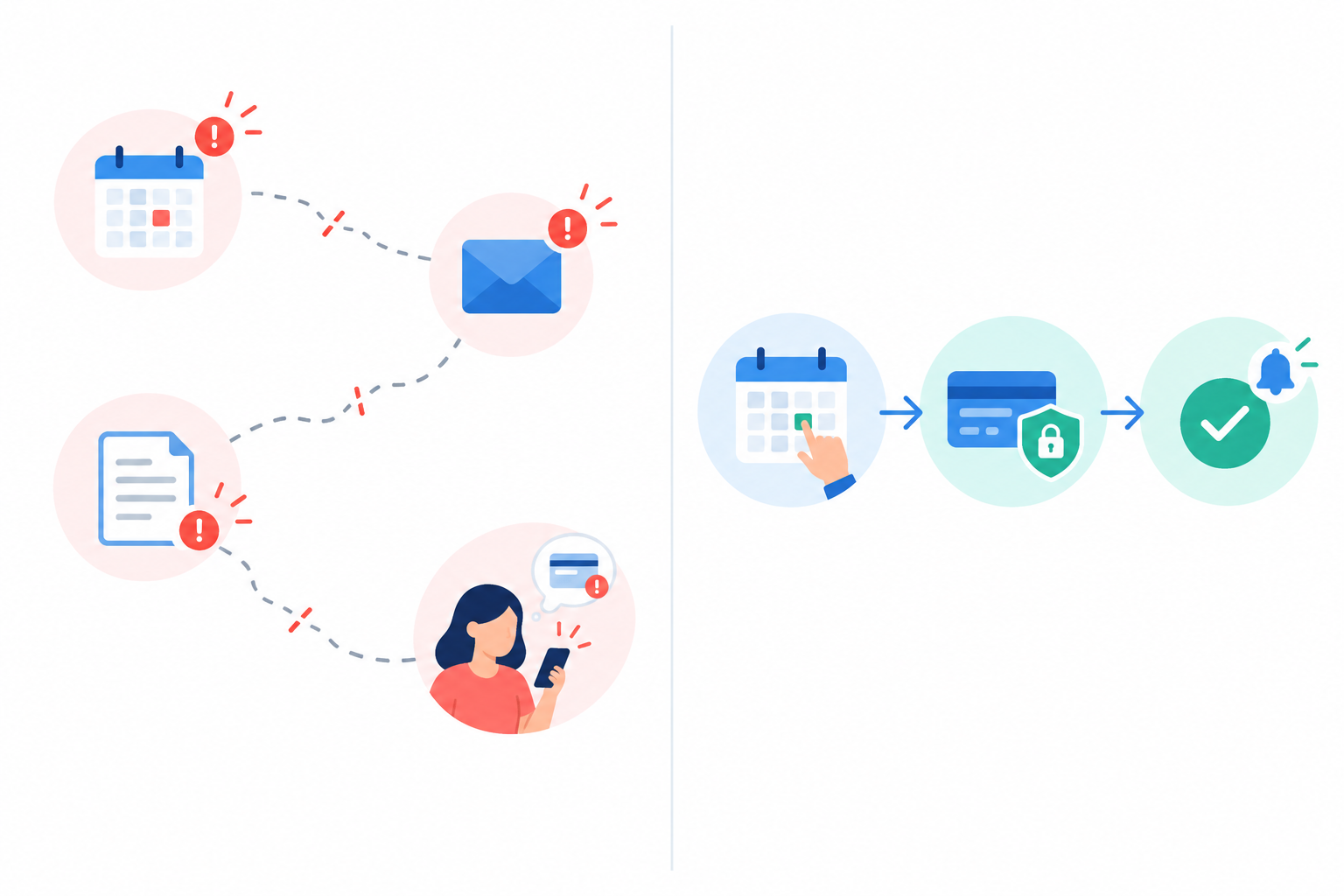
It's the most common freelancer headache there is, and it usually isn't the client's fault. The problem is the gap between 'booked' and 'paid'. When those two things live in different places, money slips through the cracks.
The hidden costs of separate booking and payment tools
A typical DIY setup is a calendar app for availability, WhatsApp or email for confirming, an invoicing tool for billing, EFTs into your bank account, and your own memory for follow-ups. Each tool might be cheap on its own, but the real cost shows up elsewhere:
- Manual matching. You have to tie each booking to an EFT reference, and fix it when the records don't agree.
- Admin time. Back-and-forth messages to confirm slots, send banking details and write reminders add up quickly.
- Missed or double bookings. If availability lives in one place and payments in another, mistakes happen.
- Cash flow gaps. Work delivered but not yet paid is effectively an interest-free loan to your client.
When you compare options, look at total cost rather than subscription price alone. Payment-processing charges, add-on fees, the time you spend reconciling records and the cost of a missed appointment all count. Fees vary by provider and payment method, so check the current details for whichever tool you choose.
Why the gap between booking and payment can lead to no-shows
Here's the psychology. If a client has only said 'yes' on WhatsApp, there's no commitment beyond good intentions. If they've paid a deposit, the slot feels real. Clear terms before checkout also cut down on avoidable disputes.
Ecommerce has a useful lesson here, too. The Baymard Institute's cart abandonment research puts the average documented online cart abandonment rate at around 70% (check the page for the latest figure and methodology). It lists unexpected extra costs and long, complicated checkouts among the reasons. That's a shopping benchmark, not a booking-specific figure, so please don't read it as your expected drop-off. It's context, not proof. Still, the takeaway makes sense: the fewer steps between 'I want this' and 'it's done', the better.
The fix: one booking link, one checkout
The fix is a single link where the client picks a service, picks a time and pays in the same flow. No separate invoice, no 'I'll EFT you on payday'. That's why we built service bookings into Shopstar's checkout, so the page that sells a product or a download can also sell your time.
What a booking system needs to do (and what you can skip)
A lot of booking software is built for big teams with receptionists and complicated rosters. If you're a solo service provider, you only need a short list of things done well:
- Show available times and block taken slots. Clients see only what's genuinely free, so double-bookings are avoided.
- Take payment at the moment of booking. The slot is confirmed once the full amount or deposit has been paid at checkout.
- Send instant confirmations. You and the client both get the date, time and location or video link straight away.
- Send reminders. No more typing 'just checking you're still good for tomorrow!' at 9pm.
- Show your cancellation and rescheduling terms. Your policy is displayed upfront, so clients agree to it before paying. Applying it, such as issuing a refund or keeping a fee, may still need a manual decision from you, depending on the tool.
What booking software can you skip?
You don't need a full website, a complex CRM or a developer to get started, and most solo businesses never do. A clear list of services, up-to-date availability and a smooth checkout will do more for your income than a fancy site nobody finishes building.
Choosing the right booking flow for your services
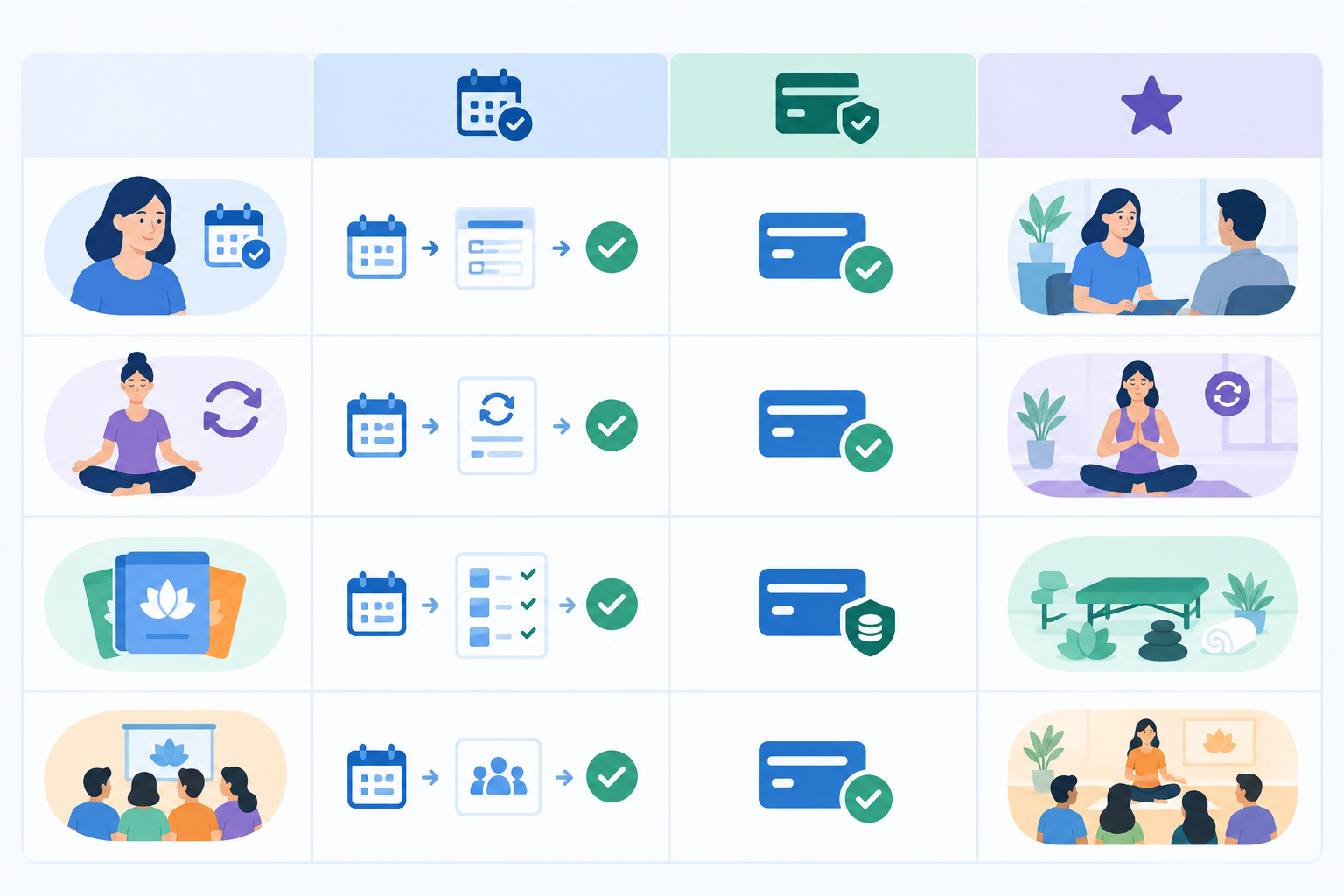
Not every service works the same way. A one-off haircut and a three-month coaching programme need different setups. Here's a quick guide to matching your service type with the flow that suits it.
| Service type | Best-fit booking flow | Payment approach | Examples |
|---|---|---|---|
| One-off appointment | Fixed-duration slot, single booking | Full payment (lower price) or deposit (higher price) | Consultations, braids and haircuts, photo shoots |
| Recurring sessions | Repeat bookings or session packages | Pay per session, or a package upfront | Coaching, tutoring, personal training |
| Packages | Bundle of sessions sold as one item | Full payment upfront | 6-lesson matric maths block, 10-session PT pack |
| Ongoing clients | Membership or subscription | Monthly recurring payment | Monthly retainer, community access |
| Group sessions and events | Event ticketing with limited places | Full payment per ticket | Workshops, classes, webinars |
A few things to think through when setting up online bookings
Fixed versus flexible length: fixed slots (say, 60 minutes) are the easiest to manage and the least confusing for clients. For creative or bespoke work, offer clear options, like 1 hour or 2 hours, each priced separately.
In-person versus online: for in-person sessions, collect the address or any access details, like the gate code for your complex. For video calls, make sure the meeting link lands in the confirmation. Either way, ask only what you need at booking.
Group sessions and events: if you run workshops or classes with limited places, ticketing suits you better than one-to-one booking. Places sell out as they're taken, and you're not juggling spreadsheets.
Can I offer multiple service types on one booking page?
Yes. List each service as its own bookable item, with its own price, duration and description. A photographer might have a mini session, a full shoot and a brand day, all on one page with one checkout. You can also sell digital downloads, memberships or event tickets alongside your bookings. Just don't go overboard (more on that later).
Setting deposit or full payment requirements for bookings
Can you require payment before confirming a booking? Yes. Most online booking platforms support full payment or deposits at checkout, though exact options vary by tool and plan. It's one of the most effective ways to reduce no-shows, though it won't eliminate them.
When full payment upfront makes sense
Take the whole amount when:
- The session is short or lower-priced (a R350 consultation, a single tutoring lesson)
- The client is new to you
- A late cancellation costs you close to the whole fee, because you can't easily refill the slot
When a deposit makes sense
A deposit suits higher-value or longer work, like photography, weddings and events, bespoke projects and multi-hour sessions. Many freelancers charge somewhere in the region of 20-50%. There's no universal rule, so pick a figure that covers a meaningful share of what you'd lose if the client vanished. Then make the balance and its due date clear before they confirm.
How to explain a booking deposit clearly
Clients rarely mind deposits. They mind surprises. So be upfront and keep the tone friendly:
'To secure your date, I take a 30% deposit at booking. The remaining balance is due 48 hours before your session. Your deposit goes towards the total price.'
That's short, clear and professional. State the deposit, the balance due date, and your cancellation and refund terms before the client pays.
Pricing tips for South African clients
Show prices in rand and make the number on your page the number the client pays. Be transparent about what's included (editing time? materials? travel to Umhlanga or Ballito?) and avoid add-ons that only appear at the final step. Unexpected costs at checkout are a classic reason people abandon a purchase.
If you're registered for VAT, quote prices with the 15% VAT included. Many solo service providers don't need to be: from 1 April 2026, registering with SARS is compulsory only once your taxable supplies pass R2.3 million in 12 months, and voluntary registration starts at R120,000.
Timing matters too. Many clients are paid around the 25th, so a deposit lets someone lock in a matric dance or December festive-season date before payday and settle the balance afterwards.
If you also get clients from overseas, your page can show prices in other currencies, while you're still paid in rand.
How the money reaches you after a booking
With Shopstar, payments are built in with Shopstar Go, so you don't need to open a separate payment gateway account. Clients can pay by card, Apple Pay (on compatible devices) or Scan to Pay, and payouts go to your South African bank account automatically every day.
A payment taken at booking confirms the slot immediately. So 'paid instantly' means the client has paid at checkout; the money arrives with your next daily payout, not that same second.
On fees, Shopstar has two plans. Start Free has no monthly fee and charges 6% all-in per sale (a 2.9% payment gateway fee plus a 3.1% Shopstar fee). Lower Fees has a monthly fee, and you pay only the 2.9% gateway fee per sale. So on Start Free, a R950 mini session costs you R57 in fees and R893 is paid out to you.
Booking system security and client trust
Clients pay more comfortably when the checkout feels professional. Use a secure, built-in checkout rather than asking people to send card details by email or WhatsApp, and never store card numbers in notes or spreadsheets.
How to set up your booking system: step by step
This sounds technical, but it really isn't. Set aside an afternoon, make a cup of rooibos, and you could be live before supper.
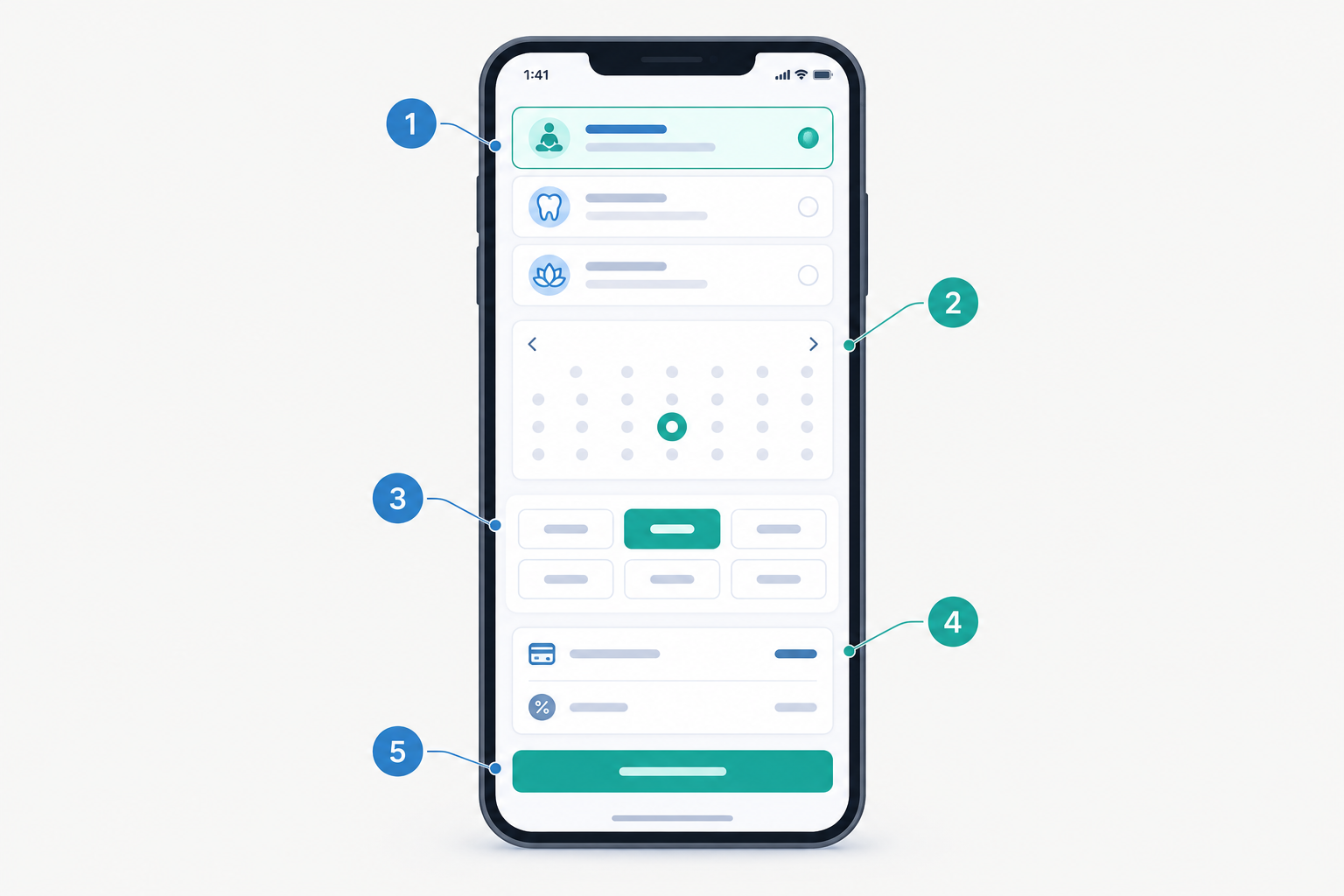
- Create your Shopstar account and claim your URL. Choose a custom shopstar.page address (like shopstar.page/yourname) or connect your own domain if you already have one.
- Add your first service. Give it a clear name, a short description of what's included, a price and a duration. Start with the service you sell most.
- Set your availability and buffer times. Pick the days and hours you want to work, and add a gap between sessions so you're never rushing, even when traffic is bad. Block out public holidays like Heritage Day if you're taking them off. If your tool supports it, cap how many bookings you'll take per day.
- Take payment at checkout. Clients pay the full price when they book, so a slot is only confirmed once it's paid for.
- Add your booking questions. Ask for what you actually need, such as the address or project details, and keep it short. Less personal information is also easier to protect under POPIA.
- Write your cancellation and rescheduling policy in plain English. No legal jargon. I'll cover wording in a moment.
- Put the link in your bio. Add it to Instagram, TikTok and your WhatsApp Business profile, and send it to existing clients so they can rebook easily.
- Make a test booking yourself. Book, pay and check the confirmation on your phone before you go live. It takes five minutes and saves embarrassment.
Feature availability can differ by plan, so check each step against Shopstar's current documentation. If you get stuck, our onboarding team can help you through it. 🙌
Automating booking confirmations and reminders
Automation is what separates a simple booking tool from a real booking system. A tool lets people pick a time. A system handles much of what happens afterwards, so you aren't typing the same message again and again, and clients can book while you're busy with someone else.
What your booking confirmation should include
- Date and time
- Location, or the video-call link
- A payment receipt
- A link to reschedule or cancel
- Any prep instructions (what to bring, what to have ready)
Booking reminder timing that works
For most services, two reminders work well:
- About 48 hours before, which gives clients time to reschedule if something has come up
- Between 2 and 24 hours before, as a final nudge
Include the reschedule link and a brief reminder of your cancellation policy. It's much easier for a client to click 'reschedule' than to ghost you out of awkwardness. Check that your tool can send both reminders automatically, because not every plan does.
How do I prevent no-shows?
Three things work together:
- Upfront payment or a deposit, so the booking has real commitment behind it
- A clear policy shown before checkout
- Timely reminders with an easy way to change plans
None of these is magic alone, and no setup removes no-shows entirely. Together, though, they should reduce casual drift and leave you with mostly genuine emergencies.
A note on reminder tone
Reminders don't need to sound like a traffic fine. Try something warm:
'Hi Lerato! Looking forward to seeing you tomorrow at 2pm. If anything's changed, you can reschedule here up to 48 hours before. See you soon!'
Handling booking cancellations and last-minute changes
What happens if a client cancels last minute? That depends on the policy you set, and the main thing is to set it before anyone pays. Here's a simple structure many service providers use:
- Cancel 48+ hours before: full refund (or free reschedule)
- Cancel inside 48 hours: deposit kept, or a fee applies
- No-show: deposit or full fee kept
Make the cutoff clear, say exactly what happens inside that window, and show the policy at checkout and in the confirmation email. Be clear on whether you're keeping a deposit or charging a separate fee, and how the amount is calculated. A policy only works if it's applied evenly and clients see it in advance, so don't bury it in small print.
Offer rescheduling first
Rescheduling is the friendly alternative to refunds. If a client can move their slot with one click, most will do that instead of cancelling. You keep the revenue, they keep their goodwill, and nobody has an awkward conversation.
A quick word on South African consumer law for bookings
If you're selling to consumers in South Africa, the Consumer Protection Act (CPA) gives clients the right to cancel an advance booking. It also lets you ask for a reasonable deposit and charge a reasonable cancellation fee. What counts as reasonable depends on things like the type of service, how much notice the client gave, whether you could realistically fill the slot, and what's normal in your industry. Online sales also fall under the Electronic Communications and Transactions Act (ECTA), which gives buyers a 7-day cooling-off period for many purchases, with exceptions that can include some date-specific services and services that started, with the client's agreement, within those 7 days.
How this works in practice depends on what you sell, when the service happens and how it's booked. I'm not a lawyer, and this isn't legal advice, so read the rules for your situation before you finalise your terms. Be careful about describing a deposit as 'non-refundable' without checking that it's fair for your kind of service.
On refund timing, don't promise a specific arrival date. Card refunds commonly take around 5-10 working days to show on a customer's statement, and some payment methods take longer. Tell clients when you've issued the refund and that their bank may take a little while to post it.
Sample cancellation and rescheduling wording
This is a starting point, not a legally checked template. It may need adjusting for your service and booking circumstances.
Cancellation and rescheduling policy: You can reschedule or cancel free of charge up to 48 hours before your appointment. Cancellations within 48 hours will forfeit the deposit. If you can't make it, you're welcome to reschedule once at no extra cost. To move your booking, use the link in your confirmation email.
Handling genuine emergencies
Life happens: illness, family emergencies, a flight that never leaves OR Tambo. You can keep your boundaries and still be kind. A reasonable approach is to offer a free reschedule for genuine emergencies, at your discretion, while keeping the written policy as the default. The CPA also says you may not charge a cancellation fee when a booking can't go ahead because the person it was for has died or been hospitalised. The policy protects you, and your judgement keeps you human.
Real example: a freelancer's booking page
Let's make this concrete. The following is an illustrative scenario with made-up numbers, not a real customer story or a promised result.
Meet Priya, a freelance photographer in Durban.
Before using a booking system
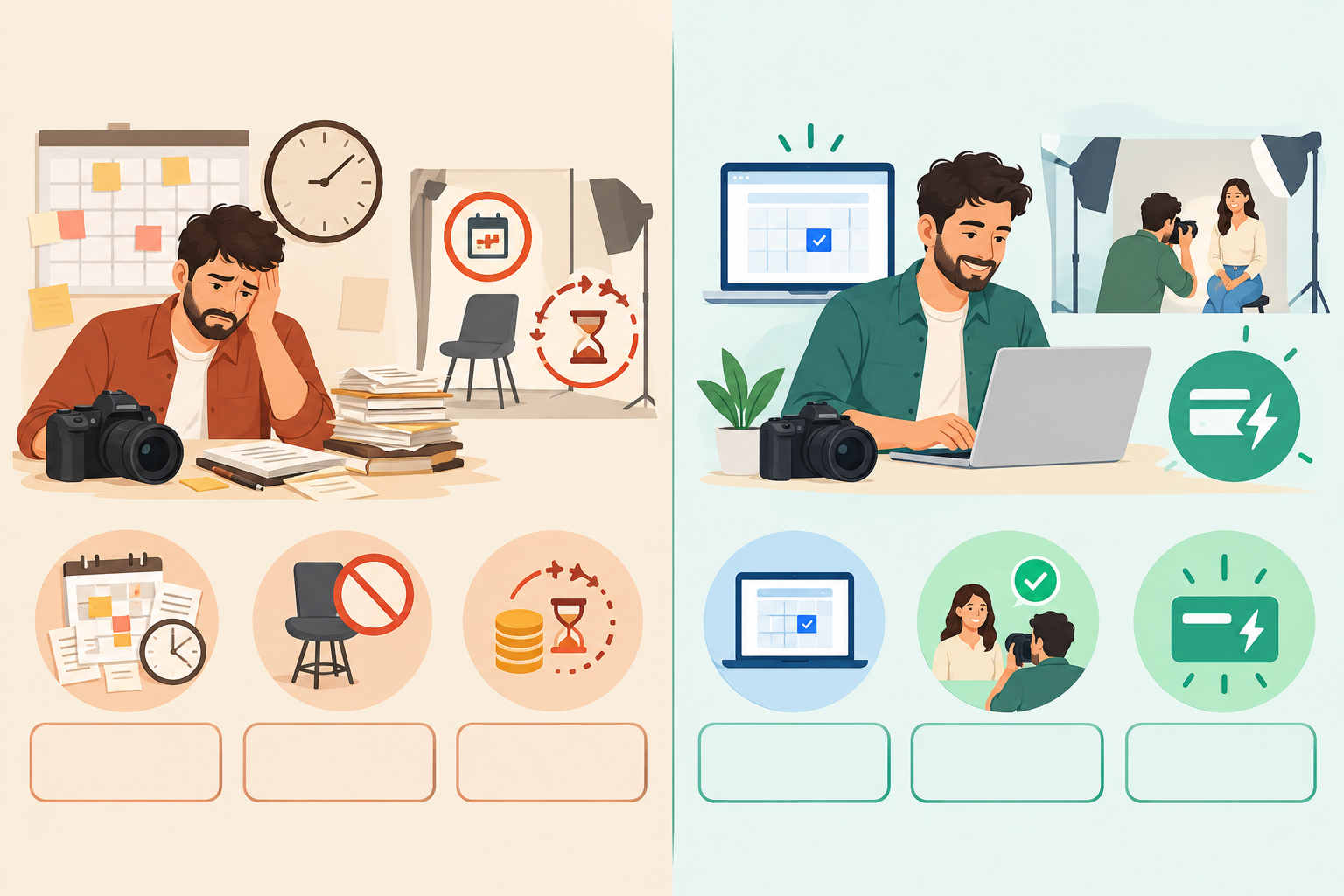
Priya's process is message-heavy. Someone DMs asking about a shoot, she sends her availability on WhatsApp, waits for a reply, sends an invoice with her banking details, then chases the deposit. Say she spends around 6 hours a month on this admin, waits roughly two weeks for the EFT on a typical job, and loses one or two shoots a month to no-shows. At R2,500 for a full portrait shoot, that's up to R5,000 of work gone in a bad month, and each missed shoot is a lost afternoon she can't refill.
After moving bookings and payments into one flow
Priya moves to a single link in her Instagram bio. Her page lists three services: a mini session at R950, a full portrait shoot at R2,500 and a brand-content day at R6,500, each with its own duration and description. Clients pay in full at checkout, so a client booking the full shoot pays R2,500 upfront and the date is locked in. She sets reminders for 48 hours and the day before.
In this scenario, her admin drops to perhaps 2 hours a month, payment arrives at booking rather than weeks later, and no-shows fall to maybe one every few months. Those figures are hypothetical, and your results will depend on your clients, your prices and your policy.
What the client sees
They tap the link, choose a service, pick a time that works, and pay. A confirmation arrives with the date, location and a summary of the cancellation policy. A couple of days before, a reminder arrives with a reschedule link.
What Priya sees
Bookings appear in her calendar already paid for, and the money lands in her bank account with her daily payout. There's no invoice chase, and a client who can't make their slot can reschedule rather than disappear.
Selling more from the same booking page
Shopstar is an all-in-one online store builder and ecommerce platform as well as a booking page. So Priya could also add a digital download (say, a R149 'how to pose for photos' guide) or a membership for Durban cafés and boutiques wanting fresh content every month. Same page, same checkout, no second tool.
Common booking system mistakes to avoid
I've seen these trip up even organised freelancers. Dodge them and you're ahead of most.
- Letting clients pay later 'for convenience'. It feels kind, but it's how you end up chasing. Take payment or a deposit at booking.
- Offering too many services at once. A page with 15 options overwhelms new visitors. Start with two or three and add more as you learn what sells.
- Burying your cancellation policy. If clients can't find it, they won't remember it, and it'll be harder to enforce.
- Not testing on a phone. Most clients will book on mobile, so check it's quick and readable.
- Forgetting buffer time. Back-to-back sessions leave no room for travel, notes or a cup of tea.
- Not sharing the link everywhere. A booking page nobody sees is just a pretty page. Put it in your Instagram, TikTok and WhatsApp Business profiles, your email signature and every conversation where someone asks 'how do I book?'
Your next step: get your booking page live today 🚀
The core idea is simple: when booking and payment happen in one step, you stop chasing. Clients commit, slots fill, and your calendar reflects real, paid work.
Don't try to build the perfect setup on day one. Start with one service, test it, then add more as you go. You can always tweak prices, availability and policies later.
Shopstar was built in South Africa for entrepreneurs, creators and service providers who want to sell without wrestling with web design. It has a 4.9-star Google rating and 160+ verified five-star reviews. If you'd like to try it, claim your shopstar.page URL and start on the Start Free plan with no monthly fee. If you want a hand, our onboarding team is happy to help you get your first booking live.
FAQs about booking systems
Can I require payment before confirming a booking?
Yes. With a booking system that has built-in checkout, you can set it so a slot is only confirmed once the client has paid in full or paid your deposit. Check which options your plan includes.
How do I prevent no-shows?
Combine upfront payment or a deposit, a policy shown at checkout and timely reminders with an easy reschedule link. That reduces no-shows but won't remove every one.
What happens if a client cancels last minute?
That depends on the policy you've set. A common approach is a full refund or free reschedule with 48 hours' notice, and keeping the deposit or charging a fee inside that window. In South Africa, the Consumer Protection Act allows a reasonable deposit and a reasonable cancellation fee, so check that your policy is fair for the service you sell.
Can I offer multiple service types on one page?
Yes. List each service separately, with its own price, duration and description, all behind a single checkout. You can sell downloads, memberships or event tickets alongside bookings.
Do I need a website to take online bookings?
No. A platform like Shopstar gives you a simple page on a shopstar.page URL (or your own domain) that works as your booking page and link in bio, with no web design skills needed.