5 Tips to Get Paid Faster as a Freelancer or Service Pro
Tired of chasing invoices and proof of payment? Here are 5 practical tips for South African freelancers and service pros to get paid faster, from upfront payments to a booking system that collects money for you.
13 min read

On this page
Get Paid Faster as a South African Freelancer: 5 Booking System Fixes That Replace Manual Invoicing
The fastest way to get paid is to take payment when someone books, not weeks later. Swap manual invoices for a checkout link or a booking system that collects payment upfront, offer the payment methods your clients actually use, automate reminders, and keep every payment in one dashboard. Below I'll walk you through each step, show how we approach it at Shopstar, and give you a provider-neutral checklist so you can pick the right tool, whether or not it's ours.
If you're a life coach in Pretoria, a hairstylist in Durban, a photographer in Cape Town, a consultant or a tutor who invoices by hand, this one's for you. No jargon, no lecture. Just five practical fixes.
Why Clients Delay Payment (and How a Booking System Helps) 😅
You know the scenario. You finish the job, the client says it's brilliant, you send the invoice... and then, silence. A week passes. Then two. You draft a 'just checking in!' WhatsApp, delete it, redraft it, and eventually decide to wait a bit longer.
Here's the reassuring bit: it's rarely about you or the quality of your work. Late payment is usually a process problem, and the usual culprits are pretty mundane:
- Your invoice is buried under forty other emails.
- There's no clear deadline. 'Payable soon' isn't a date.
- Payment details are fiddly. Copying an account number, branch code and the right reference into a banking app is a chore, so it gets put off.
- They're waiting for payday. An invoice that lands on the 10th often gets parked until payday around the 25th.
- Some clients, especially businesses, need an invoice approved and then wait for the next scheduled payment run, often at month-end.
- They simply forgot. Life happens.
Manual invoicing makes it worse for you too. You build the document, type out your banking details, email it, chase it, ask for proof of payment, then hunt for the EFT on your bank statement and match it to the right client. That's admin you're not being paid for. And then there's the awkwardness. Most freelancers dread payment conversations, so they avoid them, and waiting longer becomes the default.
You're far from alone. Ask freelancers in Johannesburg or Cape Town about chasing money and most will have a story about a client who 'definitely sent the EFT'. The best protection is a process that doesn't leave payment to chance: clear terms in writing, and payment taken as early as possible.
So let's remove the friction. Here are five booking system fixes that make life easier for you and your clients.
Tip 1: Require Payment Upfront When Clients Book
This is the big one. When a client books, they're at their most enthusiastic. They've just decided they want what you offer, so asking for payment right then feels natural. Asking three weeks later, after the glow has faded, can feel like a debt-collection call.
Choose full payment, a deposit or milestone payments
- Full payment at booking is often a good fit for single appointments, sessions and lower-cost services.
- A deposit works well for bigger jobs. Around 30-50% is common, with the balance due on the day or on completion.
- Milestone payments suit larger projects, such as a third at the start, a third at the midpoint, and a third on delivery.
Here's how that might look in practice (illustrative figures only):
- A R350 maths tutoring session in Pretoria: take the full R350 at booking. Handy in January, when back-to-school bookings pile up.
- A R2,500 family photo shoot in Cape Town: take a 30% deposit (R750) to secure the date, with the remaining R1,750 due before you deliver the final images.
- A R30,000 consulting project for a small business in Johannesburg: split it into three milestone payments of R10,000, each tied to a clear deliverable.
Whether a deposit is appropriate depends on your service, your cancellation policy and the consumer rules that apply to you. In South Africa that means the Consumer Protection Act (CPA) and, for bookings made online, the Electronic Communications and Transactions Act (ECTA), which gives online buyers a 7-day cooling-off right with some exceptions, such as services that began with the client's consent within those 7 days. Check how the rules apply to you, write your terms down and show them before the client pays, including what happens if they cancel or you need to reschedule.
Can upfront payment reduce no-shows?
It can. Picture a hairstylist in Durban or a personal trainer in Sandton who used to lose a couple of slots a week to people who simply didn't turn up. When a booking needs payment, clients tend to think twice before flaking, and the ones who do cancel often do it earlier. It won't stop every no-show, though, so a clear cancellation and refund policy still matters.
How to ask for payment upfront without sounding rigid
Confidence beats apology here. Try something like:
'Your slot is confirmed once payment is made. You'll get an instant confirmation and receipt, and if you need to reschedule, just let me know 24 hours ahead.'
Or, if someone asks to pay later:
'I take payment at booking so I can hold your time exclusively for you. It only takes a minute, and you'll have everything confirmed straight away.'
The easiest way to skip the conversation altogether is a booking system with built-in checkout. Payment becomes the default step rather than a negotiation, and nobody has to feel awkward.
Tip 2: Replace Manual Invoicing with a Booking System Checkout Link
Manual invoices cost more than you think. You spend time creating and formatting them, emailing them, following up, and ticking them off later. Multiply that by every client, every month, and it adds up to hours.
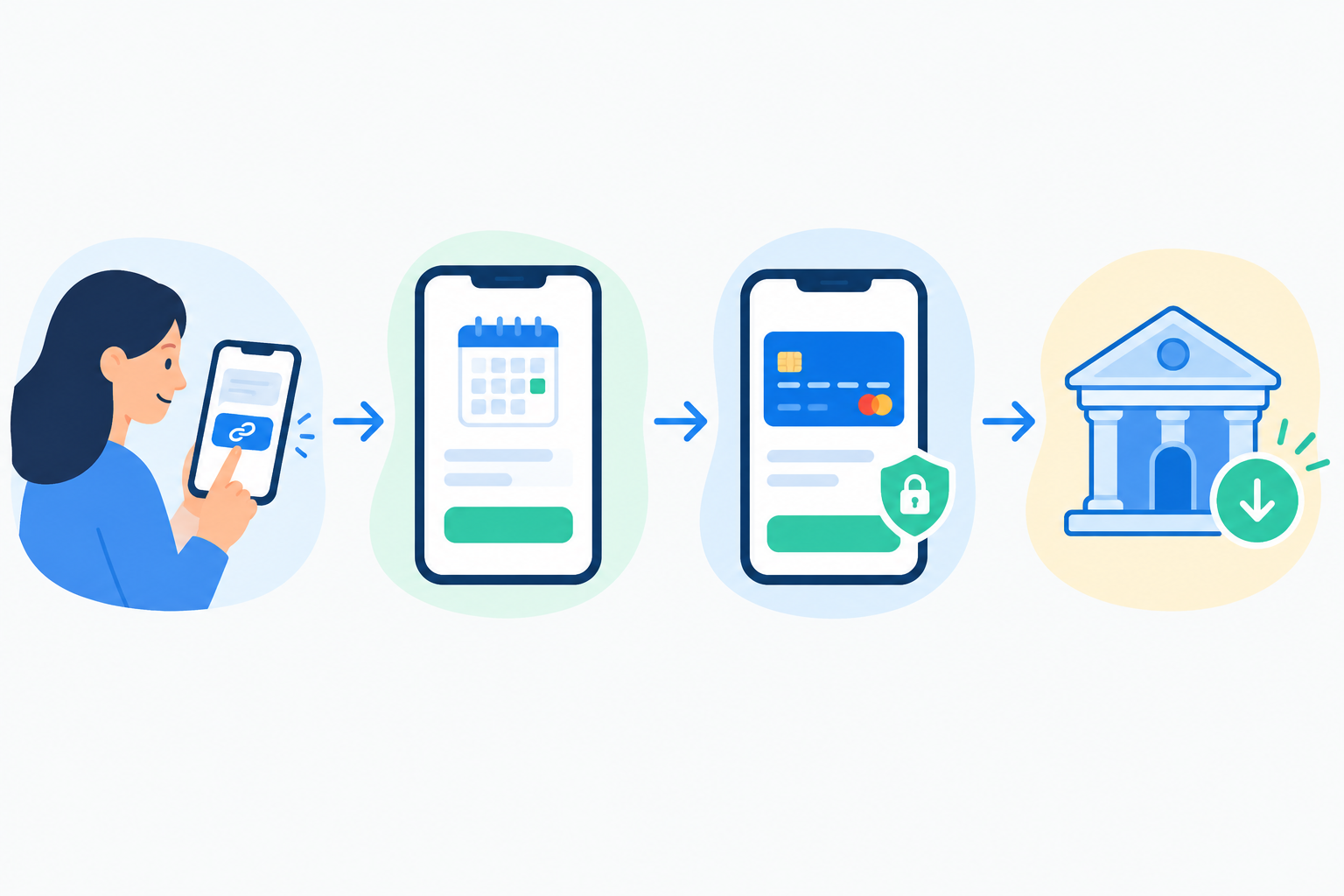
A checkout link does the job in one go. It's a single URL. Your client clicks it, sees the service and the price, and pays in seconds. No attachments, no banking details to copy out, no proof of payment to wait for.
Where to share your booking link
Because it's just a link, it goes anywhere your clients already are:
- WhatsApp chats and your WhatsApp status
- Instagram DMs
- Email signatures and follow-ups
- Your link in bio on Instagram, TikTok or LinkedIn
How we do it at Shopstar
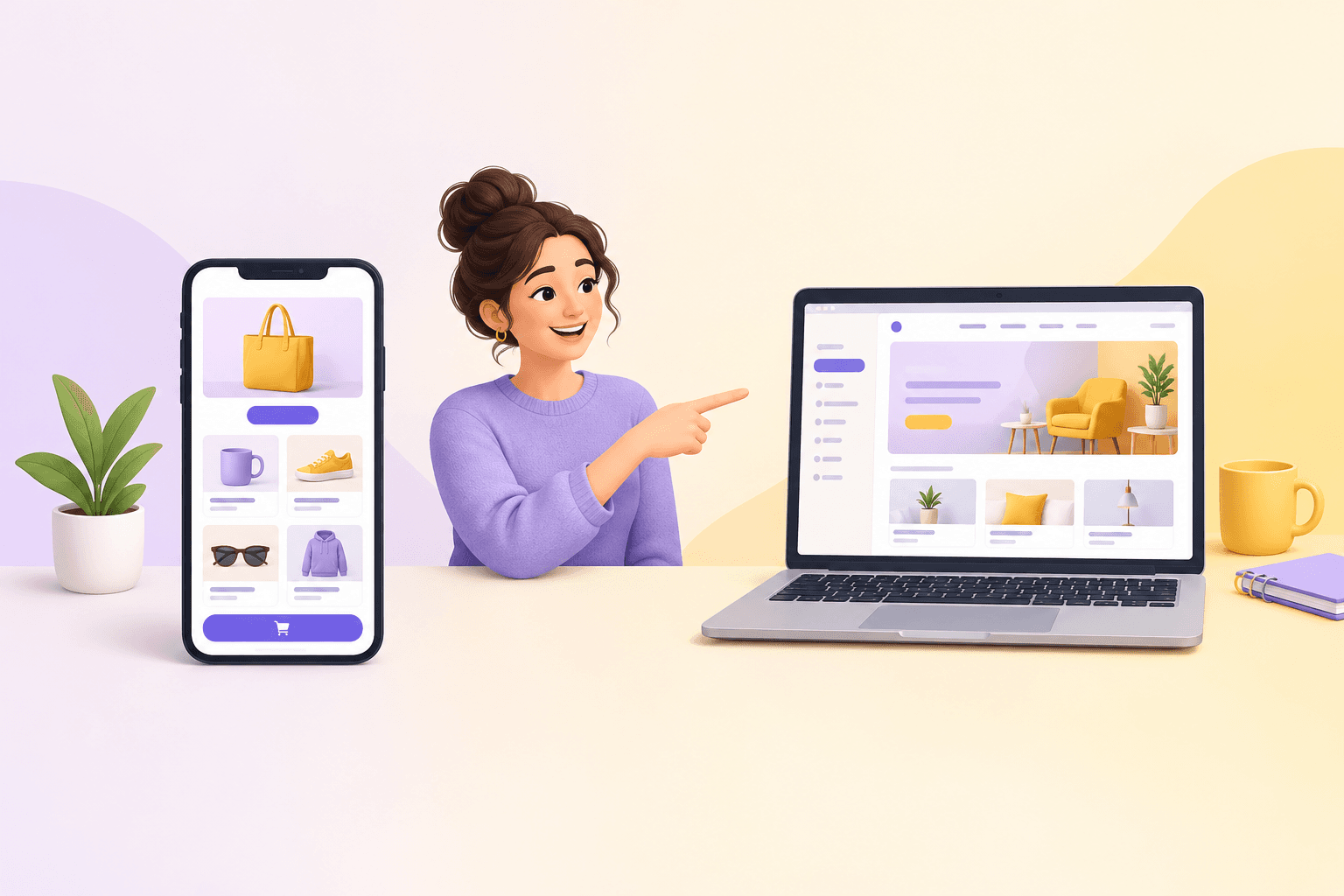
Shopstar is a South African online store builder and link-in-bio platform. You can list your services, bookings and appointments on one simple page without building a full website, and claim a custom shopstar.page URL or connect your own domain. 'Book me at yourname.shopstar.page' beats 'scroll up and find my invoice' every time.
Payments are built in with Shopstar Go, so you don't need to open a separate payment gateway account. Clients pay by card, Apple Pay (on compatible devices) or Scan to Pay, and payouts go to your South African bank account automatically, every day.
The same page can also sell digital downloads (think a PDF guide or preset pack), memberships and subscriptions, and event tickets through one unified checkout. So you can start with bookings and add to your offering from the same place.
On pricing, there are two plans. Start Free has no monthly fee and costs 6% all-in per sale: a 2.9% payment gateway fee plus a 3.1% Shopstar fee. On that R350 tutoring session, that's R21, so you keep R329. Lower Fees has a monthly fee and 2.9% per sale, with nothing added by Shopstar, which works out to R10.15 on the same session.
What to check in a booking system (South African checklist)
Whichever tool you choose, run through these questions first:
- Currency and payments: can clients pay in rand, and which methods are supported (cards, Apple Pay, QR payments such as Scan to Pay)?
- Fees: what does each payment cost, and are there monthly charges or fees for refunds?
- Payment gateway: do you need to open and manage a separate payment gateway account, or are payments built in?
- Payout timing: how long until money reaches your South African bank account, and can you see what's pending?
- Deposits and balances: can you take a deposit now and collect the rest later?
- Cancellations and refunds: can you set your own policy and show it before payment?
- Reminders and confirmations: are they automatic, and can you edit the wording?
- Records and exports: can you download payment records for your bookkeeping, your accountant and SARS?
- Invoices: can it issue a formal invoice or receipt if a client needs one, with VAT shown if you're VAT-registered?
- Support: is help available when something goes wrong?
Tip 3: Offer Multiple Payment Methods in Your Booking System
If paying is inconvenient, clients put it off. Offer a single option, say EFT only, and anyone who'd rather tap a card or use their phone has a perfectly good excuse to leave it for later.
Here are the options most South African clients are likely to know:
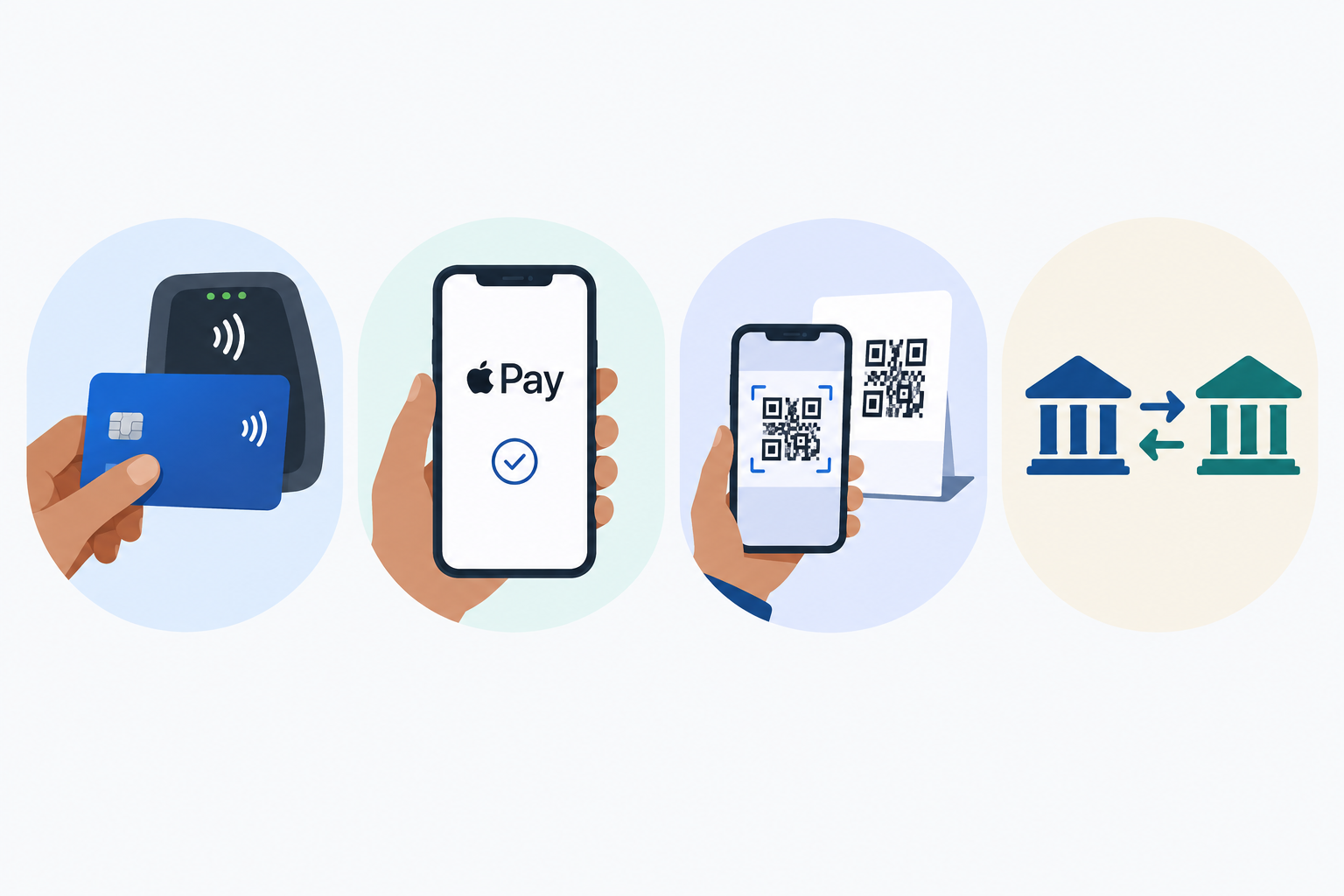
- Debit and credit cards are the default for most people paying online.
- Apple Pay means one tap and no typing for iPhone users, and QR payments such as Scan to Pay let clients scan a code and pay from their phone. Many people already use QR codes to pay in person, so it feels familiar.
- EFT (bank transfer) is still common for invoices and larger amounts, especially from businesses, though you'll need to wait for it to reflect and match it to the right client.
A few practical points:
- Check what's available to you. Supported methods vary by provider and plan. On Shopstar, checkout accepts card, Apple Pay (on compatible devices) and Scan to Pay; an EFT from a corporate client happens outside your checkout, so record it when it lands. With any other tool, confirm what your checkout offers before you tell clients.
- Weigh convenience against cost. Processing fees differ by method. Cards are quick but usually cost more than bank payments, which can take longer to arrive. Be upfront about timings.
- Think mobile first. Plenty of clients will pay from their phone, often while chatting to you on WhatsApp. If your payment page is awkward on a small screen, you'll feel it.
- Keep it familiar. A clean, recognisable checkout reassures people.
What does payment processing mean?
In plain English, it's the behind-the-scenes plumbing that takes money from your client's card or phone and delivers it to your bank account. A payment provider usually handles this and may hold funds briefly while the payment settles. You don't need to understand the technical bits. You just need a provider that is secure, clear about fees and timings, and shows you exactly where each payment is. With Shopstar Go, that plumbing is built in and payouts are automatic.
Tip 4: Automate Payment Reminders and Follow-Ups
Can you automate follow-ups for unpaid invoices and bookings? In most cases, yes, and I'd recommend it. Automation takes the emotional labour out of chasing, and a reminder from a system doesn't feel personal to you or to the client. Features vary between tools, so check what yours can schedule.
Here's a simple five-step sequence:
- Set clear payment terms at booking. State the due date, any deposit, and your cancellation policy in writing, before any work happens. Agreeing terms upfront is widely recommended as a way to prevent late payment.
- Send an automatic confirmation and receipt. The client knows it's done, and you both have a record.
- Schedule a friendly reminder before the due date. A gentle nudge a few days ahead catches most 'oops, forgot' moments, and timing it just after payday on the 25th doesn't hurt.
- Follow up promptly on day one of lateness. Polite but clear. The sooner you do it, the less awkward it feels.
- Escalate with a final notice if needed. Keep it professional, restate the terms, and set a firm date.
A sample payment reminder that's warm, not accusatory
'Hi Sipho, just a quick nudge about invoice #104 for R4,500, which was due on Friday. Here's the link to pay in a few taps: [link]. If it's already in your company's month-end payment run, no worries at all, just let me know. Thanks so much!'
Notice what it does. It includes the invoice number, amount, due date and a payment link, and it quietly allows for the fact that the client's approval process might simply be slow. No blame, no guilt.
When your booking system collects payment upfront, you'll often need far fewer reminders. If a client paid when they booked, there's no invoice to chase. You may still need follow-ups for deposit balances, milestone payments or corporate clients.
Tip 5: Track Bookings and Payments in One Dashboard
Picture your current records. A spreadsheet here, a banking app there, a few proof-of-payment screenshots buried in WhatsApp, a couple more in email threads. Working out who's paid, who hasn't and who owes a balance means piecing together a puzzle.
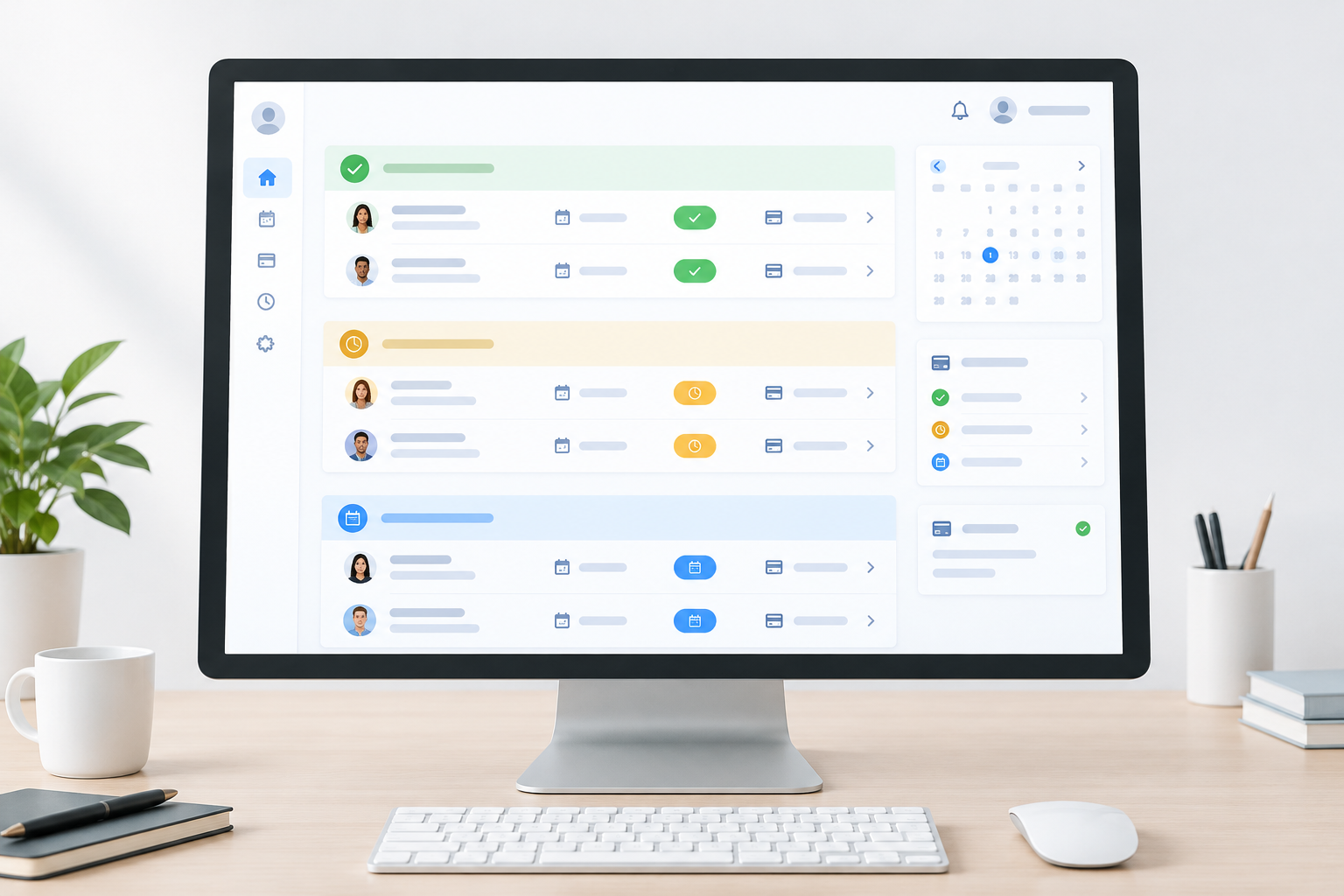
A single view of your orders, bookings and payments saves time and stops payments slipping through the cracks. Ideally, you can see at a glance that a client has booked, paid a deposit and still owes the balance after the appointment.
What should a booking system dashboard show?
- Clear status: paid, pending or overdue, with no detective work.
- Patterns: which clients tend to pay late, which services sell best, and where money is stuck.
- The next action. If it's visible, you're more likely to take it, and fewer payments get missed.
- Tidy records for tax time. If you earn income other than a salary, you're usually a provisional taxpayer, paying income tax in advance in two payments during the tax year. Read SARS's guidance on provisional tax and its small business taxpayer hub, and ask your accountant what records to keep.
At Shopstar, our AI-powered tools help you manage orders, products and customer data in one place, rather than juggling five apps. A good routine, with any system, is to update payment status as soon as money arrives, review anything unpaid on a set day each week, and match your records against your bank activity.
And if tech isn't your thing, you won't be left to figure it out alone. We offer hands-on onboarding and customer support, because we know many of our sellers are brilliant at their craft and not especially interested in software.
Manual Invoicing vs. a Booking System with Checkout
Want the difference at a glance? Here it is, caveats included.
| Manual invoicing | Booking system with checkout | |
|---|---|---|
| Time to get paid | Often days to weeks after the job | Can be at the moment of booking |
| Effort per client | Create, send, chase, reconcile | Less chasing, though balances and refunds still need attention |
| No-show risk | Higher, since nothing is committed | Often lower, though not eliminated |
| Awkward conversations | Frequent chasing | Fewer, as terms are built into booking |
| Tracking and records | Spreadsheets, banking apps, emails and WhatsApp screenshots | One dashboard, though you may still reconcile against your bank |
| Formal invoices | Easy to tailor for corporate clients | Check whether you can issue invoices or purchase-order details |
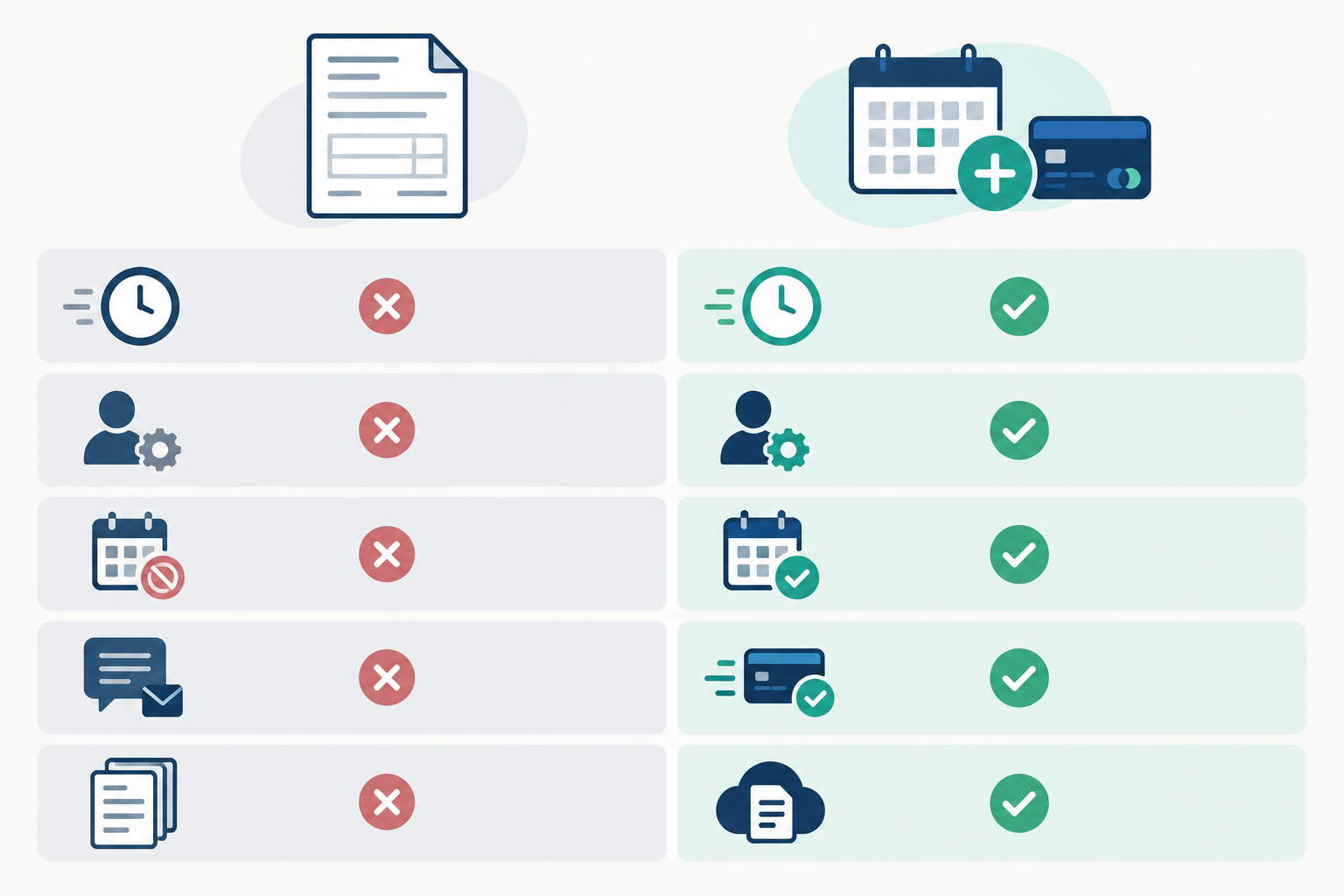
Manual invoicing still has its place, for example with larger business clients who require a formal invoice and purchase order. But for most appointment-based work, a booking system with checkout is usually less work for everyone.
Set Up Your Booking System This Week: A Simple Plan ✅
You don't need to overhaul your business in one go, though it helps to be set up before the December festive rush. Here's a realistic plan:
- List your services with clear prices and durations. Be specific about what's included so there are no surprises later.
- Turn on upfront payment or a deposit. Decide whether full payment or a 30-50% deposit suits each service, and publish your cancellation policy.
- Share your booking page link wherever clients find you: your link in bio, WhatsApp status, email signature and Instagram DMs.
- Switch on confirmations and reminders, and let the system handle the follow-ups you used to dread.
- Check your dashboard weekly. Ten minutes on the same day each week keeps everything under control.
If you're wondering whether this works in practice, here's our own track record. At the time of writing, Shopstar has a 4.9-star Google rating from 120+ reviews, and Shopstar stores have processed over R250 million in paid orders for sellers such as coaches, creators and service providers. Those are our figures, so do your own checking before you switch.
If it looks like a fit, set up a free page and try it with one service, one link and one booking. Then build from there.
FAQ: Booking Systems, Payments and Invoices
Why do clients delay payment?
Usually it's not malice. Invoices get lost in busy inboxes, banking details are fiddly, there's no clear deadline, the client is waiting for payday, or the business has an approval process or scheduled payment run. Making payment part of the booking process removes many of these friction points.
How can I avoid awkward payment conversations?
Set the terms before work begins and let your system do the talking. When payment is part of booking, there's less to chase and less to feel awkward about.
What payment methods should I offer?
Cards are the baseline. Add Apple Pay and a QR option such as Scan to Pay so clients can pay from their phones, and keep EFT for larger business invoices. On Shopstar, checkout accepts card, Apple Pay (on compatible devices) and Scan to Pay. With any provider, check fees and payout timings for each method.
Should I ask for a deposit or full payment upfront?
It depends on the job. Full payment suits single, lower-cost appointments, while larger projects usually work better with a deposit or milestone payments. Whichever you choose, state your cancellation and refund terms clearly before the client pays, and check how the CPA and ECTA apply to your bookings.
Can I automate follow-ups for unpaid invoices?
Usually, yes. Look for a tool with scheduled reminders and automatic receipts. Collecting payment upfront means fewer invoices to chase in the first place.
Do I need a full website to take bookings and payments?
Not necessarily. With Shopstar you can set up a single page with a shopstar.page URL or your own domain, list your services and take bookings and payments. Payments are built in with Shopstar Go, so there's no separate payment gateway account to open, and payouts go to your South African bank account daily.