Why Customer Support Makes or Breaks Your Online Store: A Guide for Non-Technical Sellers
See how hands-on onboarding from an ecommerce platform helps non-technical South African sellers launch with confidence, get past setup hurdles and choose the right support.
15 min read

On this page
Ecommerce Platform Support: Why Real Onboarding Matters More Than Features
Support is often the difference between a store that launches in days and one that sits half-finished for months. If you're not technical, picking an ecommerce platform isn't really about the feature list. It's about whether a real human helps when you get stuck, when something breaks, and when you're ready to grow.
That's the short version. Below is the longer one: what poor support can cost, what good onboarding looks like step by step, and how to size up any online store builder before you hand over your money, whether you sell from Soweto, Stellenbosch or anywhere in between.
Why ecommerce platform support matters more than features 🧭
Picture it. It's 9pm, your product photos are edited, your prices are decided, and you're staring at a settings page that mentions 'DNS records' and 'payment gateways'. You have no idea which button matters. You close the laptop and tell yourself you'll try again on the weekend.
That weekend often never comes. This comes from our own onboarding work, not a formal study, but the beginners we talk to rarely stall because of a weak idea. Far more often they stall on one confusing step with nobody to ask. A feature list can't fix that. A person can.
A quick note on where I'm coming from. I work at Shopstar, a South African ecommerce platform and link in bio tool that lets you sell physical products, digital downloads, memberships, bookings and event tickets from one simple page. Hands-on onboarding is a big part of how we work, so I'll share what we've seen. I'll keep the general advice separate from our own claims, so you can use this guide to evaluate any provider, us included.
The hidden cost of ecommerce platforms with no support
A platform can look cheap or even free on the pricing page and still cost you a lot. Here's where the bill tends to show up.
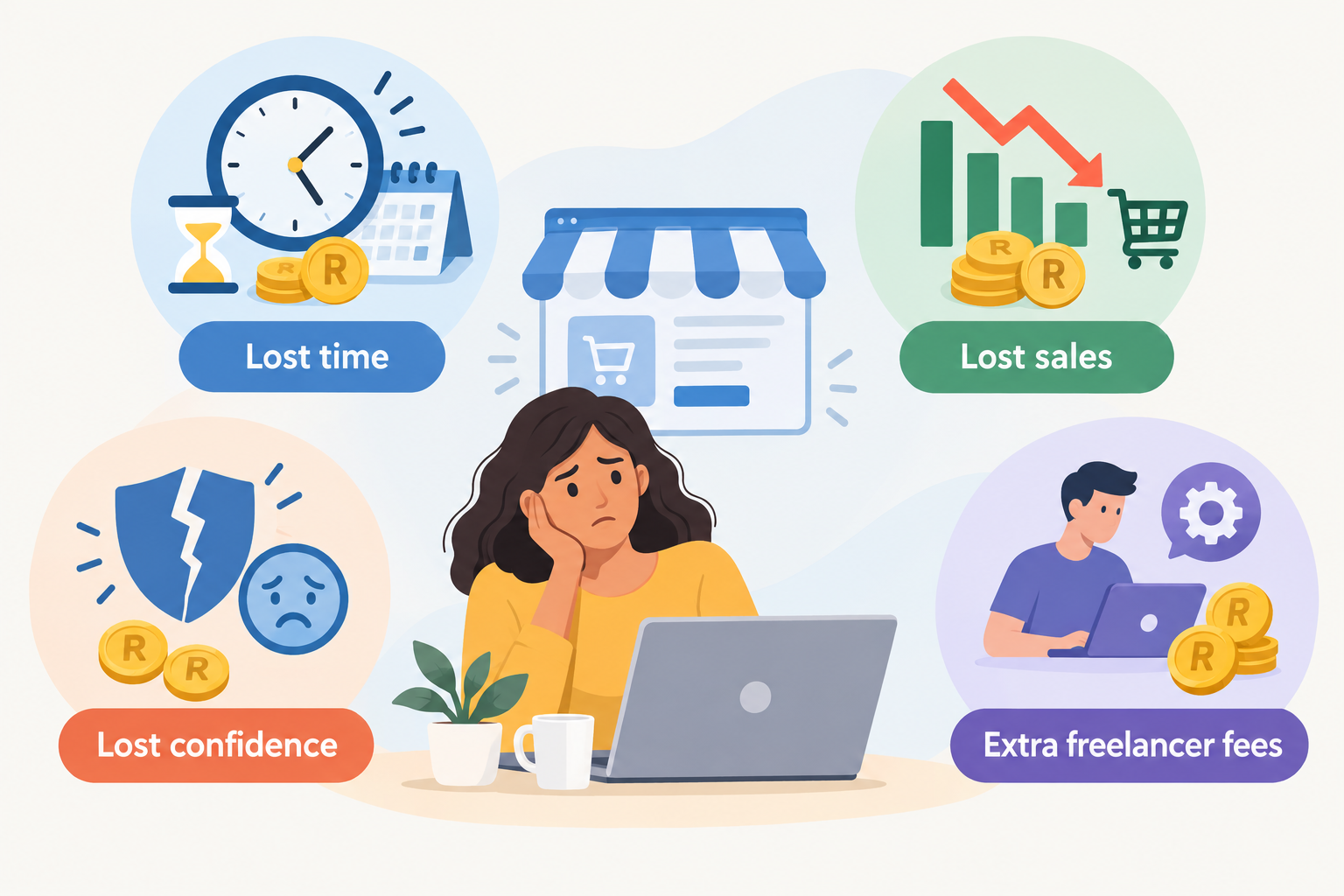
- Lost time. Weeks go on forums, YouTube tutorials and conflicting advice, when you could be telling people your store exists.
- Lost sales. A broken checkout or confusing payment setup sends customers away. The Baymard Institute's compilation of 49 cart abandonment studies puts the average documented abandonment rate at 70.19%. That figure isn't about support specifically, and it doesn't prove that support prevents abandonment. But it shows how fragile checkout is, so when something wobbles, quick help matters.
- Lost confidence. Beginners often assume they're the problem, not the tool. That feeling is expensive, because it can make people drop ideas that would have worked.
- Surprise costs. You end up paying a freelancer or developer to fix something a good platform might have walked you through.
- Lost customers. PwC's global research found that 32% of consumers would stop doing business with a brand they loved after one bad experience, and Zendesk's 2023 research found 73% would switch after multiple bad ones. Those are stated intentions rather than observed behaviour, but customers clearly don't give a shaky store many chances.
There's a quieter cost too. Even if you hand payments to a provider, you still carry some merchant responsibilities. The PCI Security Standards Council makes this point about card security, so it helps to have a platform that can explain what's handled for you and what isn't.
A real-world onboarding story (a composite, but a familiar one)
Let's call her Naledi. She makes hand-poured candles in Pretoria, wanted her shop live before the December festive season, and decided to build it herself. It took three weeks. Some evenings went on watching tutorials, others on trying to work out why her payment details kept getting flagged during verification, and one whole Sunday on a .co.za domain she didn't need yet. By week three she'd launched nothing, and she'd started to wonder whether she was 'just not a tech person'.
Then she asked for guided help. Someone asked what she was selling, helped her claim a page address, set up her first six products, from tealight sets to festive gift boxes, and ran a test order with her. She launched two days later. Naledi is a composite of situations we've seen, so please don't read her timeline as a promise. Her pace depended on having her photos and prices ready, and on her payment details checking out. Her ability didn't change. She just had someone beside her.
What good ecommerce platform onboarding actually looks like
Onboarding is more than a welcome email with a link to a help centre. Real onboarding is a run of conversations and checks that takes you from 'I have an idea' to 'I have a live store and my first order'. Here's what I think it should include, whichever platform you pick.
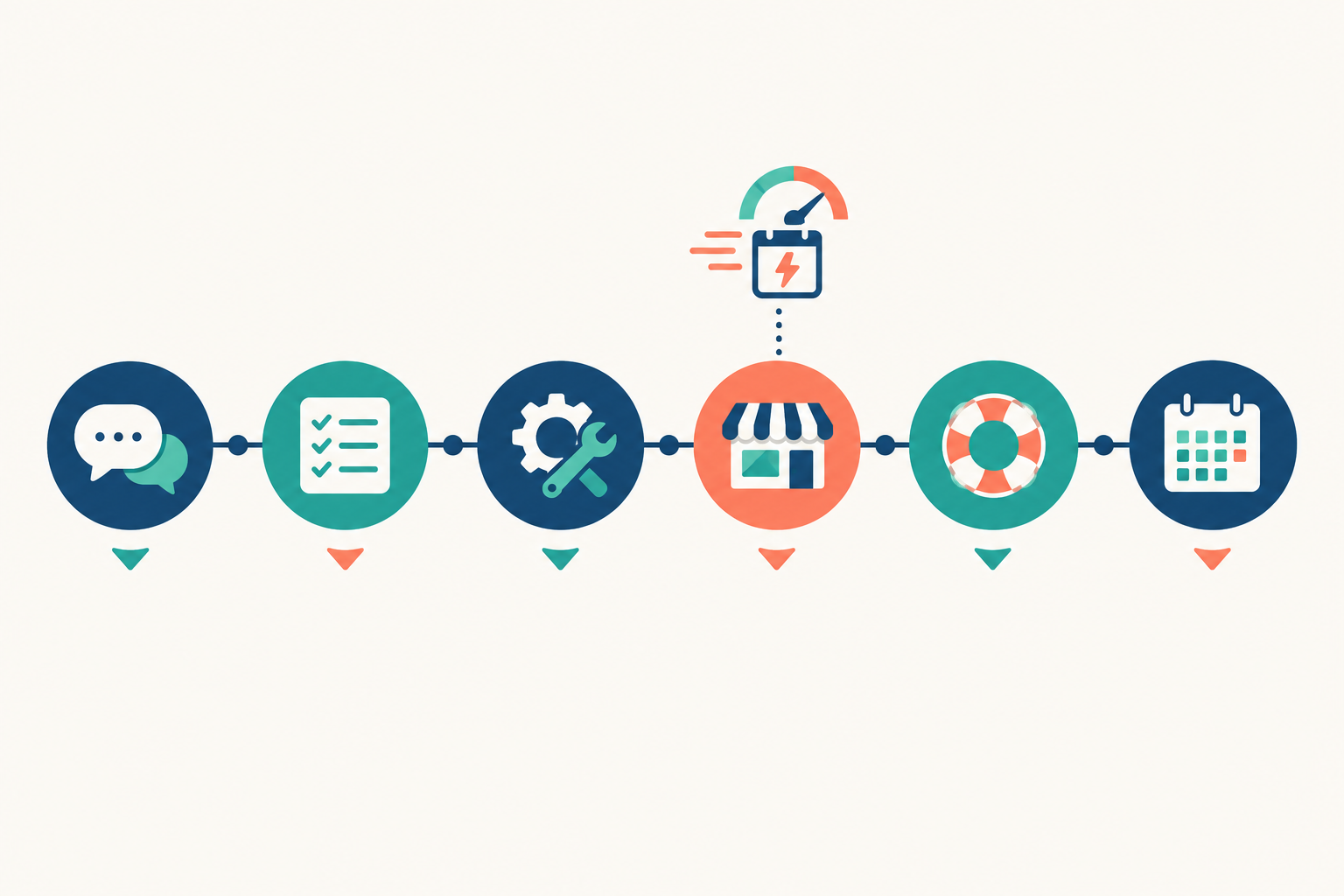
- A real person finds out what you're selling and what you want to achieve. Physical products, digital downloads, appointments, memberships, event tickets, or a mix. The setup for each is different, so someone should ask before you start clicking.
- Help with your store address or domain. On Shopstar, you can claim a custom shopstar.page URL or connect a domain you already own, such as a .co.za. A good guide will tell you which suits you now.
- Guided product or service setup. Photos, pricing, descriptions, variants, delivery options, availability. A second pair of eyes helps here.
- A payment walkthrough. You should understand how money gets from a customer's card to your bank account, how long it takes, and which fees apply. On Shopstar, payments are built in with Shopstar Go, so there's no separate payment gateway account to open, and payouts go to your South African bank account automatically every day. On the Start Free plan you pay 6% all-in per sale, so a R350 gift box costs you R21 in fees. We explain how that works before you launch.
- A test order before launch. Buy something from yourself. It's the cheapest way to avoid surprises.
- A check-in after launch. Real customers always turn up something you didn't expect, and a quick conversation fixes it while it's small.
Why a link in bio online store builder can make onboarding simpler
A traditional website build means choosing themes, designing multiple pages, setting up menus, and wiring everything together. That's a lot of decisions for someone who just wants to sell. A link in bio store is one focused page that you share on Instagram, TikTok, WhatsApp or wherever you like, with everything you sell and one checkout behind it. Fewer moving parts means fewer places to get lost, which is why guided setup for a page like this tends to be quicker and less intimidating.
How long does ecommerce platform onboarding usually take?
A simple store with a handful of products or services can often go live within a few days. The real timeline depends on how ready your photos and prices are, how quickly your payment verification is approved, and how much time you can give it. A larger catalogue, or something more layered like a membership site plus bookings, takes longer. Anyone promising 'live in ten minutes' for a complex store is overselling. Good support keeps things moving so that 'longer' doesn't turn into 'never'.
Common setup hurdles non-technical sellers face
The same stumbling blocks come up again and again. Here they are, along with what good support does in each case.
Domain and URL confusion
A custom page address (like yourname.shopstar.page) is quick and perfect for getting started. Your own domain, a .co.za for example, is great for branding but involves a few extra steps.
What support does: When a seller isn't sure which she needs, we ask how she plans to market the store, suggest starting with the page address, and walk her through connecting a domain later if she wants one.
Payment setup
Verifying details, understanding payout timing, and knowing what fees apply are the top worries we hear.
What support does: If verification gets stuck on a mismatched detail, someone looks at what was submitted, explains what's needed, and tells her what payout timing to expect.
Product setup
Variants, shipping options, digital file delivery, booking availability. Each type of product has its own quirks.
What support does: Say a Cape Town life coach wants to sell a downloadable workbook for R149 and one-to-one sessions at R650. A guide helps her upload the file, set the delivery, and open her calendar slots, then checks that both work.
Selling different things in one place
Many small businesses don't fit in one box. A Durban baker might sell cakes, run Saturday morning workshops and sell tickets to a Heritage Day tasting event. Combining products, appointments, memberships and tickets in a single checkout is where a unified platform really helps, but it still takes some setting up.
What support does: We map out what she's selling, set up each item type, and test a mixed basket so the checkout behaves.
Building a link in bio store that converts
Getting the page into your bio is easy. Getting people to buy from it is the real work.
What support does: Picture a Johannesburg creator with plenty of followers but few sales. Support suggests putting her best seller first, tightening the descriptions, and trimming the clutter.
Legal and trust basics
Refund policies, contact details and clear pricing aren't glamorous, but shoppers look for them, and in South Africa some of them are legal requirements under ECTA and the Consumer Protection Act (more on that below).
What support does: If a seller has no returns policy, we point her towards what a clear one covers, so she can write it in plain language and check it against the CPA and ECTA.
What happens if something breaks on launch day?
Here's a realistic scenario. You post your launch announcement at 10am on the 25th, just as payday puts your followers in a buying mood. By lunchtime, a customer messages on WhatsApp to say her payment failed. Another says her download link never arrived. Your heart sinks.
First, take a breath. Launch-day wobbles are common and often fixable. Speed does matter, though, because your audience is paying the most attention in the first day or two, and every unanswered problem can cost you a sale and some goodwill.
Good support separates two kinds of problem:
- Platform issues: something on the platform's side isn't behaving. The team investigates and keeps you updated.
- Setup issues: something in how the store was configured, like a missing file or a wrong setting. Support can usually spot this quickly and walk you through the fix.
When you contact support, tell them exactly what your customer sees, ideally with a screenshot. And one tip that really helps: give your support team your launch date in advance, especially if it lands on Black Friday or in the festive rush, so they can be ready instead of meeting your message cold in a busy queue.
Live support vs chatbots: what should you expect from an ecommerce platform?
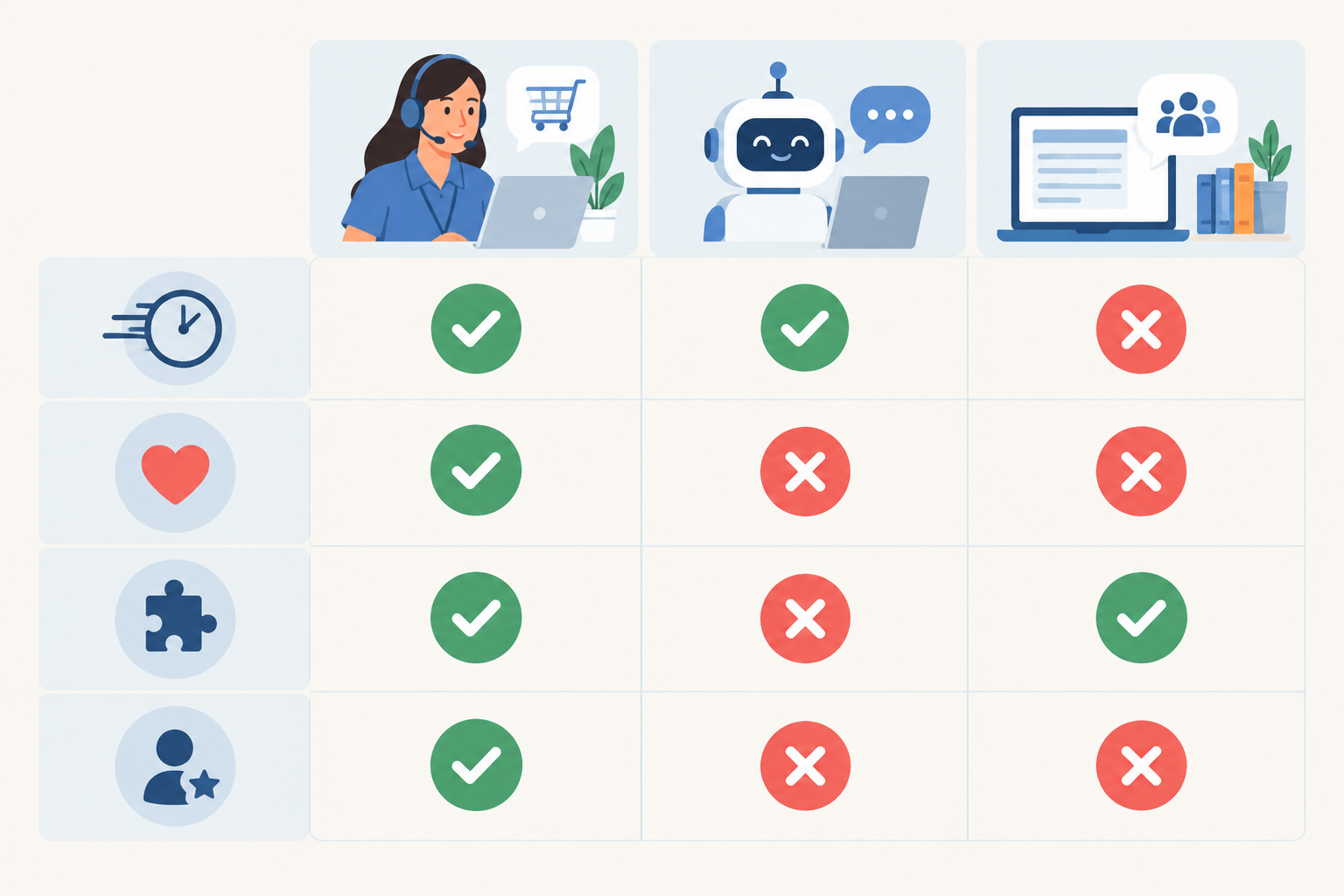
Not all 'support' is the same, and quality varies a lot between providers. This table shows what each type tends to be good at, but staffing, hours, escalation routes and how capable the bot or help content is will change the picture.
| Live human support | Chatbot-led support | Help centre or forum | |
|---|---|---|---|
| Routine questions | Often fast, but limited by staffing and hours | Usually instant, even outside office hours | Fast if you find the right article, slower if you wait for replies |
| Complex problems | Usually strongest, if agents can investigate and escalate | Depends on the bot and whether it hands over to a person | Hit and miss; answers may be generic or out of date |
| Understanding your situation | Can look at your actual store and context | Often limited to the information you type in | Generic by nature |
| Watch out for | Overseas time zones and queue times | Loops with no route to a human | Advice that doesn't fit your setup |
AI isn't the enemy here. AI tools can genuinely help with managing orders, products and customer data, like finding an order quickly or tidying up product information, and Shopstar includes AI-powered tools for that. But when you're nervous about a payment issue or can't work out why your booking calendar looks wrong, you want a human with judgement. My preferred setup is AI for speed, humans for judgement, and an easy way to reach a person.
Here's a quick test you can run today. Ask a pre-sales question to any platform you're considering, something specific, like 'Can I sell a downloadable guide and one-to-one sessions in the same checkout?' Then see how long a real answer takes and how well it fits your question. It's a good preview of life as a customer.
How ecommerce platform support impacts long-term success
Support isn't just for launch week. It can shape your business as it grows.
- Confidence leads to consistency. In our experience, sellers who feel supported update products and run promotions, like a Black Friday sale or a back-to-school special in January, more often, while nervous ones tend to leave their store alone.
- Growth stages get easier. You might start with a few products, then add bookings, then a membership site, then event ticketing. Each step feels less scary with someone to guide you.
- Customers notice. A store that runs smoothly earns trust. Baymard's checkout research points to trust, cost visibility and complexity as common reasons shoppers abandon orders.
- Feedback gets better. If customers keep asking where their parcel is or how returns work, that's a signal to improve your page. A good platform helps you spot those patterns.
What we can and can't tell you about our track record
These are Shopstar's own figures, shared as company statements rather than independent audits. Shopstar stores have processed over R250 million in paid orders, meaning the total value of orders that customers have completed payment for on Shopstar stores. At the time of writing, we hold a 4.9-star Google rating from 120+ reviews, plus 160+ verified five-star reviews. These numbers change, so check the live review pages for current counts and dates.
Order volume on its own doesn't prove a platform will suit you. The better exercise is reading the reviews themselves, for us and for anyone else you're considering. Look for what people say about the help they received, and read the critical comments too.
A note for South African sellers comparing platforms 🌍
Shopstar is built in South Africa for South African sellers: you price in rand, payments are built in with Shopstar Go, and payouts go to your South African bank account automatically every day. Plenty of platforms were built for other markets, so the details matter. Here's what to confirm with any provider, us included, before you sign up.
South African ecommerce platform verification checklist
- Payment eligibility: Can the provider onboard a South African business or sole proprietor, and what details or documents does verification need? Do you have to open and manage a separate payment gateway account yourself?
- Currency: Can you price and get paid in rand? If the platform bills you in dollars or pays out in another currency, ask about conversion fees.
- Checkout options: Which payment methods will your customers see? On Shopstar, checkout takes card, Apple Pay (on compatible devices) and Scan to Pay.
- Payout destination and timing: Can money go to your South African bank account, how long does the first payout take, and how often do later ones arrive?
- Fees: What are the monthly fees, transaction fees, payout fees and any currency conversion costs? Work them out on a typical order. On a R450 order, Shopstar's Start Free plan costs R27 (6% all-in), while the Lower Fees plan costs R13.05 (2.9%) plus its monthly fee.
- Support hours in South African time: If the team works from another time zone, ask what hours support covers here and how quickly they typically reply.
- Delivery and returns: Can you set courier rates and delivery estimates, and publish a returns policy that fits South African rules? On Shopstar, the Bob Go integration shows courier rates at checkout.
If you can't get a clear written answer on any of these, treat it as unconfirmed rather than assume it works.
Your legal duties stay with you
Using a platform doesn't hand your responsibilities to someone else. The Electronic Communications and Transactions Act (ECTA) lists information online sellers must make available, including your name, physical address and contact details, the full price including delivery costs, and your returns, exchange and refund policy. ECTA also gives online buyers a 7-day cooling-off period to cancel, though some purchases are excluded, such as services that began with the buyer's consent within those 7 days, unsealed audio, video or software, and leisure or event services booked for a specific date. The Consumer Protection Act (CPA) sets out further consumer rights. If you hold customer names, addresses and order histories, the Protection of Personal Information Act (POPIA) applies, and the Information Regulator explains your duties. If you deliver beyond South Africa, state which countries you serve, give delivery estimates, and explain how duties or import taxes are handled.
A good platform makes these things easier to manage, but rules change, so check the current requirements for your situation. This is general information, not legal advice.
Questions to ask before choosing an ecommerce platform or online store builder
Use this checklist when you're comparing any online store builder or ecommerce platform. Copy it into a note and tick off what each provider can show you. Ask us too.
- ☐ Will a real person help me set up, and is that included in my plan?
- ☐ What are the support hours (in South African time) and typical response times?
- ☐ Does help cover payments, domains and product setup, or only general questions?
- ☐ What happens if something breaks on launch day, and is there a route to a human?
- ☐ Is there a free trial or starting plan so I can test support before paying?
- ☐ Do reviews mention helpful support, and how does the company respond to criticism?
- ☐ Did I get a real, specific answer to a pre-sales question?
- ☐ Can I add bookings, memberships, digital downloads or tickets later without rebuilding?
- ☐ Does payment processing work in rand, with payouts to my South African bank account?
If a platform can't tick most of these, think twice.

Our take: choose an ecommerce platform that holds your hand until you don't need it 🤝
Features get you started. Support helps you finish and keep growing.
Being a beginner isn't a disadvantage if you've got the right team behind you. Every confident seller I know was once staring at a settings page at 9pm, unsure what to click. If you'd like to see how we handle it, start a Shopstar store on the Start Free plan (no monthly fee, 6% all-in per sale), ask us a few questions and judge the onboarding for yourself. No pressure, just a real person on your side.
FAQ: Choosing an ecommerce platform and getting setup support
What if I get stuck setting up my store?
Ask for help early rather than struggling alone. Describe what you were trying to do and what you see on screen, and share a screenshot if you can. Before you commit to any platform, check that setup help covers payments, domains and products, not just general questions.
Is live support available or just chatbots?
It varies by platform, so ask before you sign up, including about hours in South African time and whether a bot can hand you over to a person. Shopstar offers AI-powered tools for managing orders, products and customer data, alongside people who provide onboarding assistance and ongoing help.
How long does onboarding usually take?
A simple store with a handful of products can often be live within a few days, depending on how ready your content is and how quickly payment verification goes. Complex setups, like memberships plus bookings, take longer.
What happens if something breaks on launch day?
Contact support straight away and tell them what your customer sees. Giving them your launch date beforehand helps them prepare, especially around busy dates like Black Friday.
Do I need technical skills to use an online store builder?
No. A good online store builder should let you set up and manage your store without code, and good support fills any gaps along the way.