Apple Pay and Scan to Pay: Do Easier Checkouts Boost Sales for South African Sellers?
See how Apple Pay, card and Scan to Pay can reduce checkout friction and boost sales in South Africa—with fast, secure payments and no developer needed.
11 min read
On this page
The short answer to “Apple Pay and Scan to Pay: Do Easier Checkouts Boost Sales?” is yes: easier checkouts tend to help. Every extra step, form field or card number typed on a phone is a chance for a buyer to give up. If you offer card, Apple Pay and Scan to Pay at one simple checkout, shoppers can pay the way they prefer. On Shopstar, all three are built into Shopstar Go, so you don't need a developer. 📱
Offering them is the easy part. What matters more is whether your page feels fast, clear and trustworthy enough that buyers actually finish the purchase. Below, I walk through why checkout friction costs you sales, what each payment option does, how fees work in rand, and how to audit your own checkout in about ten minutes.
Why checkout friction loses online sales
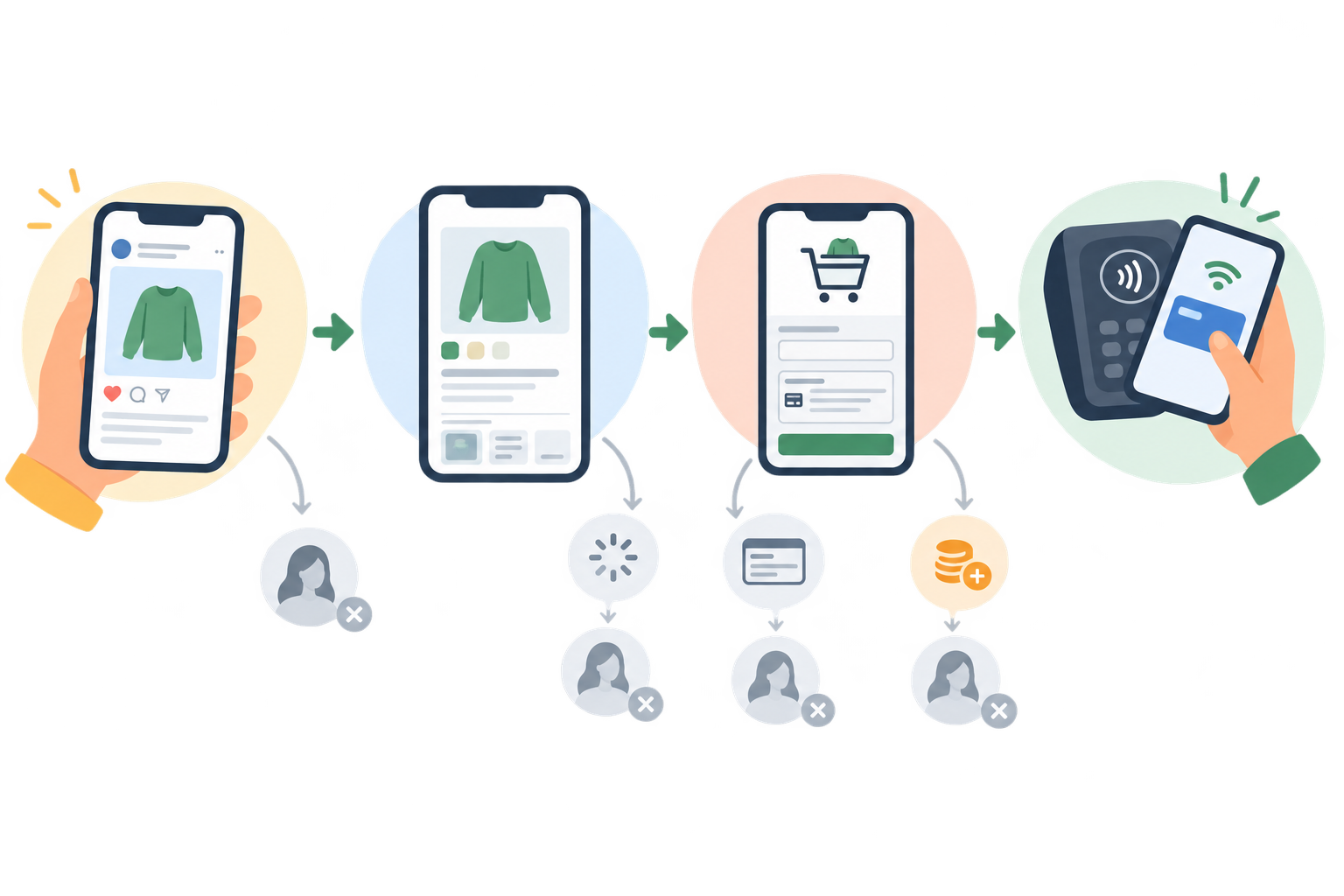
Picture this. Someone scrolls Instagram on the taxi home, taps the link in your bio and loves your hand-poured candle. They hit 'Buy' and land on a long form: name, surname, address, create a password, confirm the password, then sixteen card digits on a screen the size of a matchbox. Their data is running low, the page is slow, and a WhatsApp message pops up. They close the tab and never come back.
You never see that sale leave. There's no angry email, just a quiet gap between the people who showed interest and the people who paid.
What checkout friction means for online shoppers
Friction is anything that makes paying harder than it needs to be. Think of typing card details on a small screen, being forced to create an account, surprise costs at the last step, slow pages, payment failures with no clear fix, or simply not trusting the page with your card.
The best-known research comes from the Baymard Institute, which compiles studies on online cart abandonment. Its average sits at about 70% (70.19% at the time of writing). That is a global benchmark, not a South African figure, so please don't read it as 'seven in ten of my customers will leave'. What it does tell us is that checkout is where a lot of interest gets lost.
Baymard also surveyed US shoppers who had abandoned an order, and the answers hint at why. Shoppers could pick more than one reason:
- 48% cited extra costs such as shipping, taxes or fees
- 26% said the site made them create an account
- 22% said the checkout was too long or complicated
- 19% didn't trust the site with their card information
- 13% said there weren't enough payment methods
These are reported reasons from American shoppers, not a promise of what happens on your page. Still, the pattern is useful. Most of it comes down to clarity, effort and trust, not the product itself.
Will faster checkout increase sales?
Faster payment won't fix a weak product, a confusing price or a shop nobody trusts. What it does is remove a barrier for people who already want to buy, and nobody can promise you a specific percentage lift. This matters most for small sellers, because your traffic probably comes from Instagram, TikTok, WhatsApp and the occasional email. Your buyer is almost always on a phone, often on mobile data, and often distracted.
Apple Pay and Scan to Pay: Do Easier Checkouts Boost Sales?
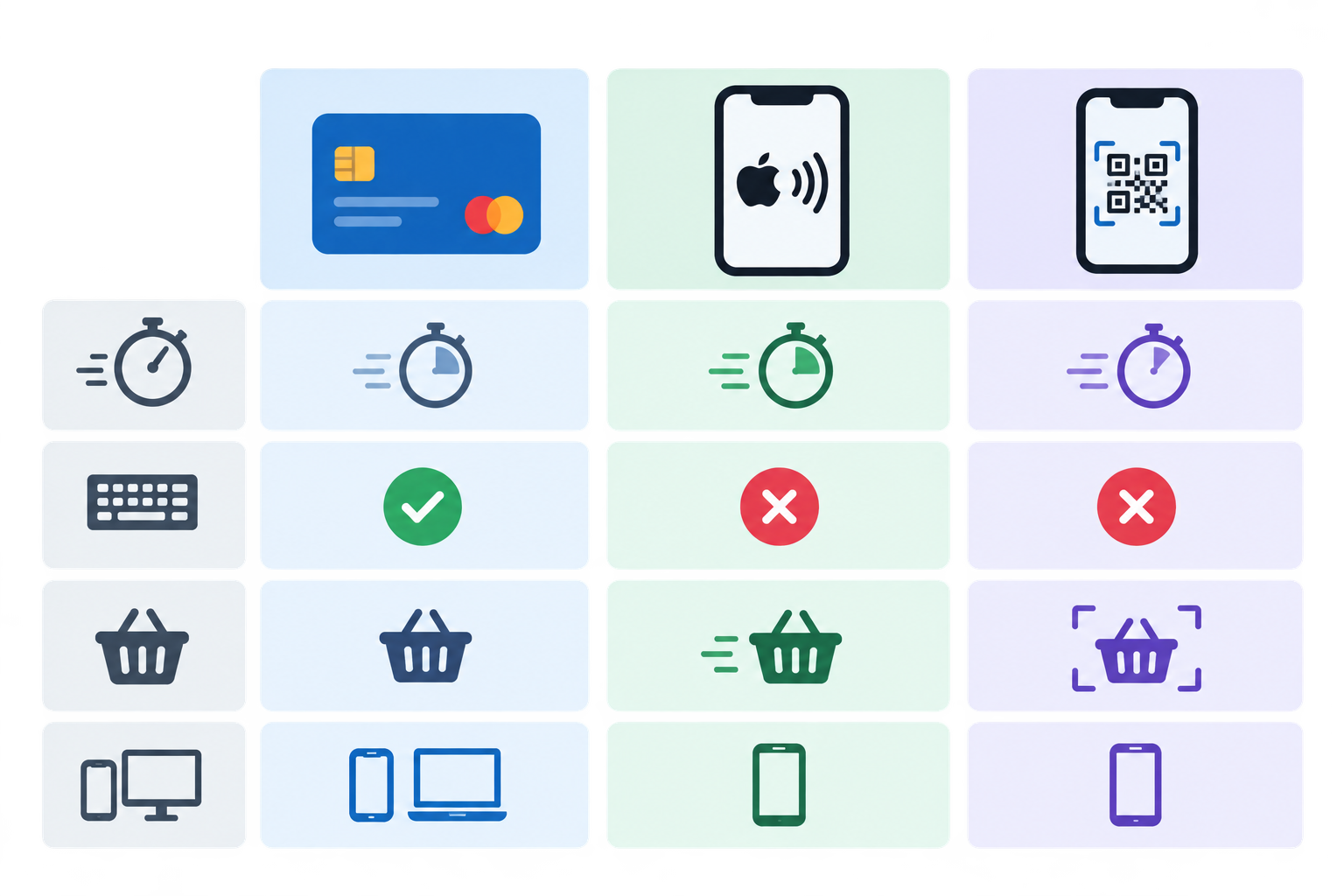
These three options aren't rivals. They suit different shoppers in different moments.
- Card is the familiar baseline. Almost everyone knows how to use it, but online it usually means typing details unless the browser autofills them.
- Apple Pay lets customers confirm with Face ID, Touch ID or a passcode, using a card already saved in their wallet. According to Apple, it uses a device-specific number and a unique transaction code, so the merchant never receives the customer's actual card number. It launched in South Africa in March 2021, but it only helps people with a compatible Apple device and an eligible card from a participating bank.
- Scan to Pay shows a QR code. The shopper scans it with a supported app on their phone and approves the payment there. It's handy if someone is browsing on a laptop and would rather pay from their phone. It does depend on the customer having a compatible app and a working connection.
| Card | Apple Pay | Scan to Pay | |
|---|---|---|---|
| Speed | Moderate; depends on autofill | Very quick once set up | Quick if the app is already on their phone |
| Typing needed | Yes, unless autofilled | None | None |
| Device fit | Any phone or computer | Eligible iPhones and Apple devices | Phones with a supported app |
| Best for | Customers comfortable with cards | iPhone users who want one-tap | People who prefer approving in an app |
I won't throw South African adoption percentages at you, because I don't have a reliable local number I can honestly quote. Worldpay's Global Payments Report (2024 edition) estimated that digital wallets made up around half of global ecommerce transaction value in 2023. That shows which way things are heading, but it says little about your audience. Look at your own customers. If most of your Instagram followers use Android, Apple Pay will matter less to you than it would to a Sandton boutique with a mostly iPhone crowd.
That's why offering all three is the sensible, practical choice: you cover more shoppers without guessing. On Shopstar, they all run through Shopstar Go at one checkout. You manage one set of orders and get one automatic daily payout, however each customer paid.
Mobile shoppers and one-tap payments in South Africa
For small South African brands, discovery happens on a phone. It might be a reel, a TikTok recommendation, a friend's WhatsApp status or a link in a bio. A link-in-bio store needs a checkout built for exactly that: one flow, big buttons, nothing to squint at.
Here's how that plays out:
- A Cape Town candle maker shares a new scent on Instagram Stories. A follower taps through, sees the price and wants it before the next story loads. One-tap payment keeps that impulse alive, while a form with eleven fields might kill it.
- A Joburg braider takes a R200 deposit to secure a slot through online booking. The client is probably messaging between meetings, so paying in seconds beats a back-and-forth about EFT proof of payment.
- A Durban event organiser sells tickets the night before a show. Last-minute buyers decide fast and expect to pay fast.
Impulse-friendly products benefit most: low-priced digital downloads, event tickets, small add-ons and appointment deposits. Results depend on your audience, price and reputation, so the only number that really counts is your own. Note your completed orders before you change anything, then compare.
How to offer Apple Pay and Scan to Pay without a developer
The DIY route often looks like this: build a website, install a stack of plugins, apply for a separate payment gateway, wait for approval, then test everything and hope nothing breaks after an update. That's fine if you enjoy it. Most small business owners would rather be making and selling.
With Shopstar, the path is shorter:
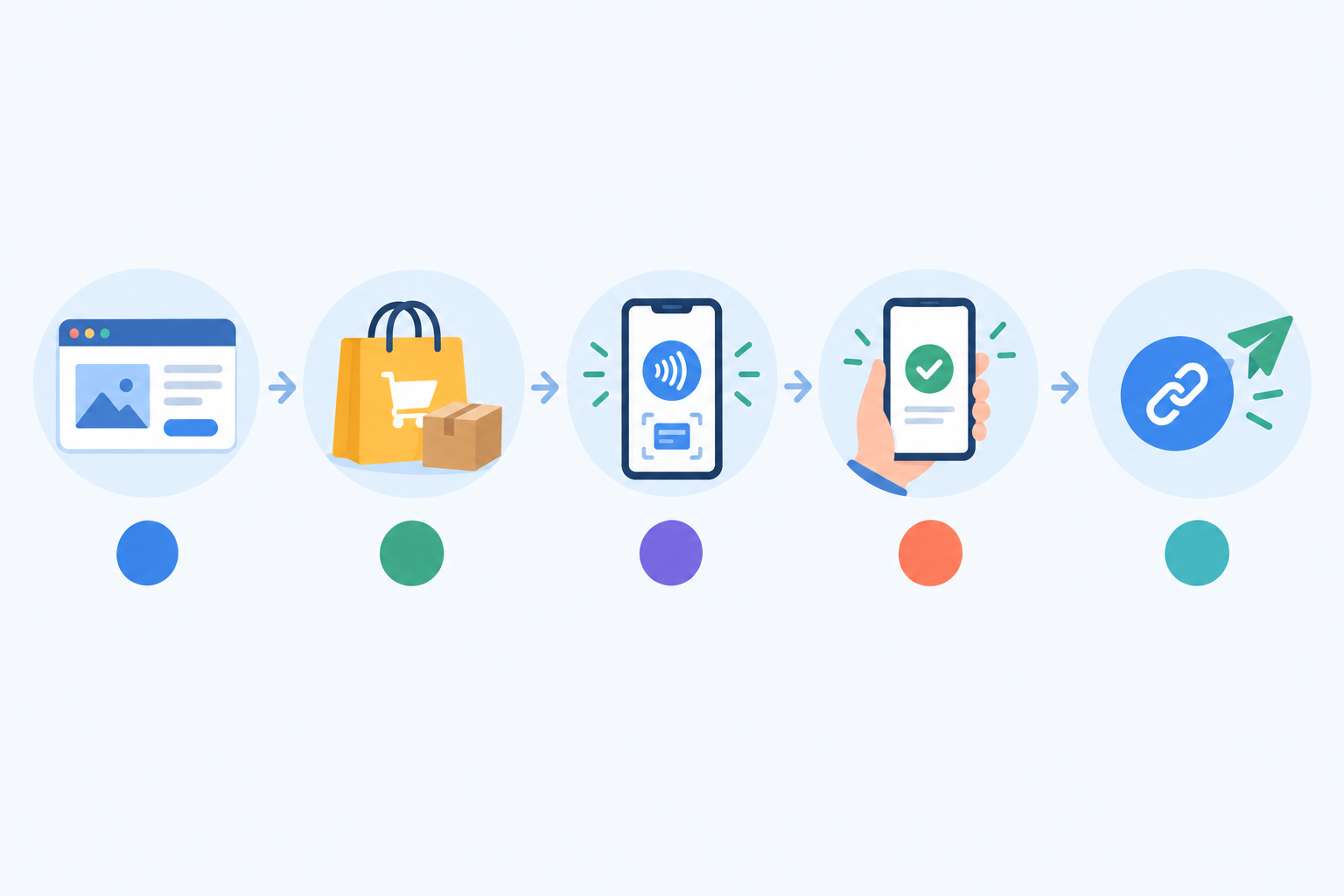
- Create your page. Claim a custom shopstar.page URL or connect your own domain.
- Add what you sell. Physical products, digital downloads, memberships, bookings and event tickets all go through one checkout, so a customer can buy a candle and book a workshop in one go.
- Activate Shopstar Go. This switches on card, Apple Pay and Scan to Pay, with no code, plugins or separate gateway application.
- Run a test purchase. Buy from your own page on your own phone, then ask a friend with an iPhone and one with an Android phone to try too.
- Share your link. Put it in your Instagram and TikTok bio, your WhatsApp catalogue and your email signature.
Shopstar offers onboarding and customer support if you get stuck. Payouts from Shopstar Go go to your South African bank account every day, so you aren't chasing settlements. Before you commit, check the current payout terms and customer reviews on Shopstar's website rather than relying on our summary.
How payment fees work in South Africa
Let's talk money, because 'easy' only counts if the numbers make sense. Shopstar has two plans:
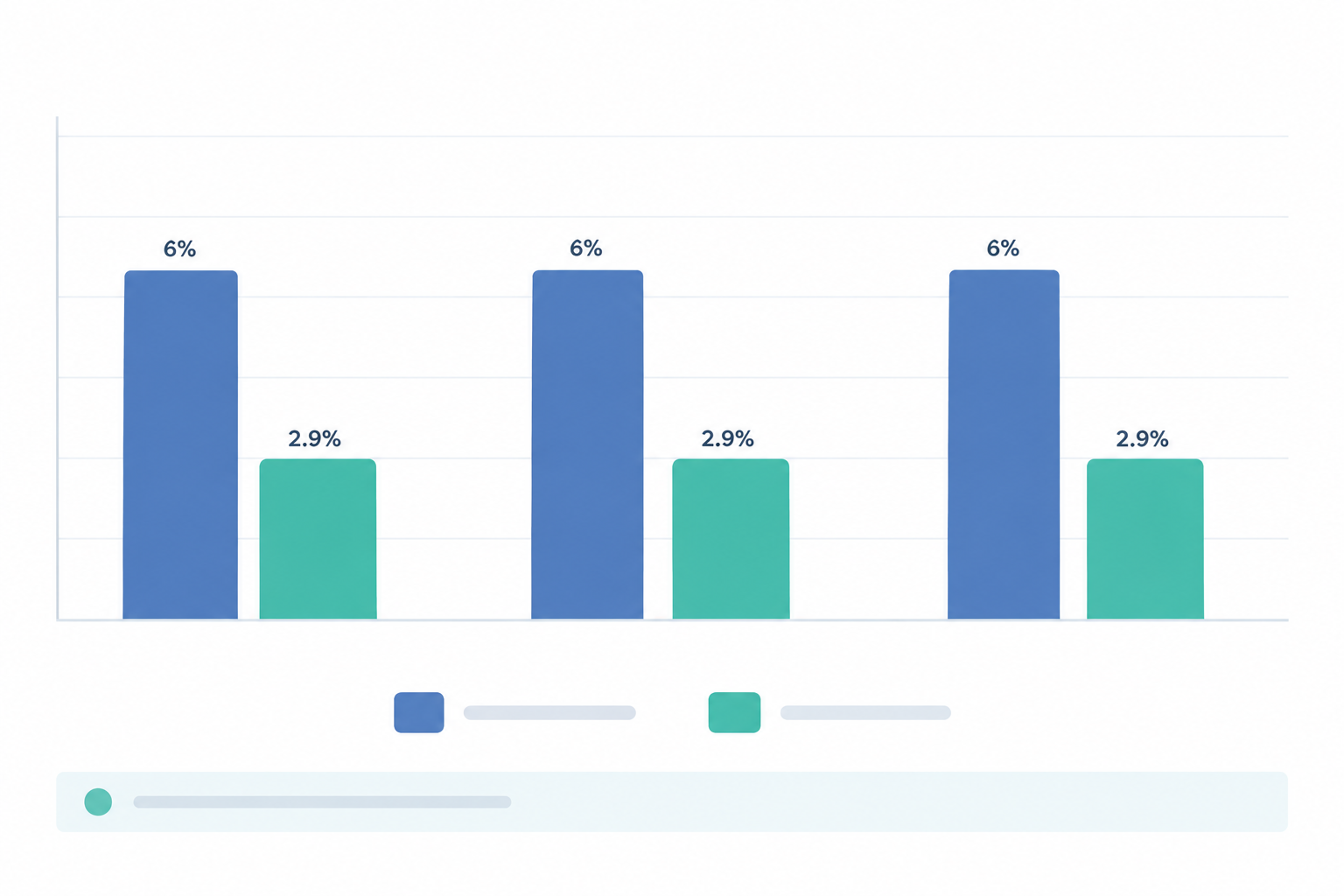
- Start Free has no monthly fee and charges 6% all-in per sale. That's a 2.9% payment gateway fee plus a 3.1% Shopstar platform fee.
- Lower Fees has a monthly fee and charges 2.9% per sale.
Here's what those fees look like on real sales:
| Sale amount | Start Free (6%) | Lower Fees (2.9%) |
|---|---|---|
| R300 | R18.00 | R8.70 |
| R500 | R30.00 | R14.50 |
| R1,000 | R60.00 | R29.00 |
The Lower Fees column doesn't include the monthly fee. Plans can change, so confirm the current rates, and whether the same per-sale fee applies to every payment method, on Shopstar's pricing page before you plan around them.
How to calculate your payment plan break-even point
The difference between the plans is 3.1% of each sale. To find your break-even, take the monthly fee from the pricing page and divide it by 0.031. The answer is the monthly sales total at which both plans cost the same.
Here's an illustration only (not the real price). If the monthly fee were R200, then R200 ÷ 0.031 is about R6,450. Below roughly R6,450 in monthly sales, Start Free would cost less. Above it, Lower Fees would win. Plug in the real fee and compare it with your usual monthly sales.
My advice is to start on Start Free while you're testing demand, since there's nothing to pay until you make a sale. Consider switching once your sales are steady and the maths clearly favours it.
A quick note on VAT and your obligations
VAT in South Africa is 15%. Registration with SARS is compulsory once your taxable turnover goes above R1 million in any 12-month period, and you can register voluntarily once it passes a lower threshold (currently R50,000). Check the details on the SARS website. If you're registered, keep your sales records and payout statements organised. Tax time gets much easier.
On pricing, the Consumer Protection Act (CPA) expects the price you show to be clear and not misleading. That generally means the total the customer will pay, including VAT and any compulsory charges. Saying 'incl. VAT' alone may not be enough, so check the CPA regulations or ask a professional if you're unsure.
Are Apple Pay and Scan to Pay secure? Building trust at checkout
Trust is half the battle. In Baymard's survey, 19% of abandoners said they didn't trust the site with their card details. Here's what helps.
First, understand what's happening behind the scenes:
- Apple Pay uses tokenisation and device authentication. Apple says a device-specific number and a one-time transaction code replace the real card number, so your shop never sees it.
- Card payments run through a payment gateway, so you don't store sensitive card details on your own page.
- Scan to Pay uses a QR code to start a payment, and the customer approves it in their own app. The QR code isn't a security guarantee by itself. How the payment is protected depends on that app and the customer's bank, and customers should check the merchant name and amount before approving. Nothing is completely fraud-proof, so never promise that to anyone.
Then show the trust signals buyers look for:
- Clear, honest product photos and descriptions
- The total price upfront, including delivery
- Delivery times you can actually meet
- Contact details, such as a WhatsApp number or email address
- A visible returns and refund policy
- Reviews from real customers
Your reviews build your reputation, so ask happy buyers to leave one.
Finally, know your legal basics:
- ECTA (the Electronic Communications and Transactions Act) requires you to display certain business details on your site. It also gives buyers a cooling-off period on many distance sales. There are exceptions, for example some bookings and services for a specific date, so check which apply to what you sell.
- The CPA covers fair pricing, clear disclosure and remedies such as refunds for faulty goods.
- POPIA means you should only collect the customer data you need, tell people what you do with it, and keep it protected.
This isn't legal advice. If you're unsure about your obligations, check with a professional or the relevant regulator.
A quick checkout audit for your online store
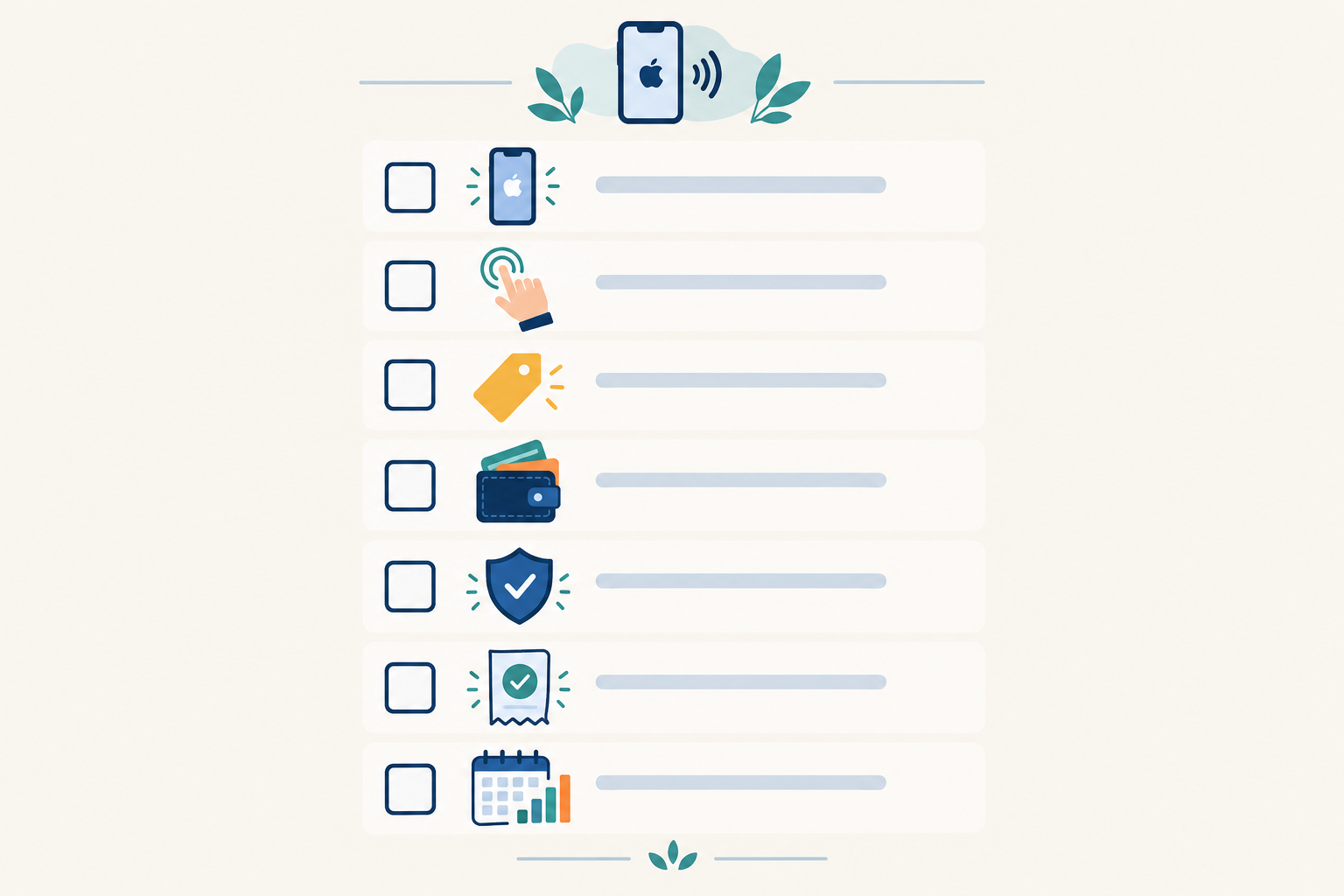
You don't need analytics software to find the weak spots. Set aside ten minutes:
- Buy from your own page on your phone, using mobile data rather than Wi-Fi, and time it. That's closer to what a real customer experiences.
- Count the taps and fields between 'Buy' and 'Paid'. Cut anything that isn't essential.
- Check that the total price is visible before payment, including delivery and VAT if you're registered.
- Confirm Apple Pay and Scan to Pay appear alongside card. Apple Pay only shows for eligible devices, so test on an iPhone.
- Read your product descriptions and policies as a nervous first-time buyer. Would you trust you?
- Check the confirmation. Does the buyer get a clear receipt, delivery or booking details, or a download link straight away?
- Track completed orders for 30 days and compare. Note your numbers first, and keep seasonality and promotions in mind.
If you want a cleaner test, change one thing at a time. Add Apple Pay, remove a form field and rewrite your delivery info in the same week, and you won't know which change made the difference.
The honest verdict: do easier checkouts boost sales?
Fewer barriers usually mean more completed purchases, especially for impulse-friendly products and buyers arriving from social media on their phones. How big the lift is depends on your audience, your price point and how much people trust you. Apple Pay and Scan to Pay remove obstacles. They aren't magic.
The simplest next step is to set up your page, switch on Shopstar Go, test it on a couple of different phones, and watch your own numbers. You can start on the Start Free plan with no monthly fee. Whether you sell candles, braiding appointments, memberships or event tickets, one clean checkout is a good place to begin. ✨
Frequently asked questions about online payments
Which payment methods do South African customers prefer?
It varies by audience. Cards are the most familiar, Apple Pay appeals to iPhone users who want one-tap payment, and Scan to Pay suits people who'd rather approve from their phone. The practical approach is to offer all three and then check which ones your own customers use.
Do I need a developer to add Apple Pay and Scan to Pay?
No. With Shopstar, card, Apple Pay and Scan to Pay are part of Shopstar Go, so there's no coding, plugin setup or separate gateway application. You set up your page, activate payments and test a purchase.
Are Apple Pay and Scan to Pay secure?
Apple Pay uses device authentication (Face ID, Touch ID or passcode) and tokenisation, so the merchant doesn't receive the customer's real card number. Scan to Pay uses a QR code to start a payment that the customer approves in their own app, so its protection depends on that app and bank. Either way, you remain responsible under the CPA and ECTA for being transparent, and under POPIA for protecting customers' personal information.
How do payment fees work?
On Start Free, there's no monthly fee and you pay 6% all-in per sale, so a R500 sale costs R30. On Lower Fees, there's a monthly fee plus 2.9% per sale, so the same R500 sale costs R14.50 in per-sale fees. Confirm current terms on Shopstar's pricing page.
When do I get paid?
Shopstar Go pays out automatically every day to your South African bank account. Keep your records organised, as SARS expects you to declare your business income.