Your Ultimate Checklist for Selling Workshop Tickets in South Africa
Use this practical checklist to price tickets, build a mobile-friendly sales page with an online store builder, collect attendee details and manage re
13 min read
On this page
How to Sell Workshop Tickets with an Online Store Builder in South Africa: A Step-by-Step Checklist
Selling workshop tickets comes down to five things: get your details and capacity nailed down, price your tickets sensibly, put them on one clear sales page with built-in payments, collect only the attendee information you need, and follow up with confirmations and reminders. With an online store builder like Shopstar you can do all of this from a single page and get paid into your South African bank account. No developer needed. 🎟️
This is the checklist we wish every first-time host had. It's written for the ceramics teacher in Woodstock, the bookkeeping trainer in Sandton, the sourdough instructor in Durban and the wellness facilitator in Stellenbosch. Work through it from top to bottom, tick things off as you go, and you'll be ready to sell tickets online.
Define Your Workshop Details and Capacity
In our experience, first-time hosts usually lose sales because the basics were fuzzy, not because the workshop was bad. Nobody buys a ticket if they can't tell what it's for, where it is or whether there's space. So start with a one-page brief you can print and keep beside you.
- Write a one-sentence promise. Say who it's for and what they'll walk away with. For example: a beginner ceramics morning in Woodstock, Cape Town, where you'll leave with two hand-built mugs. If you can't say it in a sentence, your buyers won't get it either.
- Lock the date, times and venue. Give the full address, parking, and access notes like stairs or gate codes. Plan for load shedding too, whether that's a generator, gas lighting or a venue with backup power. Put it on your page so attendees know you've thought about them.
- Set a hard capacity. Base it on seats, equipment and how much attention you can realistically give people, not on how many chairs fit in the room. Twelve people hand-building at one table works. Twelve at a single pottery wheel doesn't.
- Decide your break-even number and cut-off date. How many tickets do you have to sell to cover your costs, and by what date will you confirm or cancel?
- List what's included and what to bring. Materials, lunch, take-home items, aprons, laptops, yoga mats. Be specific.
- Choose in-person, online or hybrid. This changes both your capacity and your pricing. An online session can often take more people at a lower price, while hands-on workshops justify a premium.
Your printable workshop brief (copy this onto one page):
- Promise (one sentence): ________
- Date, start and end time: ________
- Venue, parking and access notes: ________
- Capacity: ____ seats | Break-even: ____ seats | Cut-off date: ________
- Included / bring: ________
- Format: in-person / online / hybrid
💡 Tip: once this page is filled in, everything later (pricing, the ticket page, reminders) becomes copy-and-paste.
Set Your Workshop Ticket Prices and Tiers
Pricing is where first-timers either undercharge and burn out, or overcharge and sell nothing. Competitor prices are a handy market reference, but they can't tell you whether your numbers add up. So work backwards from your costs.
Calculate your workshop costs and break-even point
Split your costs into two buckets:
- Fixed costs stay the same however many people come: venue hire, assistants, marketing, your own time (yes, pay yourself), and a contingency of around 10%.
- Variable costs are per attendee: materials, refreshments, take-home items.
Payment fees are a different animal because they're a percentage of each ticket. They shrink what you keep from every sale, so build them into the price instead of remembering them at the end.
Here's a worked example. Say Thandi runs a hand-building ceramics morning in Woodstock with 12 seats.
- Fixed costs: venue R1,800, assistant R700, marketing R400, her time R1,500, which comes to R4,400. Add a 10% contingency (R440) and you get R4,840.
- Variable costs: clay, glazing and firing R110, plus refreshments R40, so R150 per attendee.
- Ticket price: R750. On the Start Free plan (more on that below), the 6% fee is R45, so she keeps R705. After her R150 per-attendee costs, each seat contributes R555.
- Break-even: R4,840 ÷ R555 = 8.7, so she needs 9 seats. With all 12 sold, she clears about R1,820 after covering everything.
Treat this as a starting estimate, not gospel. Your real costs will shift a bit, so revisit the numbers once your venue and supplier quotes are final.
✅ Sanity check: does the price still work if you only sell your minimum number of seats? If yes, you're safe. If not, adjust now.
Understand online ticket-selling fees
We'll be upfront about how Shopstar charges, because surprises are the last thing you need:
- Start Free plan: no monthly fee, and 6% all-in per sale. That's a 2.9% payment gateway fee plus a 3.1% Shopstar fee. On a R500 ticket the fee is R30, so you receive R470.
- Lower Fees plan: a monthly fee and 2.9% per sale. It may suit hosts who run regular, higher-volume workshops.
The table below shows a full 20-seat workshop. The Lower Fees column shows the per-sale fee only, so subtract your monthly fee from the amount you receive. Check the current monthly fee on Shopstar's pricing page.
| Scenario | Gross sales | Start Free (6%) | You receive | Lower Fees (2.9%) | You receive, before monthly fee |
|---|---|---|---|---|---|
| 20 seats at R450 | R9,000 | R540 | R8,460 | R261 | R8,739 |
| 20 seats at R850 | R17,000 | R1,020 | R15,980 | R493 | R16,507 |
| 4 workshops a month, 20 seats at R450 | R36,000 | R2,160 | R33,840 | R1,044 | R34,956 |
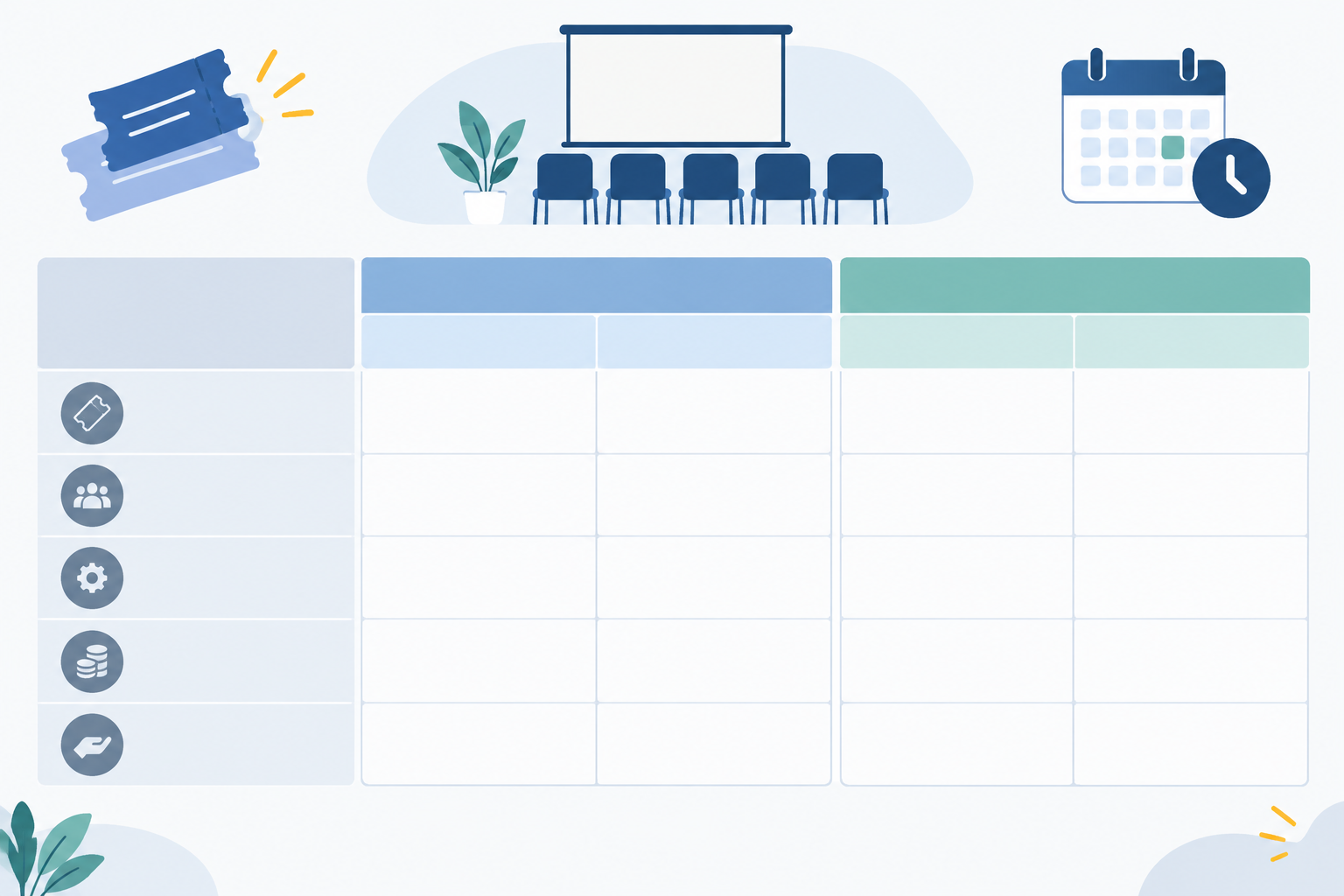
So what does this mean in practice? For a single workshop, Start Free is the easy choice because you pay nothing if you don't sell. If you run several a month, compare the monthly fee against the per-sale saving you'd actually make.
Keep ticket tiers clear and simple
Keep your tiers few and clearly different:
- Standard: your core ticket.
- Early-bird: a modest discount for the first buyers.
- VIP or with-materials: a tangible extra, like a take-home kit or a follow-up session.
- Pair or group ticket: handy for friends who want to book together.
- Community seat: one subsidised place, paid for by the others.
State what each tier includes and when its price or availability ends.
Set ticket prices, VAT and tax considerations
Under the Consumer Protection Act (CPA), the price you display should be the total price you'll charge. If you're VAT-registered, show it including VAT, which in South Africa is 15%. At the time of writing, SARS requires registration once your taxable turnover passes R1 million in any consecutive 12 months, and allows voluntary registration from R50,000. Thresholds can change, so confirm them on the SARS website or with a tax practitioner. Either way, ticket income is income you have to declare, so keep tidy records.
Build Your Workshop Ticket Sales Page with an Online Store Builder
For a first workshop, one simple page beats a full website. It's faster to build, cheaper to run, and easy to share on Instagram, WhatsApp and your link in bio. Nobody has to hunt through menus to find the Buy button.
That's what an online store builder is for. With Shopstar, you claim a shopstar.page URL (or connect your own domain), add your ticket as a product, and you're live. For local sellers it's a practical way to start taking orders online without wrestling with code.
Steps to create your online workshop ticket page
- Claim your page. Pick a short, memorable shopstar.page name, or connect a domain you already own.
- Add the ticket as a product. Title it with the workshop name and date. Set your price, and set your capacity as the quantity available. When the quantity hits zero, mark the page as sold out (and consider a waitlist).
- Write a strong headline. Something like Beginner Ceramics Morning, Woodstock | Sat 14 June.
- Put the essentials up top. Date, time, venue, price and the Buy button should be visible without much scrolling.
- Add a short what-you-will-learn list. Three to five bullets is plenty.
- Introduce yourself. A bio with a friendly photo builds trust fast.
- Use a few good images. Real photos of your space, your work or past attendees beat stock photos.
- Show seats honestly. If you're nearly full, say so. Honest urgency works. Fake scarcity damages trust.
- Add your policies. Refunds, rescheduling, what happens if you cancel, and a contact number or email.
- Test the whole purchase yourself on your phone before you share the link, and check what confirmation arrives.

What buyers receive and how to check them in
This is the bit many hosts forget. When you sell a ticket as a product, the buyer gets an order confirmation, and you get an order record with their name and contact details. Don't assume that confirmation is a unique, scannable ticket. Check Shopstar's current documentation for what the confirmation includes and whether QR-style tickets are available.
If they aren't, a manual process works perfectly well for small workshops. Export or print your order list, and tick names off at the door against ID or the confirmation on the buyer's phone. If someone can't attend, ask them to reply with the new attendee's name and update your list. Do a dry run a few days before, so you're not figuring it out while a queue forms.
Check payment options and mobile checkout
Shopstar Go handles payment processing, with payouts to your South African bank account. Before you promise anything to a venue, confirm the current payment methods, payout timing and how fees are treated on refunds in Shopstar's documentation. Early payouts can help when you need a deposit, but plan your cash flow around what's confirmed.
Most of your buyers will land on your page from a social post or WhatsApp message on their phone. If the page loads cleanly and checkout takes under a minute on mobile, you've removed the biggest barrier to sales. And if you're not technical, Shopstar offers onboarding support, so a real person can help you get your first ticket live.
Decide When to Open Ticket Sales and Whether to Offer Early-Bird Pricing
How early should I open ticket sales? As soon as your date, venue, price and key terms are confirmed. As a planning guide (not a universal rule), four to eight weeks suits a small local workshop, and eight to twelve weeks suits larger or multi-day events. Go earlier if people have to travel, arrange leave or get employer approval, and around busy periods like the December holidays.
A simple timeline keeps you organised:
- Announce: share the date and a sneak peek, and invite people to join your email list.
- Early-bird window: a limited run at a slightly lower price.
- Regular sales: standard price, well promoted.
- Last-chance reminder: a push a week or so before your cut-off.
- Cut-off: sales close, and you confirm your numbers.
Should you offer early-bird pricing?
It depends. Early-bird pricing helps when you need momentum, or early cash for a venue deposit or materials. It's less useful for tiny workshops that will sell out anyway. Why discount seats you'd fill at full price?
If you do offer it, keep the discount meaningful but modest (around 10 to 20%) and check that it still covers your per-seat costs. Set a clear end date or a fixed number of places, and honour it. Run it only once per workshop so you don't train your audience to wait for deals. A Johannesburg host might announce six weeks out and offer the first 10 seats at R405 instead of R450, then move to the standard price. And spare a thought for the people who miss out: a waitlist or email sign-up means your next workshop starts with warm leads.
Collect the Right Attendee Information and Respect POPIA
What information should I collect from attendees? Less than you think. The Protection of Personal Information Act (POPIA) applies as soon as you handle names, emails and phone numbers, and the golden rule is simple: collect only what you truly need, tell people why, and store it securely. The Information Regulator publishes official guidance if you want to go deeper.
The essentials are a full name, an email address, and a mobile number for day-of updates.
Useful extras, only if they change how you run things: dietary requirements if you're providing food, experience level if you teach mixed groups, and an emergency contact for physical or outdoor workshops.
POPIA-friendly attendee data practices
- Be careful with health information. Dietary or medical details can count as special personal information. Ask only when essential, explain why, and keep it off widely shared attendee lists.
- Explain it at checkout. Add a short line or a link to your privacy notice saying who you are, why you collect the details, and who sees them.
- Keep marketing separate. Buying a ticket isn't automatic consent to promotional messages. Offer an unticked, optional box, and make opting out easy.
- Don't hoard data. After the event, delete or archive contact details you no longer need, but keep the transaction records your accounting requires.
- Check your providers. If a platform handles attendee data for you, read its privacy terms and security information. The responsibility for good practice still sits with you.
Keeping ticket buyers and orders together in one store, rather than scattered across spreadsheets and WhatsApp screenshots, makes all of this much easier to manage.
Send Workshop Confirmations and Reminders to Reduce No-Shows
People forget. Life happens. A friendly sequence of messages is the easiest way to protect your numbers, and it builds trust too. The Electronic Communications and Transactions Act (ECTA) also expects suppliers to give clear information about online transactions.
- Immediately after purchase: confirm the ticket details, date, venue, what to bring, and a reply-to contact.
- One week before: practical info like parking, directions and a map pin, plus a reminder of your refund or transfer rules.
- 24 hours before: a short, friendly nudge by email, and by WhatsApp only with consent.
- Morning of: start time, arrival time and a contact number in case someone gets lost or stuck in traffic.
- After the workshop: say thank you, ask for a review, send a photo or resource pack, and invite them to your next session.
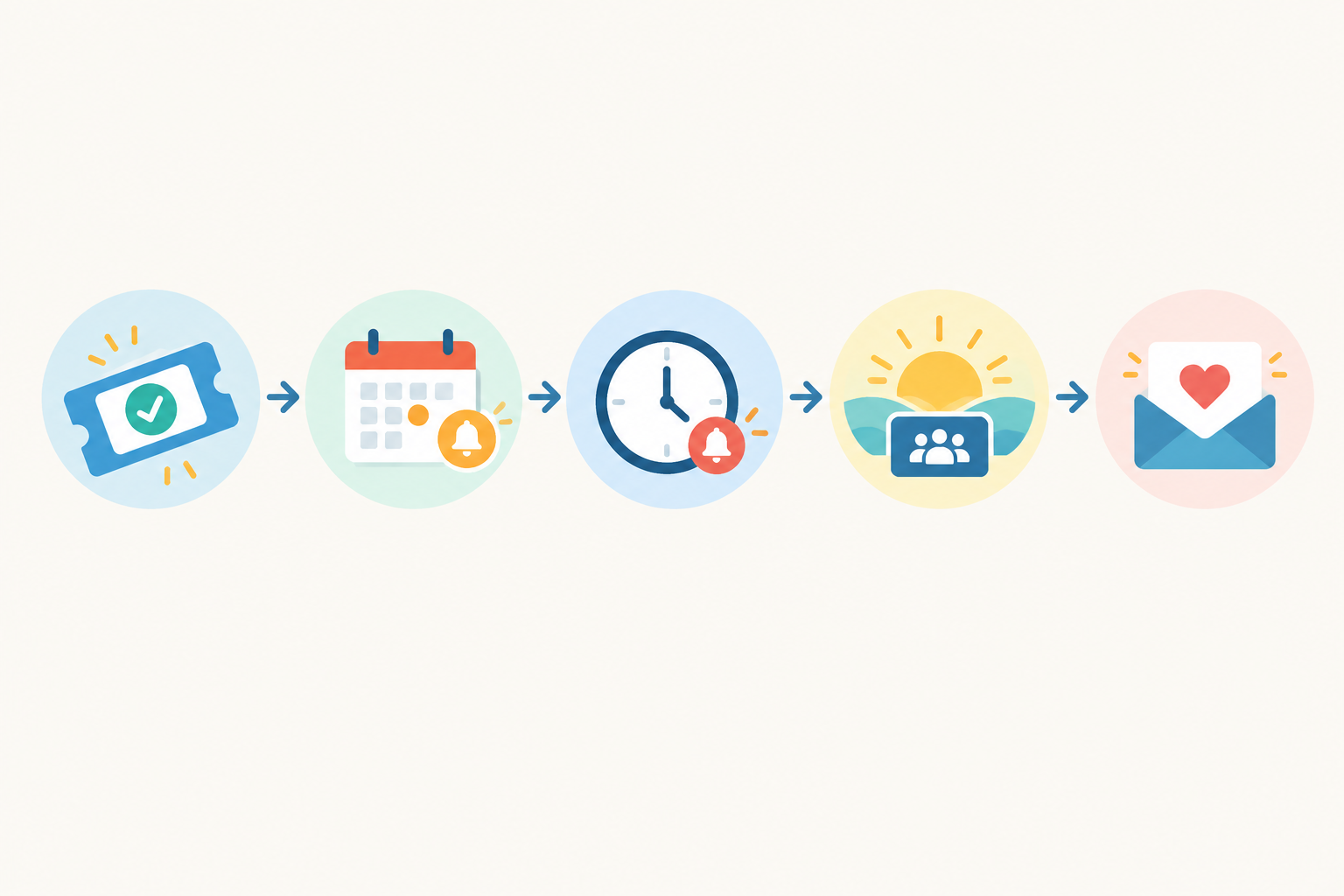
Write these messages once, save them, and reuse them for every workshop. It takes an hour now and saves you dozens later. Someone who loved your ceramics morning is also a great candidate for your next session or a regular studio club.
Handle Workshop Refunds, Cancellations and Ticket Transfers Fairly
How do I handle refunds or cancellations? Decide your policy before sales open, and publish it on your ticket page. Clear rules protect you and reassure buyers. A few things to keep in mind:
- The CPA covers advance bookings. Section 17 lets consumers cancel them, and lets a supplier charge a reasonable cancellation fee, taking into account things like the notice given and how likely you are to resell the seat. Penalties are restricted in certain circumstances, such as the death or hospitalisation of the attendee.
- If you can't deliver, refund. If you've taken payment but can't run the workshop, expect to refund or offer an alternative the customer agrees to.
- ECTA cooling-off rules are nuanced. The seven-day cooling-off right for some online transactions has exceptions, including certain services to be supplied on a specific date. Don't assume every ticket has a cooling-off right, and don't assume a blanket no refunds line overrides the law.
- Fees may not come back. Depending on your plan, payment fees may not be refundable, so factor that into your policy.
Sample workshop ticket refund policy
- Full refund up to 14 days before the workshop
- 50% refund up to 7 days before
- Ticket transfer to another person allowed up to 7 days before
- No refund after that
If you cancel or reschedule, offer a full refund or a transfer to the new date, and tell people quickly. Name transfers are a friendlier alternative to refunds, and they keep your seat filled. Keep a record of requests and decisions so you treat everyone consistently.
📝 This is general guidance, not legal advice. Rules depend on your circumstances, so for bigger or higher-priced events, speak to an attorney, and see the National Consumer Commission for CPA information.
Printable Checklist for Launching Workshop Ticket Sales
Tick each box before you share your link.
- ☐ Workshop details and capacity confirmed
- ☐ Break-even number and cancellation cut-off set
- ☐ Ticket prices and tiers set in rand, with VAT handled if you're registered
- ☐ Ticket page live on a shopstar.page link or your own domain
- ☐ Test purchase made on your phone, and the confirmation message checked
- ☐ Refund, cancellation and privacy policies published
- ☐ Checkout collects only necessary information
- ☐ Reminder messages drafted and scheduled
- ☐ Check-in method tested (order list export or printed names) and a helper lined up
- ☐ Backup plan for the day: power, printed list, contact numbers
- ☐ Promotion plan ready: social posts, link in bio, WhatsApp broadcast, email list, local community groups
- ☐ Follow-up and feedback message ready to go
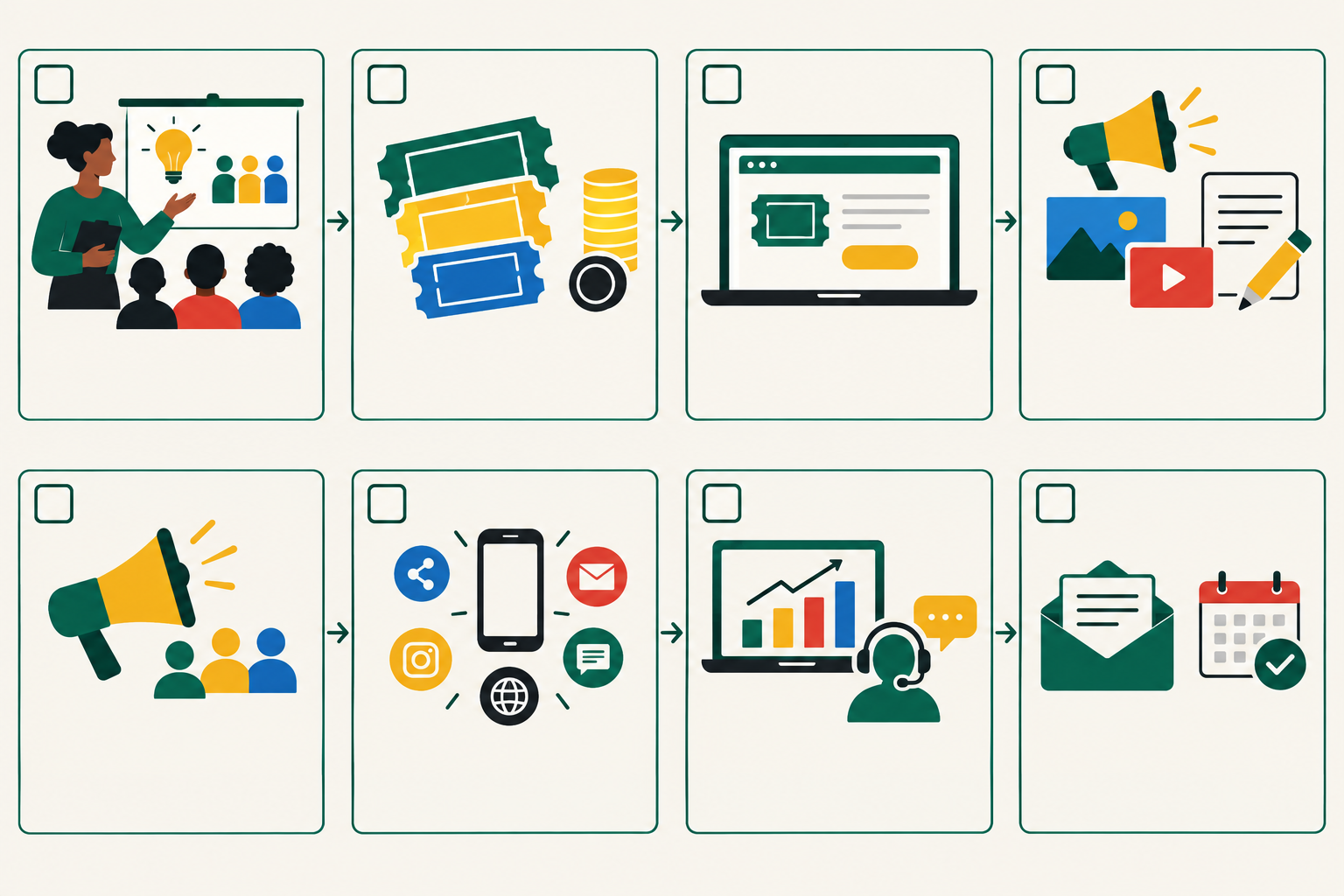
Ready to get started? Set up your first event ticket on Shopstar's free plan, and look at the Lower Fees plan once your workshops start filling up. 🚀
Frequently Asked Questions About Selling Workshop Tickets Online
What if I don't reach my minimum number of attendees?
Decide before you sell what happens: confirm, postpone or cancel by your cut-off date, and say so on the ticket page. If you cancel, refund promptly or offer a transfer to a new date.
Do I need a full website to sell workshop tickets?
No. A single ticket page with built-in payments, shared on social media, is often all a small workshop needs.
Do I need to charge VAT on workshop tickets?
Only if you're VAT-registered with SARS. VAT is 15%, and registration is compulsory above R1 million taxable turnover in 12 months. If you're unsure, speak to a tax practitioner.
Can attendees give their ticket to a friend?
Yes, if your policy allows it. Ask them to email you the new attendee's name and contact details before your transfer deadline, and update your list.
Should I accept cash at the door?
It's easier to keep everything on your ticket page so your attendee list, records and refunds stay in one place. If you do take cash, record it so your income and headcount stay accurate.