How to Sell Tickets for Gigs, Shows and Live Events in South Africa: A Simple Guide
Discover how South African performers can use ecommerce to sell gig tickets, offer VIP tiers, manage door sales and promote shows with one simple link.
12 min read
On this page
South Africa Ecommerce: How to Sell Tickets for Gigs and Shows
For performers and gig organisers, South Africa ecommerce tools can make selling tickets simple: set up one dedicated ticket page, price your tiers clearly, and share that single link wherever your fans already hang out, from Instagram to WhatsApp. With an ecommerce platform like Shopstar, you can accept card, Apple Pay and Scan to Pay payments, manage general and VIP tickets, and get paid out to your South African bank account. You don't need your own website to get started.
That's the short version. Below is the longer, practical one, written for gig organisers, performers, promoters and workshop hosts running small to mid-sized events. 🎶 A quick note: the legal and tax points here are general information, not legal or tax advice, so check anything that affects you with SARS, an accountant or a legal professional.
Choosing South Africa Ecommerce Tools for Your Own Ticket Page
Picture a Friday-night gig in Cape Town or Joburg. The 'ticket system' is a pile of bank-confirmation screenshots and a WhatsApp group with 60 unread messages. Someone swears they paid on Tuesday. Someone else paid under their sister's name. You're standing outside the venue at 7pm, scrolling through your banking app, while the sound tech asks when you'll be ready for soundcheck.
If that sounds familiar, you're in good company. Manual EFT sales quietly eat your time and goodwill:
- You chase proof of payment across DMs, emails and group chats.
- Names don't match, so the door list never lines up with the bank statement.
- Admin hours disappear that should have gone into rehearsing or promoting.
- Someone says "I definitely paid" and you can't verify it while the queue grows.
Big ticketing marketplaces can solve some of this, but depending on the provider, they may be a heavy fit for a 150-person show. Setup, fees and branding vary, and your fans may end up browsing someone else's marketplace instead of your page. Check what you'd pay and who owns the fan relationship before you commit.
A dedicated ticket page gives you your own brand, your own fan list, one clean checkout and one set of numbers to track. Shopstar is an online store builder and link in bio tool where ticketing sits alongside merch, digital downloads and bookings. It's one practical way to use South Africa ecommerce tools to sell event tickets, merchandise and other products from a single page. So the page that sells a R180 ticket can also sell your EP or a signed poster.
There's a legal angle too. Your buyers' names, numbers and email addresses are personal information under POPIA. A proper checkout that collects only what you need beats a spreadsheet living in someone's DMs, both for your fans' privacy and for your own peace of mind.
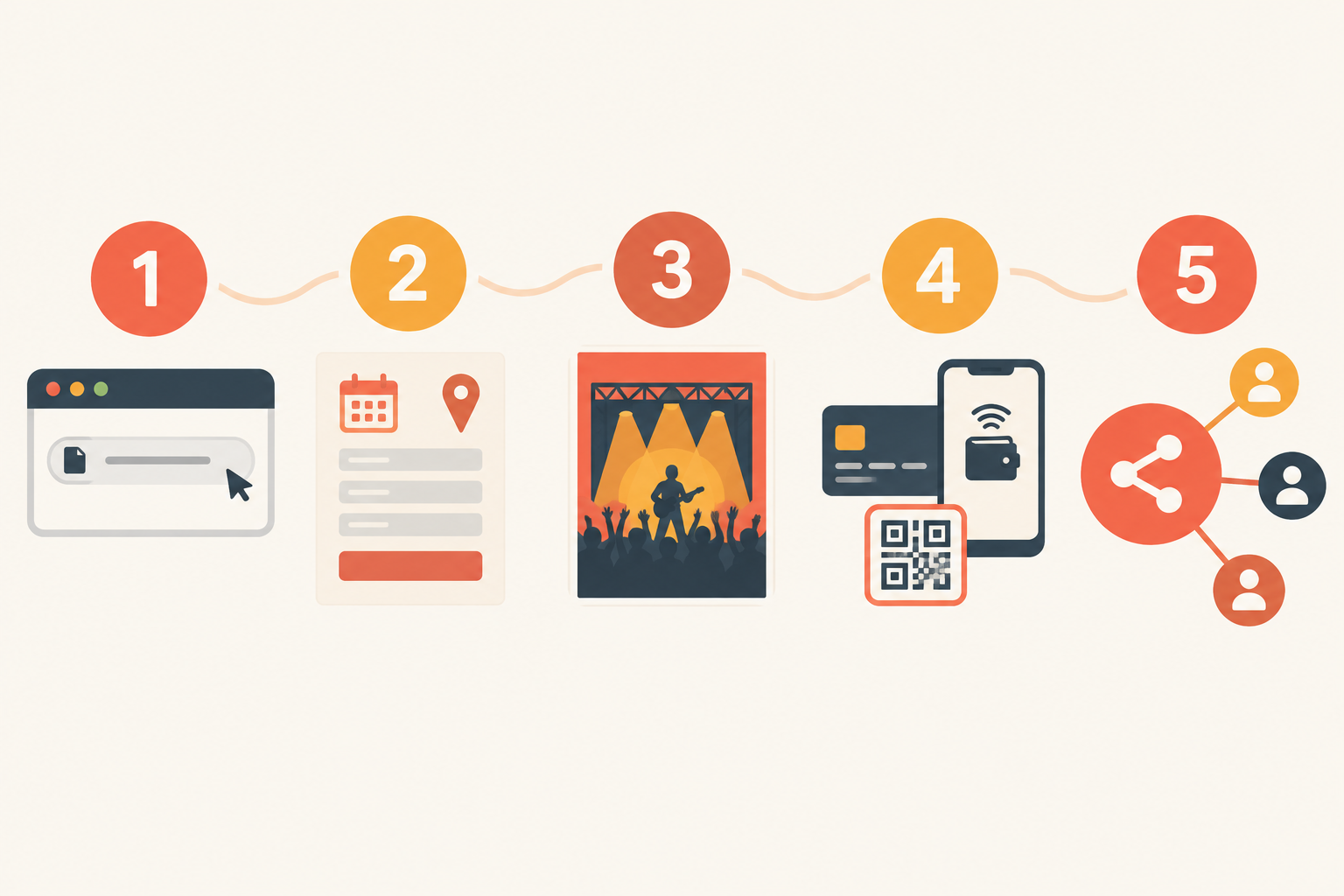
Setting Up Your Online Ticket Page in Five Simple Steps
Good news: this takes an afternoon, not a month. South African online retail has grown quickly (roughly R71 billion in sales in 2023, according to World Wide Worx), and your fans are already comfortable buying on their phones. Here's how to meet them there.
- Claim your shopstar.page URL. Pick something short and recognisable, like your band or collective name. If you already own a domain for your act, you can connect that instead.
- Create your event ticket listing. Include the event name, date, doors and start times, venue and age restrictions. Add accessibility details if relevant, and a clear way to contact you.
- Add a strong poster or photo and a plain-language description. Say what's allowed in: bags, cameras, outside drinks. Fewer surprises at the door means fewer arguments.
- Switch on payments with Shopstar Go. Fans can pay by card, Apple Pay or Scan to Pay, with no separate payment account to wire up. Confirm which methods are available to you when you set up.
- Do a test purchase, then share the link. Do it on your phone, not just a laptop. Check the confirmation message, ticket details, quantities and total.
If you're not technical, don't sweat it. Shopstar offers hands-on onboarding support, so you don't have to figure it out alone at midnight before announcing the lineup. Ask for help. That's what it's there for.
Show your event terms and contact details clearly on the page. The Electronic Communications and Transactions Act (ECTA) expects online sellers to give buyers clear information about who they are and what they're selling. The Consumer Protection Act (CPA) expects prices to be clear and complete, including VAT and any mandatory fees. Write your terms in plain language, including what happens if the show is postponed or cancelled (more on that below).
Setting Ticket Tiers for General Admission and VIP Access
Tiers let fans choose their own level of commitment, and they let you test demand early. Here's a simple structure for a 150-capacity venue in Braamfontein, with 120 tickets sold online and 30 held for the door:
| Tier | Price | Online quantity | What's included |
|---|---|---|---|
| Early Bird | R120 | 30 | Entry, available until a stated cut-off date |
| General Admission | R180 | 60 | Standard entry |
| VIP | R350 | 30 | Entry, reserved front-of-stage area, drink voucher, meet-and-greet, digital download of the live recording |
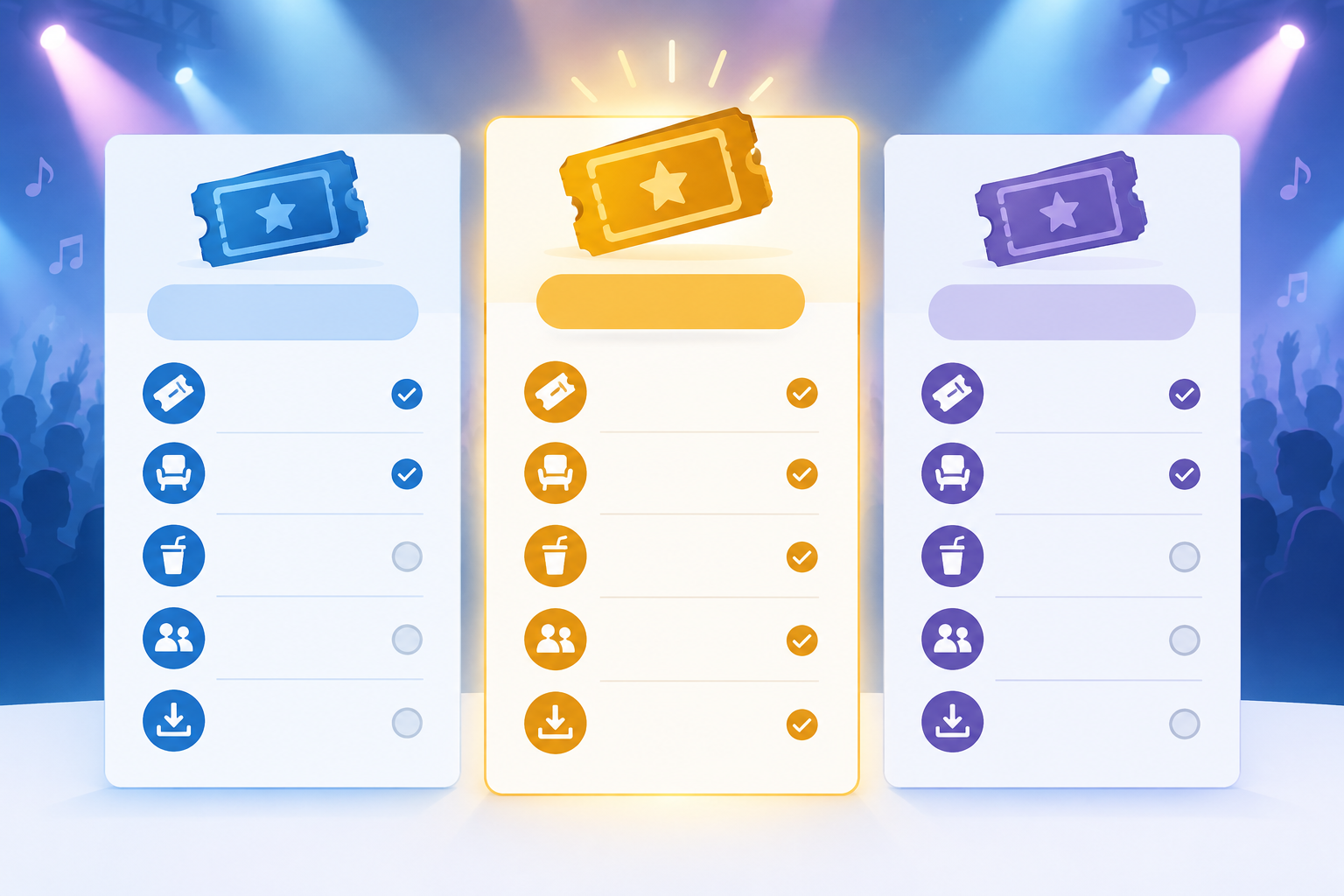
In the graphic, General carries the 'Best value' badge because it's the tier most fans will pick: a fair price for standard entry, with no deadline pressure. That's a judgement call though, so decide which tier you want to steer people towards.
How to Make a VIP Ticket Worth the Price
Don't just slap 'VIP' on a ticket and hope for the best. Make the extras specific. Think reserved seating or a front-of-stage area, a meet-and-greet after the set, a drink voucher, a signed print, or a digital download of the live recording delivered through the same page.
How to Price Early Access Tickets Without Annoying Fans
Keep early bird honest. Limit the quantity, set a clear cut-off, and say plainly when the price goes up. If you say 'only 30 VIP spots', make sure that's true. Genuine scarcity is great marketing, but false urgency can fall foul of the CPA's rules on fair and honest marketing. Bundles can lift your average sale too: ticket plus merch, ticket plus album download, or a group-of-four ticket at a small discount.
A Quick Ticket Pricing Example
Say your costs are R4,000 for venue hire, R3,000 for sound and R4,500 for artist fees, so R11,500 in total. You sell all 30 early birds (R3,600), 40 general tickets (R7,200) and 10 VIP tickets (R3,500). That's R14,300 from 80 tickets. Take off 6% in fees (R858) and you keep R13,442, which covers your costs with R1,942 to spare. You'd get there with just over half the room full. Run your own numbers before you set prices.
A Note on VAT for Ticket Sales
VAT in South Africa is 15%. Compulsory registration applies once your taxable turnover passes R1 million in a 12-month period, and voluntary registration is possible from R50,000. If you're registered, show ticket prices inclusive of VAT. Most small gigs won't be near those thresholds, but check SARS or ask an accountant if you're unsure.
South Africa Ecommerce Costs for Selling Tickets Online
Let's talk money plainly. Shopstar has two plans, and it's worth checking the fees on the pricing page before you launch because they can change:
| Start Free | Lower Fees | |
|---|---|---|
| Monthly fee | None | Yes (check Shopstar's pricing page for the current amount) |
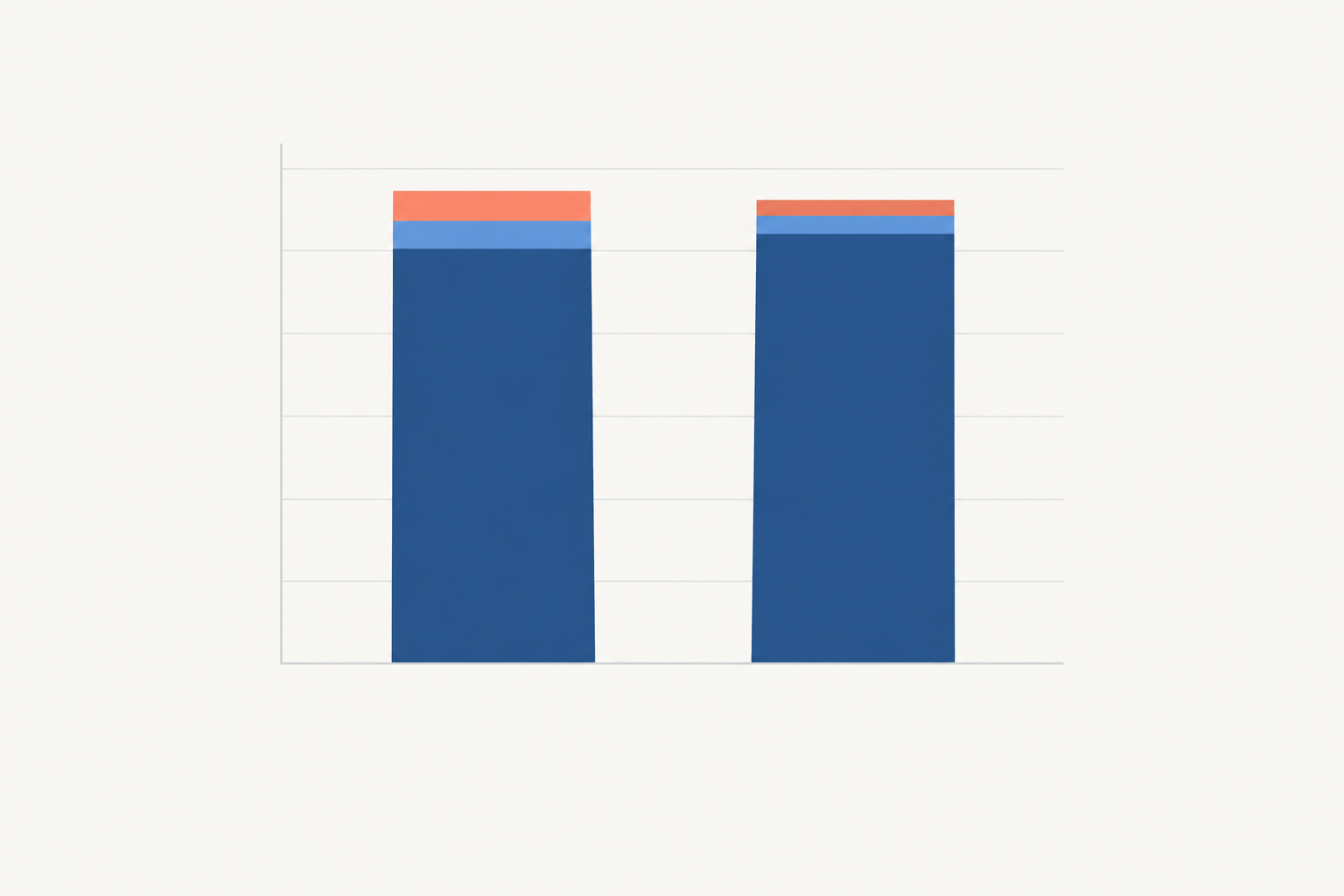
| Per-sale cost | 6% all-in (2.9% payment gateway fee + 3.1% Shopstar platform fee) | 2.9% |
| On a R200 ticket | R12 in fees | R5.80 in fees |
| You receive | R188 | R194.20 |
Which Plan Suits Your Event?
A quick decision guide:
- If it's a one-off show or workshop, or you're just testing, go with Start Free. There's no monthly commitment, and you only pay when you sell.
- If you run regular shows with steady sales, compare the plans. Lower Fees saves 3.1% on every sale, which is R310 for every R10,000 in ticket sales. If that saving is bigger than the monthly fee, Lower Fees wins.
Should You Absorb Ticketing Fees or Add Them to the Price?
Either works. You can absorb the fee as a cost of doing business, or build it into the ticket price. Just make sure the price on your page is the price fans pay at checkout, with no surprises at the last step.
On cash flow, Shopstar pays out to your South African bank account daily. Exact timing can depend on your bank and your account status, so confirm the details in Shopstar's current terms before you plan around it. It helps when you need to pay a sound tech or a venue deposit and can't wait weeks.
Can You Sell Online and Door Tickets Together?
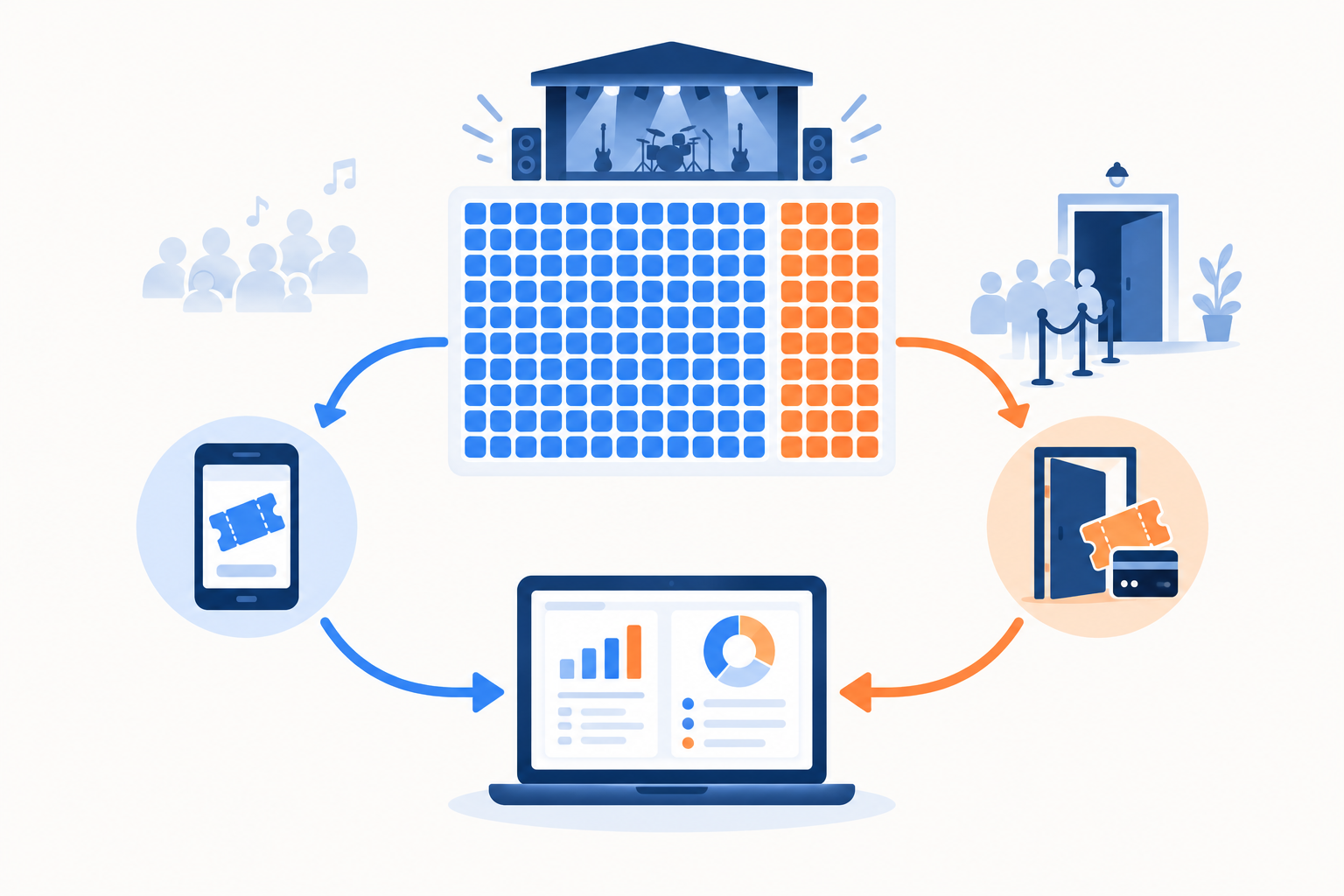
Yes. You just need to plan the split so you don't oversell the room.
- Decide your total capacity based on venue limits and safety requirements, not just ambition.
- Allocate your tickets. For a 150-person room, you might put 120 online and hold 30 back for the door.
- Be upfront on your ticket page about whether door sales are available and at what price. A higher door price rewards early buyers instead of punishing them.
- Take door payments through the same checkout where possible. Open your page on a phone and use Scan to Pay, so everything lands in one place.
- Set up your entry list. A name check against the order list, or a ticket confirmation shown on a phone, keeps things moving.
Common Door-Sale Pitfalls
- Overselling the room because online and door numbers weren't tracked together
- Handling cash in a busy, dark venue
- Skipping reconciliation at the end of the night
My practical tip: put one person on the door list and a different person on payments. It keeps the queue flowing, which matters at busy venues in Durban or Cape Town's CBD. Check mobile signal and power beforehand, and bring a charged backup phone plus a written fallback list so no sale gets recorded twice.
If you take any cash, record it. Cash takings are still income, and you'll want a clean paper trail for SARS. Afterwards, compare your order list, payout report and cash count before you settle with the band and the venue.
Promoting Your Show Through One Simple Ticket Link
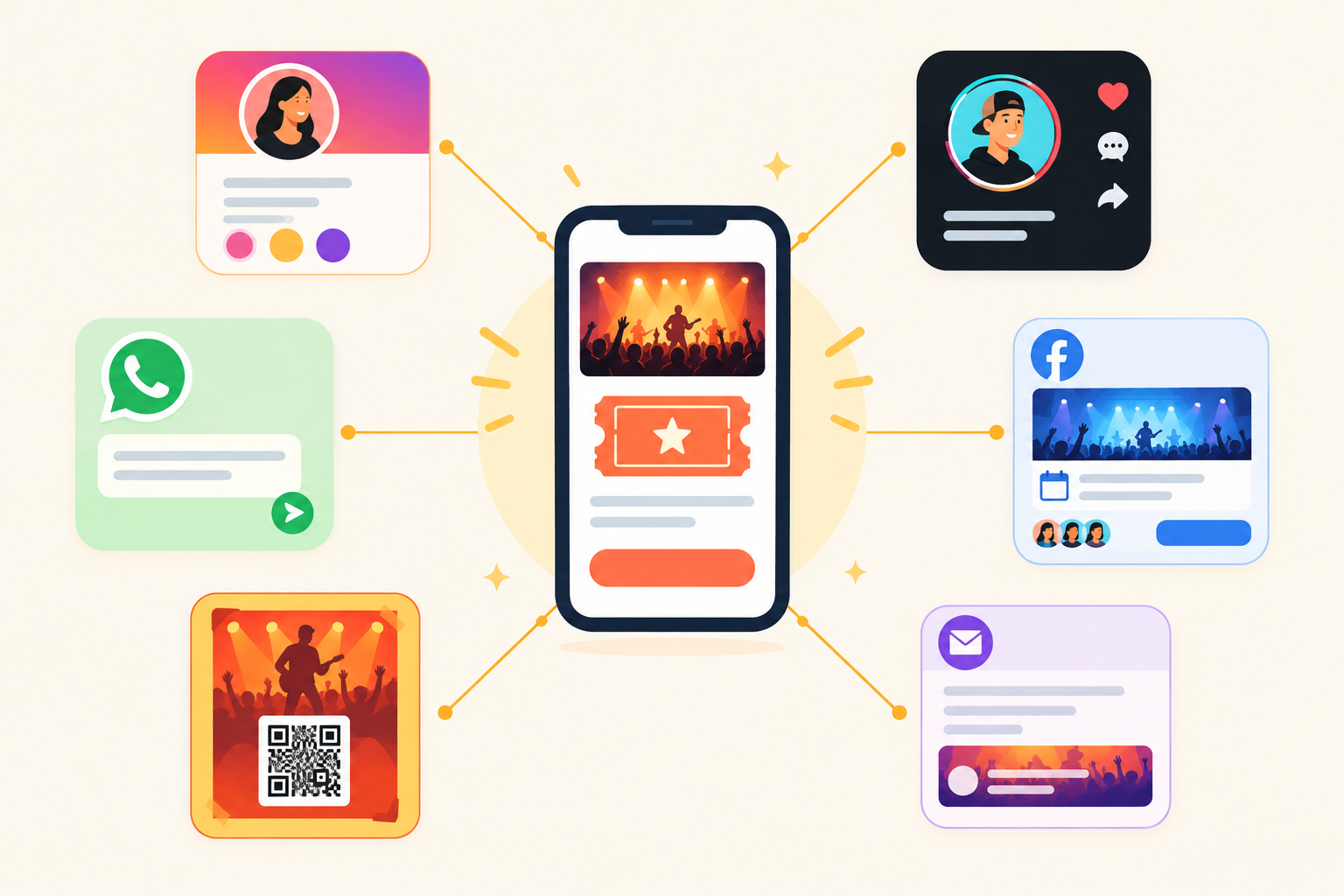
Fans on Instagram, TikTok, WhatsApp and Facebook all end up in the same place, and you can see what's actually working. And yes, fans can buy tickets straight from your social media, because your Shopstar page works as a link in bio destination. They tap, choose a tier, pay, and they're done.
Where to Share Your Ticket Link
- Your Instagram and TikTok bio
- WhatsApp status and broadcast lists
- Your Facebook event page
- Your email signature
- A QR code on printed posters at coffee shops, music stores and campus noticeboards in Stellenbosch, Pretoria or Makhanda
Content That Helps Sell Tickets
People buy when they feel something. Rehearsal clips, countdown posts and behind-the-scenes moments all work. Try this rhythm:
- Announce the show with the poster and link.
- Push the early bird with a clear deadline.
- Remind people mid-campaign with a clip or story.
- Nudge in the final week with remaining numbers (only if they're true!).
- Post the day-of logistics: doors time, parking, what to bring.
Collect Marketing Consent Properly
Giving a phone number to receive a ticket isn't the same as agreeing to marketing. Under POPIA, electronic direct marketing generally needs the person's consent, with limited exceptions. The safest practical step is a separate, unticked opt-in line at checkout, with a record of who agreed and when. If you're unsure, check the Information Regulator's guidance.
After the show, share crowd photos and fan messages to keep the momentum going for the next one. Your ticket page and your opted-in list keep growing with every gig, and they belong to you.
What to Do If a Show Gets Postponed or Rescheduled
It happens to everyone: load-shedding, a sick performer, a venue double-booking, bad weather. How you respond matters far more than the delay itself.
- Decide quickly: is this a postponement with a confirmed new date, or a cancellation? Your obligations may differ.
- Tell ticket holders immediately by email, WhatsApp and a banner on your ticket page, with the reason, the old and new dates, and where to get help.
- Offer clear options: tickets stay valid for the new date, or a refund if they can't make it, with a deadline for requesting one.
- Update your page so new buyers aren't confused.
- Keep a record of every message you send and every refund you process.
A Non-Legal Note on Your Obligations
The CPA expects fair treatment where a service isn't delivered as promised, so offering refunds or reasonable alternatives is usually the safest route. ECTA's cooling-off rules generally don't apply to leisure events booked for a specific date, but that doesn't remove your CPA obligations. Not every postponement means an automatic refund, because your stated terms and the circumstances matter. So write simple terms on your ticket page upfront, including how refunds work and whether payment processing fees are recoverable. For anything complex or disputed, get proper legal advice or contact the National Consumer Commission.
Using the Same Setup for Workshops and Smaller Events
Everything above works just as well if you're teaching rather than performing. A pottery class in Woodstock, a songwriting masterclass in Melville, a photography walk in Durban: same page, same checkout.
- Cap your seats at the group size you can teach well.
- Pair tickets with digital downloads, like workbooks, slide decks or backing tracks.
- Turn one-off attendees into regulars through a membership site or a recurring series.
- Use the booking system for one-on-one sessions such as private lessons or rehearsal-room hire.
What I like most is how simple it gets. You run one dashboard instead of juggling a ticketing tool, a booking app, a download host and a payment link.
Your Pre-Show Ticket Sales Checklist
- ✅ Ticket page live with clear date, time, venue and terms
- ✅ Tiers and quantities set, including your door allocation
- ✅ Test purchase completed on a phone
- ✅ Link added to every social bio and printed poster
- ✅ Separate opt-in wording for any mailing list
- ✅ Postponement and refund terms written down
- ✅ Door list and payments assigned to different people
- ✅ Bank details and current fees confirmed
According to Shopstar's own figures, stores on the platform have processed over R250 million in paid orders, and plenty of those sellers started small. You can too. Learn from each show and tweak as you go.
Ready for your next step? Pick your next show, claim your shopstar.page URL, and build your page on the Start Free plan this week. Do a test purchase on your phone, and ask Shopstar's onboarding team if you get stuck.
Frequently Asked Questions About Selling Gig Tickets
Can I sell both online and door tickets together?
Yes. Decide your total capacity, hold a set number of tickets back for the door, and be clear on your ticket page about door availability and pricing. Using the same checkout for door payments keeps your numbers in one place.
How do I offer VIP or early access tickets?
Create separate ticket tiers with their own price and quantity, for example Early Bird at R120, General at R180 and VIP at R350. Spell out exactly what each tier includes and when the early-bird price ends.
What happens if I need to reschedule a show?
Tell ticket holders straight away, update your ticket page with the new date, and give them the option to keep their ticket or request a refund. Set your terms from the start, and remember the CPA expects you to treat buyers fairly if a service isn't delivered as promised.
Can fans buy tickets directly from my social media?
Yes. Put your Shopstar page link in your Instagram or TikTok bio, share it in WhatsApp broadcasts, and add it to your Facebook event. Fans tap the link, choose a ticket and pay by card, Apple Pay or Scan to Pay.
How much does it cost to sell tickets with Shopstar?
On the Start Free plan there's no monthly fee and the all-in cost is 6% per sale (2.9% payment gateway fee plus a 3.1% Shopstar platform fee). On a R200 ticket that's R12. The Lower Fees plan has a monthly fee and 2.9% per sale, which works out to R5.80 on the same ticket. Check the pricing page for current figures.
Do I need to charge VAT on tickets?
Only if you're registered for VAT with SARS. Compulsory registration applies once your taxable turnover passes R1 million in a 12-month period, and VAT in South Africa is 15%. If you're unsure whether it applies to you, check with SARS or an accountant.