Simple Stock Management Tips for Small Online Shops: A Practical Guide for South African Sellers
Simple stock management tips for small online shops in South Africa: count stock, set reorder points and sync online listings to avoid overselling.
14 min read

On this page
Simple Stock Management Tips for Small Online Shops in South Africa
You don't need fancy software to manage stock well. Do one honest baseline count, set a simple reorder point for each product (average weekly sales x supplier lead time in weeks + a small buffer), and update your online page the moment stock changes. Then add a quick weekly check on what's moving and what isn't. This won't make mistakes impossible, but it will cut your risk of overselling and over-buying, and it should free up some cash. 🎯
That's the whole system. The rest of this guide shows how we'd put it in place, with South African examples, rand figures and the legal bits worth knowing. These are practical stock management tips for small online shops, not a warehouse management course. If you can use a notepad and a phone, you can do this.
A quick note: the legal points below are general information, not legal advice. Check the linked sources or ask a professional about your specific products.
Why stock mistakes cost more for online shops
Picture a Joburg candle maker. She sells the last 'Karoo Sunset' candle at her Saturday market stall, then gets home to find an online order for the very same candle. The customer has paid, shared the link with a friend and is waiting by the door. Now she has to apologise, refund and hope for the best.
In a physical shop, you can say 'sorry, we're out' to someone's face before any money changes hands. Online, the payment has usually already happened, and so has the promise.
The costs pile up fast. Every cancelled order means messages, refunds and explanations. One disappointed customer can undo a lot of good work with a bad review, and people forgive one mistake but not a pattern. There's a flip side too: if you play it too safe and buy too much, your cash ends up locked in slow stock.
There's a legal side as well. Section 46 of the Electronic Communications and Transactions Act (ECTA) generally expects you to carry out an order within 30 days unless you and the customer agreed otherwise. If the goods turn out to be unavailable, you're expected to tell the customer and refund them promptly. The Consumer Protection Act (CPA), overseen by the National Consumer Commission, adds further protections around misleading information and fair dealing. Accurate stock numbers are the easiest way to stay out of that situation.
Step 1: Do a baseline stock count
Your baseline count is the starting line. Everything else, from reorder points to slow-mover checks, depends on knowing what you actually have. Put on a podcast, make a coffee and treat it as a ritual rather than a punishment. ☕
- Pick a quiet time. After closing, Sunday evening or a studio-free morning works well. Pause sales while you count, or write down anything that sells mid-count so you don't count the same item twice.
- Count everything you sell. That includes stock on display, in the boot of your car, at your mom's house and in your market crate.
- Record the basics. For each product, note the name or SKU, quantity on hand, what you paid per unit (cost price) and your selling price. A simple Google Sheet or an exercise book is plenty.
- Keep the not-for-sale units separate. Log damaged, sample and reserved items in their own column so they don't inflate your 'available' number.
- Chase down differences. If your records say 12 and the shelf says 10, check recent orders, returns and supplier deliveries before you simply overwrite the number.
- Take a photo of your shelves. It takes ten seconds and gives you a quick visual record.
Why cost price matters for stock management
Cost price tells you your real margin. It also matters for tax, because closing stock can affect your taxable income. Keep your dated count sheets with your other business records, and check SARS guidance or ask your accountant about valuation and record-keeping requirements for your situation.
If you're VAT-registered, note whether your costs include VAT so your margins aren't misleading. VAT in South Africa is 15%, and registration is compulsory once your taxable turnover passes R1 million in a 12-month period. Voluntary registration is possible at a lower threshold. These figures can change, so check the current rules on the SARS VAT page.
How often should I count stock?
For most small shops, a full count every quarter works well. Add a quick weekly spot-check of your top five sellers, plus an extra count before busy periods like Black Friday and December. If you have lots of products, count a different section each week instead of doing everything in one exhausting go.
Step 2: Set stock reorder points to avoid running out
A reorder point is the stock level at which you place your next order. In plain language:
Reorder point (units) = average weekly sales (units) x supplier lead time (weeks) + safety stock (units)
The units have to match. If you'd rather think in days, use average daily sales x lead time in days instead. Never mix daily sales with a lead time in weeks.
Lead time is how long your supplier takes from order to delivery. Safety stock is your cushion for delays or a sudden rush. Compare the reorder point with your sellable stock, which is what's on the shelf minus units already promised to orders. The safety stock is already your buffer, so don't subtract a separate 1 to 2 unit holdback on top, or you'll count the cushion twice.
A worked reorder point example in rand
Say a Durban skincare maker sells 12 lip balms a week at R85 each. Her supplier takes 2 weeks to deliver, and she wants a 1-week buffer.
- Sales during lead time: 12 x 2 = 24 units
- Safety stock: 12 units (one week)
- Reorder point: 36 units
When her sellable stock drops to 36, she orders. At R85 a unit, those 12 weekly sales bring in R1,020, so running out for a fortnight would cost her about R2,040 in missed sales.

What's a good reorder point for a small shop?
There's no universal number. A handy rule of thumb is a week of safety stock for fast sellers and a few days for slow ones. If you sell 10 units a week and your supplier takes 2 weeks, you'd reorder at about 30 units: 20 for the lead time and 10 for the buffer.
Not sure about your average sales? Use your last 4 to 8 weeks of orders. If you've got no history, make a conservative guess and refine it every month.
Balance reorder points with cash flow and local realities
Don't over-order just to hit a supplier's bulk discount if it ties up R10,000 you need for rent. A discount isn't a saving if the stock sits on your shelf for six months.
Build in South African realities too. Load shedding causes delays, couriers slow down in the lead-up to December, suppliers shut down over the festive season, and imported goods take longer. If a supplier is unreliable, give that product a bigger buffer.
Use a traffic-light stock system
Once you've got reorder points, colour-code them in your sheet:
- 🟢 Green: plenty of stock.
- 🟠 Amber: at or near your reorder point.
- 🔴 Red: order now.
It's simple, and you can see how your whole shop is doing at a glance.
How to avoid selling an item you don't have
Keep one 'source of truth' for stock and update it every time stock moves. Whether that's a spreadsheet or your online store dashboard, there should be one number you trust. Here's how to make that real:
- Set stock quantities on each product. Most online store builders, Shopstar included, let you enter the number of units so items can show as sold out instead of relying on your memory. Check your dashboard for the stock settings available on your plan.
- Update straight away after in-person sales. Market days, walk-ins and wholesale orders all count. Do it right then, not at the end of the week.
- Hold back a small buffer. Keep a unit or two of popular items aside for damaged goods, mistakes or last-minute buyers. This is part of your safety stock, not an extra layer.
- Check stock before you promote. If you're about to post on Instagram or push your link in bio to a big audience, make sure you can handle a spike in orders.
- Count only what's truly available. That's what's on the shelf minus units already promised to orders. Samples, photo props and returns awaiting inspection shouldn't be on the list.
- Treat every channel as one pool. If you also take orders on WhatsApp, a single mug can easily be sold twice. Update everywhere promptly, or pause the listing until the order is confirmed.
A quick stock reconciliation story
Say a Cape Town print seller's sheet shows 8 of a popular art print, but she counts only 7 on the shelf. Instead of overwriting the number, she checks the week's activity. A market sale on Saturday never got logged. She fixes the sheet, adds a note at her stall to tick items off on the spot, and the gap doesn't return. Most discrepancies are small habits like this, and a weekly check finds them before a customer does.
What should I do if I oversell a product?
It can happen to anyone. What matters is how fast and honestly you respond. Contact the customer straight away and offer a refund, a realistic wait time or a similar alternative if they're happy with it. Under ECTA, if you can't supply the goods you're expected to tell the customer and refund them within 30 days. The CPA also protects customers from misleading conduct. Acting quickly protects both your reputation and your legal position.
Here's a message you can copy and tweak:
Hi [Name], thank you so much for your order. I'm really sorry, but I've made a stock error and the [product] you ordered is no longer available. I'd like to make this right. I can refund you in full today, restock it for you in about [X] weeks, or offer [alternative] instead. Just let me know which you'd prefer. Apologies again for the hassle.
Handling limited editions, pre-orders and sold-out items
Sold-out items aren't a failure. Handled well, they can work in your favour. Here's how to get it right:
- Be honest about scarcity. 'Only 20 hand-poured candles in this batch' is great if it's true. Fake scarcity or invented deadlines can count as misleading representations under the CPA.
- Mark items as sold out instead of deleting them. The page keeps its search traffic, and you keep a place to collect interest.
- Offer a back-in-stock list. Under POPIA, you need a lawful basis to message people. For marketing, that generally means clear consent, with an easy way to opt out. The Information Regulator explains the rules on direct marketing.
- Run pre-orders transparently. Be upfront about the delivery date, label the payment clearly as a pre-order and don't take more than you can realistically make.
- Offer something else on the same page. Customers who miss out on a physical product might love a digital download, a workshop booking or a membership perk, if your store setup supports those. A sold-out candle doesn't have to mean a lost customer.
- Plan your restocks. Announce drop dates to build anticipation rather than letting products linger in the red zone.
Keep online and in-store stock aligned
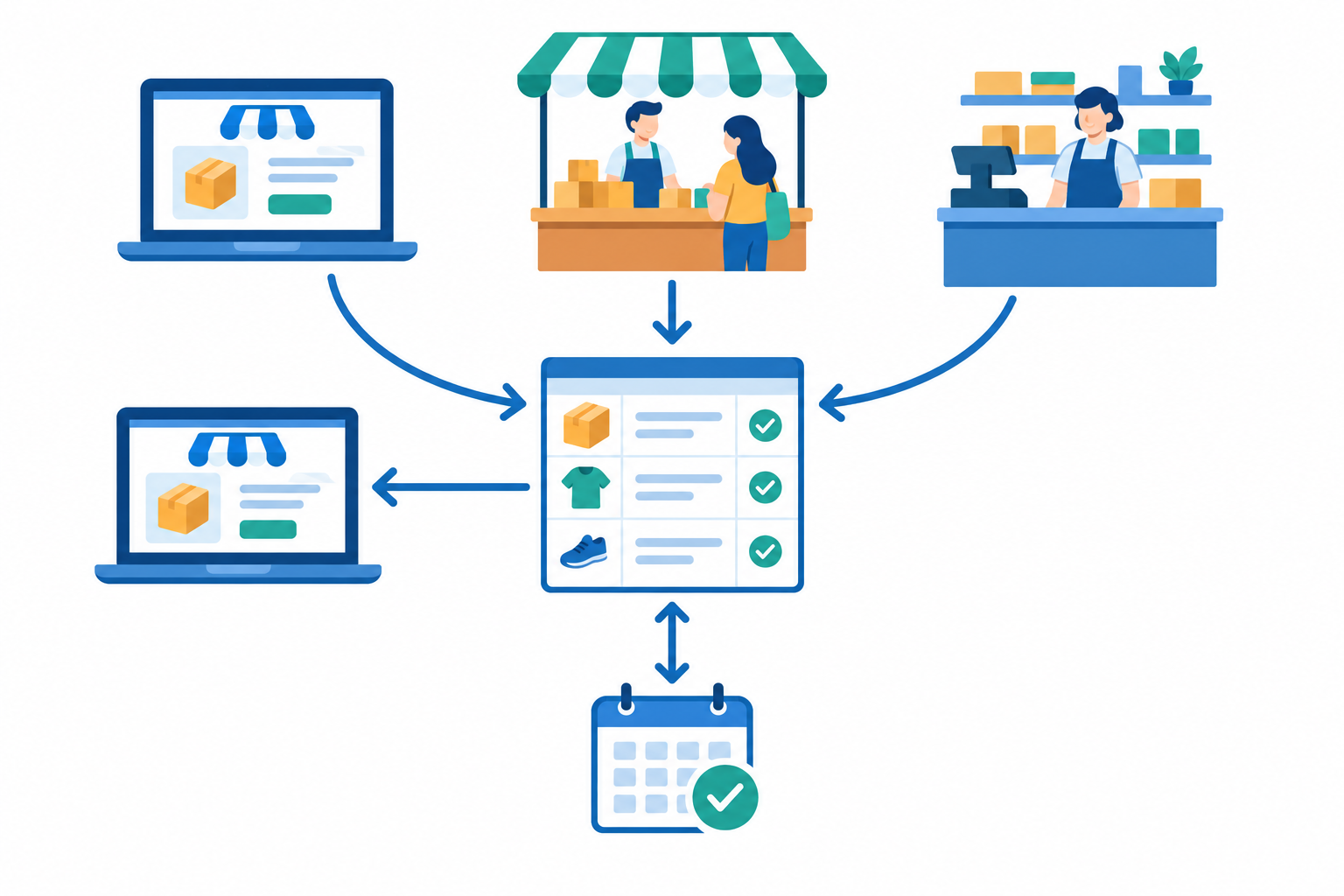
If you sell from a shop, studio or market stall as well as online, this is where most mistakes creep in. A few habits keep things tight:
- Name one stock owner at any given time, even if it's just you. That avoids double-updating or, worse, nobody updating.
- Build a 30-second habit: sell it, tick it off, update it. Keep a small notepad or phone note at the till or stall.
- Prep for market days and pop-ups. Whether you're at Neighbourgoods, Hazel Food Market or a local craft fair, pack a stock sheet. If a popular item is scarce, reduce or pause online availability while you trade, then reconcile when you get home.
- Count daily if you're a studio or salon selling retail on the side. Check products at close of day, alongside your appointments.
- Use consistent product names or SKUs everywhere, including variants like size and colour, so your sheet and your online page always match.
- Reconcile weekly. Compare your sheet with what's physically on the shelf and with what your online page shows. Note any differences and work out why.
Fewer places to update means fewer chances to forget. If you can sell physical products, bookings and digital items from one page with one checkout and one dashboard, that helps. You can also compare your payouts with your sales records: if R1,700 landed in your account, you should be able to point to the units that left the shelf. Payout timing differs between providers and plans, so check yours.
Handle returns without disrupting your stock records
Returns are where tidy stock records go to die, unless you have a system. Publish a clear returns policy and log every return the same day.
The legal basics, in plain language
- ECTA cooling-off: section 44 gives customers a right to cancel many online purchases within 7 days (for goods, counted from delivery) without giving a reason. Section 42 lists exceptions, such as certain perishable items and custom-made goods.
- CPA defective goods: section 56 gives customers the right to return goods that are defective or unsafe within six months for a repair, replacement or refund. This is separate from a change of mind.
Exceptions and conditions apply, especially for hygiene-sensitive products like cosmetics and food. So spell out your policy on your page and check what applies to your product type. The National Consumer Commission and the ECTA text are good places to start.
Sort returned stock into three categories
When a return arrives, put it in one of three buckets:
- Resellable: inspected, in good condition, added back to stock.
- Damaged: written off, with the cost noted in your records.
- Awaiting supplier credit: set aside until the supplier confirms what they'll do.
Never add a returned item back to your online stock until you've physically inspected it. A customer asking for a return isn't the same as the item being back on your shelf.
Use returns to improve your product listings
Log the reason for every return, such as wrong size, damaged in transit, not as described or changed mind. If you keep seeing the same reason for the same product, it's probably a listing problem, not bad luck. Say a print keeps coming back as 'smaller than expected'. Adding the dimensions and a photo next to a familiar object, like a mug, is a quick fix to try.
Spot slow-moving stock and understand your sales data
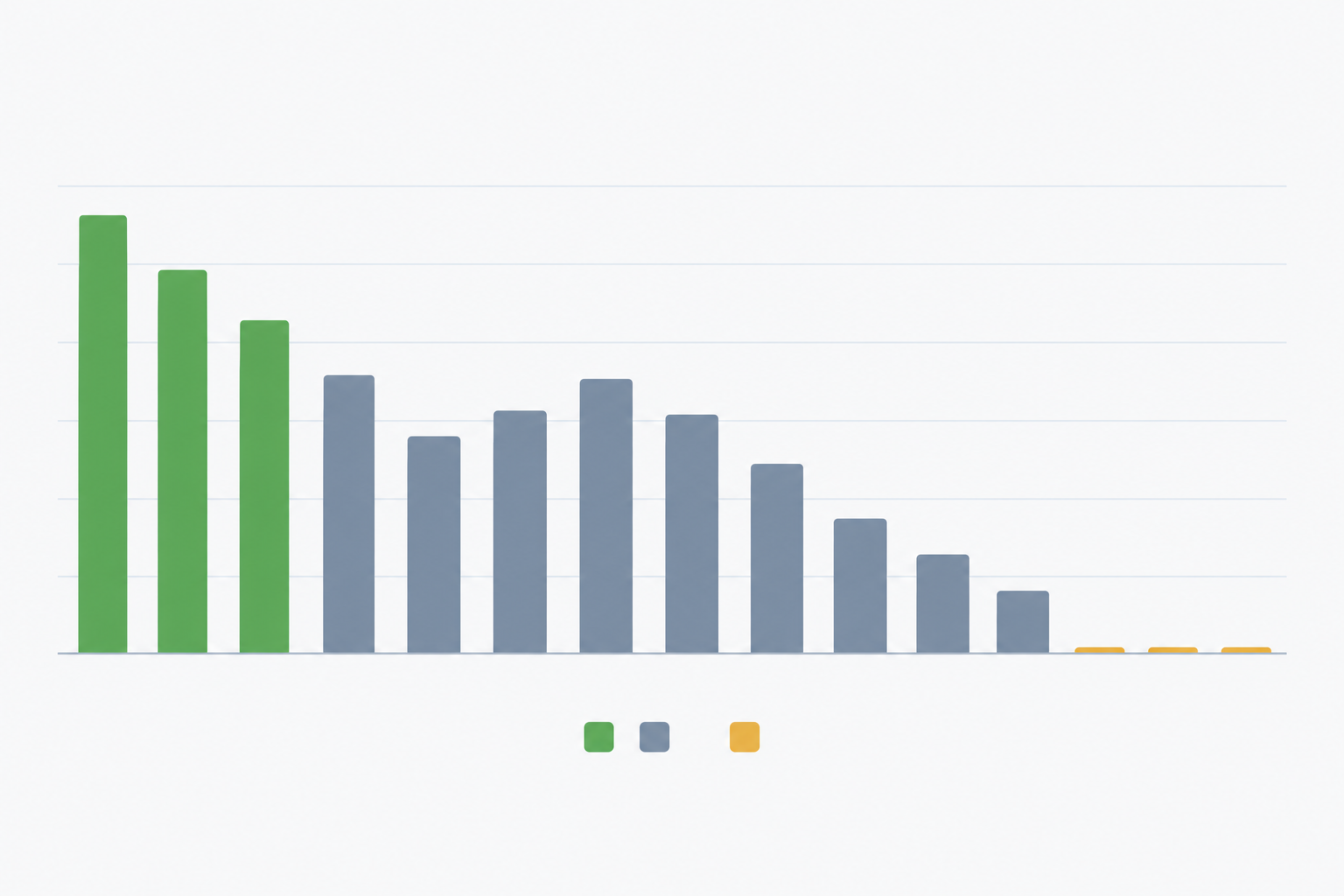
Once a month, look at your products two ways: by units sold and by revenue. They tell different stories. A R40 item can sell the most units while a R900 item brings in more money. Many shops find that a small group of products drives most of their revenue, often called the 80/20 pattern, but treat that as a rule of thumb, not gospel. Check your own data.
Here's how to work with what you find:
- Use the 90-day rule. If something hasn't sold in 90 days, treat it as a slow mover. Then decide whether to bundle it, discount it, relaunch it with better photos or stop reordering.
- Check before you label. Low sales can mean the item was out of stock, hidden or out of season, not that nobody wants it.
- Calculate weeks of cover. Divide your sellable units by your average weekly sales. If you have 30 units and sell 5 a week, you have about 6 weeks of cover. If your supplier takes 4 weeks, think carefully before reordering.
- Respect seasonality. Candles do better in winter, gifting peaks in December and back-to-school stationery moves in January.
- Get creative with slow stock. Try bundles, 'last chance' tags, gift sets, or pairing a physical product with a booking or digital download.
- Count imported stock at landed cost. If you import, include freight and import costs, and watch the exchange rate when you plan replacement orders.
Know your online selling costs
Fees affect which products are worth reordering. As an example, Shopstar's Start Free plan has been listed at 6% all-in per sale (a 2.9% payment gateway fee plus a 3.1% Shopstar fee), so a R250 item would cost R15 in fees. The Lower Fees plan is listed at 2.9% per sale plus a monthly fee. Plans and pricing change, so check the current details on your own dashboard or pricing page before you decide.
If your store has built-in tools, such as AI-assisted product and order management, they may speed up reviewing what's selling and tidying listings. To start with, though, a spreadsheet sorted by units and revenue does the job just as well.
A simple weekly stock management routine
A system only works if you use it. This one takes about 25 minutes a week:
- Monday (10 minutes): check which products are amber or red against your reorder points, and place orders.
- Midweek (5 minutes): reconcile any market or in-store sales with your online page.
- Friday (10 minutes): review the week's best sellers, any returns and anything that sold out.
- Monthly (30 minutes): run your slow-mover review and update reorder points based on actual sales.
- Quarterly: do a full physical count and tidy your records, ready for SARS or your accountant if needed.

Start small. Maybe you only track your top ten products at first, and that's fine. Whether you sell candles, skincare, art prints or workshop spots, a light routine you actually follow beats a perfect system you never use. 💪
Frequently asked questions about stock management
How often should I count stock?
Quarterly for a full count, weekly for your top sellers. See Step 1 for how to run it. Add a count before and after Black Friday and December, when mistakes are most likely.
How do I avoid selling something I don't have?
Use one source of truth and update it every time stock moves, on every channel. You can't remove the risk entirely, so keep the apology message above handy for the odd slip.
What's a good reorder point?
Start with weekly sales x lead time in weeks + safety stock, using matching units. Then adjust it monthly against real sales and your supplier's actual delivery times.
How should I handle returns?
Log and inspect every return the day it arrives, before you restock it. ECTA's cooling-off rules and the CPA's defective-goods rules are different things, and exceptions apply, so confirm what covers your products.
Do I need inventory software for a small shop?
Usually not at the start. A spreadsheet plus accurate stock quantities on your online store is enough for most tiny shops. Consider more tools once you're juggling many variants, several suppliers or multiple sales channels.
What happens if I accidentally oversell?
Tell the customer straight away and offer a refund, a realistic wait or a suitable alternative. If you can't supply, ECTA generally expects a refund within 30 days, so don't leave it.