How to Sell Out Your Workshop Using Instagram and WhatsApp: A Four-Week Countdown Plan
Learn how to sell out your workshop in South Africa with a four-week Instagram and WhatsApp promotion plan, sample messages and one ticket link.
13 min read

On this page
How to Sell Out Your Workshop Using Instagram and WhatsApp
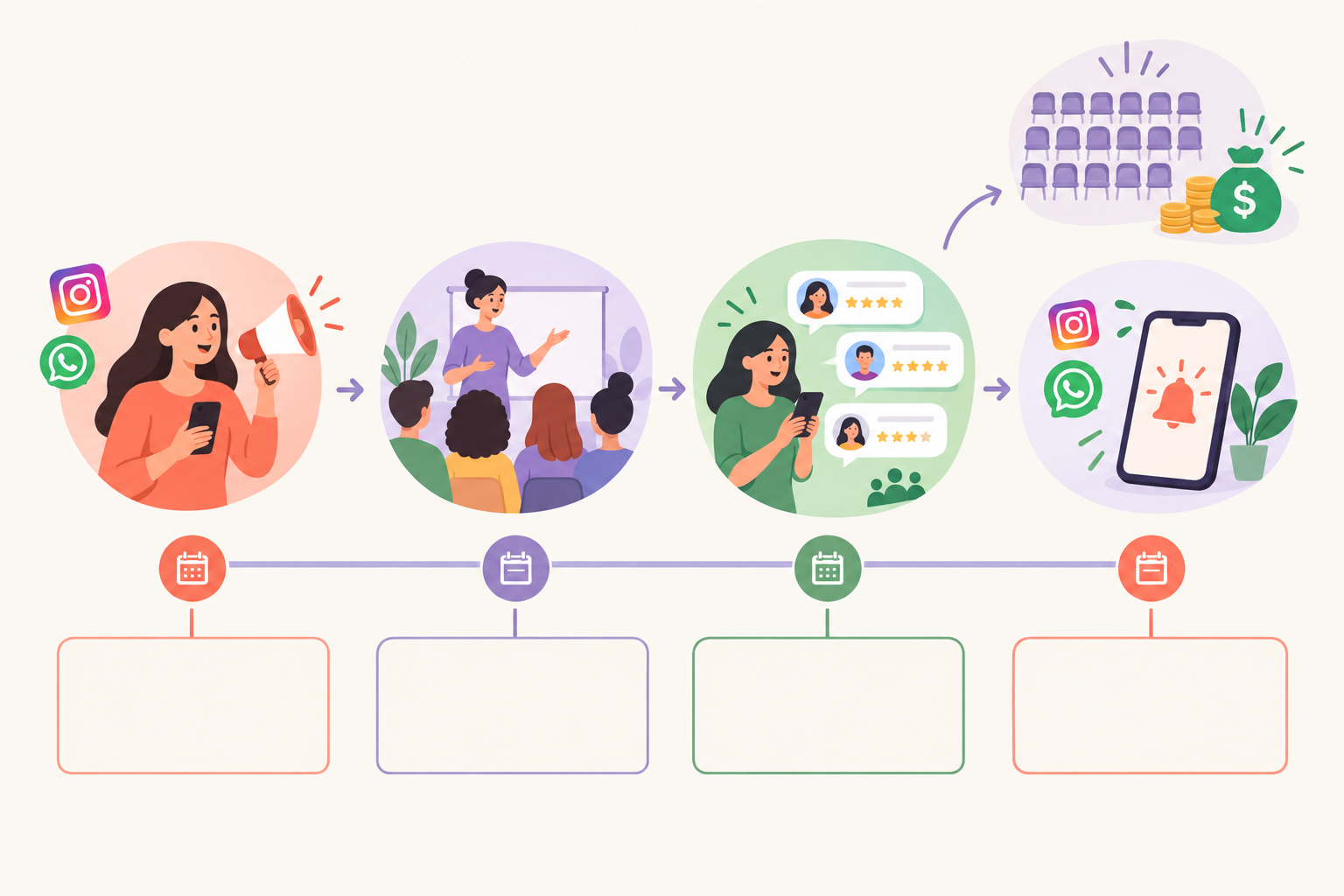
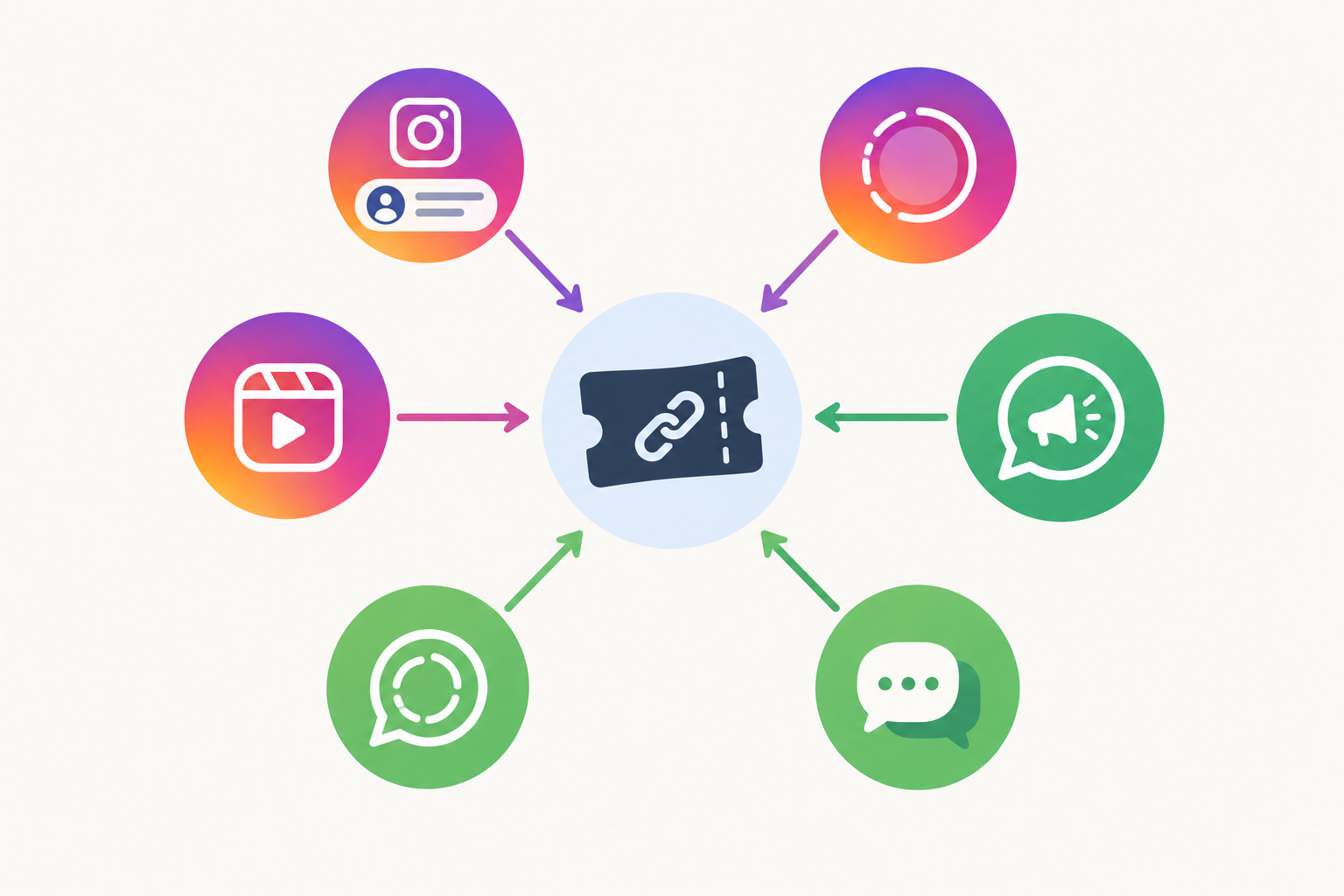
To sell out your workshop using Instagram and WhatsApp, start promoting four weeks before the event. Point every Instagram post, Story and WhatsApp message to one ticket link, and give people a different reason to care each week. Use WhatsApp for personal nudges and last-minute reminders, and keep notes after each event so the next one fills faster.
That's the whole plan in a paragraph. The rest of this post is the detail: what to post, what to send, and when. I've kept it simple on purpose, because most workshop hosts I speak to at Shopstar are running pottery classes, baking mornings or business masterclasses on top of a day job. You don't need a website or a marketing team. You need a calendar, a phone and a clear link. 📱
Start promoting your workshop earlier than feels comfortable
So, how early should you start promoting your workshop?
- Four weeks for a small workshop of 10 to 25 people.
- Six to eight weeks if you need to sell 50 or more seats, or your ticket is above about R800.
Starting early feels awkward. The date seems far away, and you worry about bugging people. But people plan their weekends and budgets weeks ahead, and early buyers lock in your numbers so the last week isn't a panic. Four weeks gives you time to announce, get people familiar with the workshop, answer questions and only then bring in deadlines. Treat it as a rule of thumb, not a guarantee, and adjust for your audience and price.
Here's an illustrative example (not a real client). Picture a Cape Town candle-making host who announces a workshop 10 days out and sells 6 of 20 seats. Next time she announces four weeks out, shares something different each week, and sells out with a waiting list. Same host, same candles, same audience. Only the runway changed.
Set a simple workshop ticket sales goal
Before you post anything, do one sum: seats available × ticket price.
20 seats × R450 = R9,000. Work backwards and that's roughly 5 tickets a week over four weeks. Suddenly the task is 'find five people this week', which feels far less scary than 'fill the room'.
Settle these details before you announce
- Date and time
- Venue: Joburg, Durban, Cape Town, or online
- Capacity: the real number of seats
- What's included, such as materials, lunch or take-home items
- Cancellation and refund policy
Being clear on refunds and rescheduling up front also keeps you on the right side of the Consumer Protection Act (CPA), which covers things like cancelling bookings and reservations. I'm not a lawyer, so if your workshop is expensive or complex, get proper advice. But a plainly written policy on your ticket page is a good start.
Use one ticket link and one clear call to action
Every post, Story, caption and WhatsApp message ends with the same single ticket link. Nobody should have to DM you for banking details or wait for you to reply at 9pm.
Fewer choices means more bookings. Use one clear action, like 'Book your seat', everywhere. If someone has a question, offer a separate WhatsApp link for that ('Questions? Message me on WhatsApp'). That way ready-to-buy people go straight to checkout, and the curious ones can still reach you.
How to set up your workshop ticket link
- Put your event on one simple page. A link in bio page with event ticketing works well. With Shopstar you can claim a shopstar.page URL in minutes, with no website needed, and list your workshop as a ticketed item.
- Set your capacity. When the seats run out, the ticket page closes automatically, so you get real scarcity without policing it.
- Update your Instagram bio. Add the link and, where you can, rename the button something direct like 'Book your seat'.
- Save the link as a WhatsApp Business quick reply. Then you can send it in two taps instead of hunting through old chats.
- Test checkout on your phone. Most buyers will pay from their phone, so check that card, Apple Pay and Scan to Pay all work smoothly. Buy a ticket yourself if you have to (you can refund it).
What does workshop ticketing cost?
Let's talk fees upfront, because you should know what you're keeping.
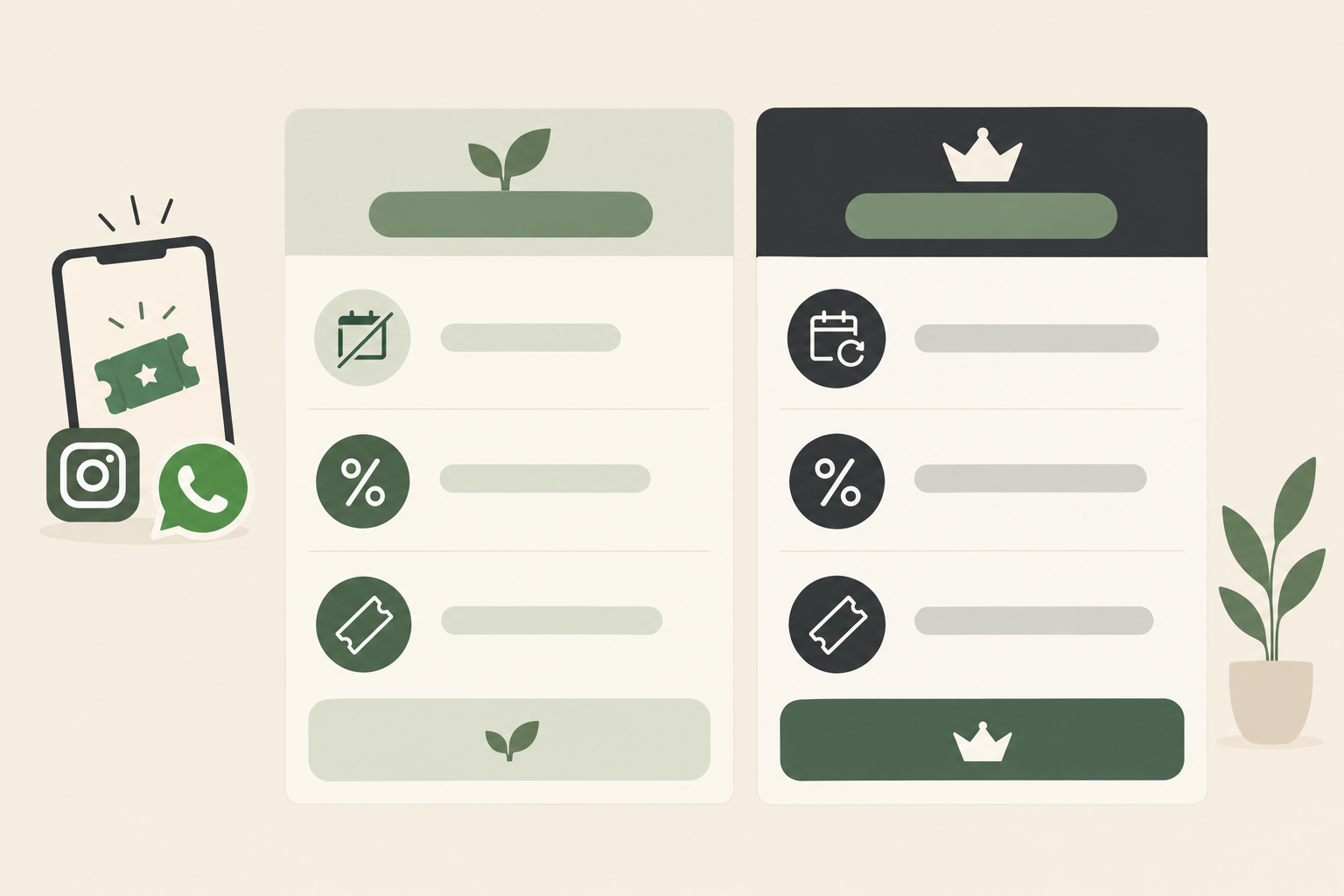
| Start Free | Lower Fees | |
|---|---|---|
| Monthly fee | None | Yes |
| Fee per sale | 6% all-in (2.9% payment gateway + 3.1% Shopstar fee) | 2.9% |
| On a R450 ticket | R27 | R13.05 |
| Best for | One-off or occasional workshops | Hosts running regular events |
On both plans you're paid out daily to your South African bank account. To choose, work out how many tickets you sell in a typical month. Every R450 ticket costs R13.95 less on Lower Fees, so multiply that saving by your monthly ticket count and compare it with the monthly fee. If you run one workshop a quarter, Start Free is probably the easy call. If you're selling tickets most weeks, Lower Fees may pay for itself.
Why online checkout beats EFT and payment screenshots
I've watched hosts spend half a week chasing proof of payment. With one checkout link there's no chasing, no double bookings, and you get an automatic record of who's coming. That alone is worth setting up properly. It's also a better experience for your buyer, who can pay in under a minute while the idea is still exciting.
Four-week Instagram and WhatsApp content plan for your workshop
The poster is one post, not the whole plan. People need several reasons and several reminders before they click, so give them a different reason each week.
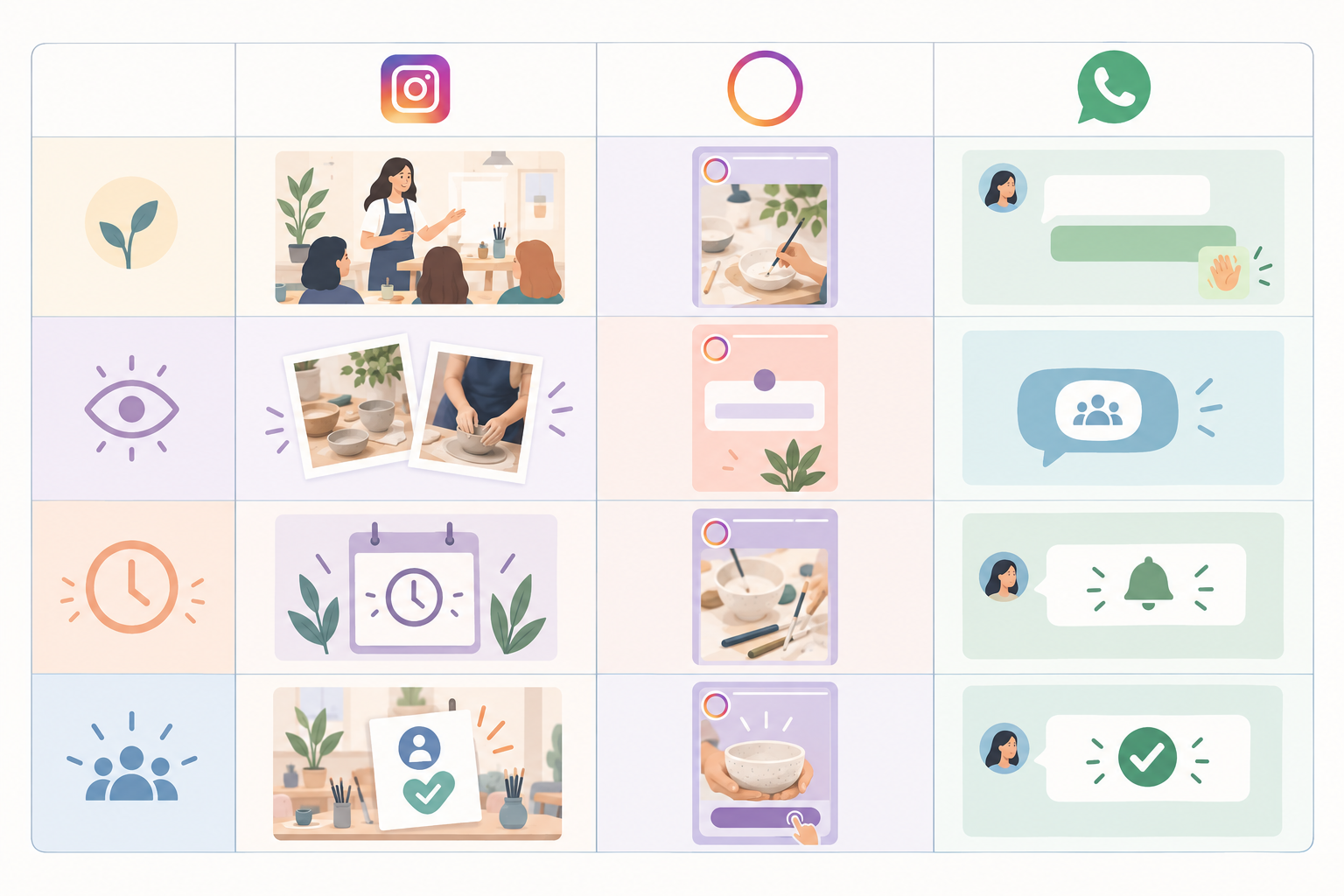
Week 4: Announce your workshop
- A Reel or carousel showing the problem your workshop solves.
- A clear 'tickets are open' post.
- A Story with a link sticker pointing to your ticket page.
Sample caption: 'Saturday 14 March, Melville. 12 seats, 3 hours, and you walk out with your own hand-thrown mug. Tickets R650, link in bio 🏺'
It has the date, place, seat count, outcome, price and link. Nobody has to ask a single question to understand the offer.
Week 3: Show the workshop experience
- Behind-the-scenes prep.
- A quick tour of the venue.
- A short 'what to expect' video.
- A Q&A Story box where people can ask what they're nervous about.
This week is about removing doubt. 'Will I be the only beginner?' and 'Is there parking?' are real reasons people don't book.
Week 2: Build trust with attendees and testimonials
- Your story and why you teach this.
- A past attendee's photo or testimonial (with their permission).
- A before-and-after of what people make or learn.
- A 'meet the host' Reel.
If you've got a genuine early-registration deadline or price, now's the time to mention it. Just make the terms clear and stick to them.
Week 1: Create urgency honestly
- 'Seats left' updates, but only when the number is true.
- A final-call Reel.
- A Story with a countdown sticker. Viewers can opt in to a reminder, which does some of the nudging for you.
- One post answering the last objections: parking, what to bring, the refund policy.
What to post besides the workshop poster
When you run out of ideas, rotate through these:
- An FAQ carousel
- A 'who this is for / not for' post
- A materials flat-lay
- You, speaking to camera for 20 seconds
- Attendee reactions from last time
A realistic Instagram posting rhythm for a solo host
Three feed posts or Reels a week, plus daily Stories in the final week. That's plenty. Pin a Highlight called 'Workshop' so late arrivals to your profile can catch up in 30 seconds. And reuse your Stories on WhatsApp Status, so the effort pays twice.
Use WhatsApp groups and broadcast lists without spamming
WhatsApp is where people actually say yes, because it feels personal. It's also where you can lose goodwill fastest, so it pays to do it properly. 🤝
Know the WhatsApp marketing rules
Under POPIA, direct marketing by electronic message generally needs the person's consent (opt-in). The exception is an existing customer you've dealt with before, who you're contacting about similar services, and who has a clear way to opt out. The ECTA also deals with unsolicited commercial communications. This is a practical overview, not legal advice, so check the Information Regulator's guidance for the detail.
WhatsApp's own business policy points the same way. Have permission, say who you are, keep messages relevant to why someone signed up, and honour requests to stop.
Build your WhatsApp list with consent
- Add a 'Join the workshop list on WhatsApp' link to your bio and Stories.
- Collect numbers at past events with a clear tick-box.
- Ask plainly: 'Want me to message you when the next one opens?'
A number you got for another reason isn't automatic marketing consent.
Should you use a broadcast list, group or Channel?
- A broadcast list goes to people who've saved your number. It feels one-to-one, there's no group chatter, and recipients can't see each other.
- A group is best for attendees only, once they've bought. Members can see each other's details, so explain that first.
- A Channel suits wider updates for people who just want to follow along.
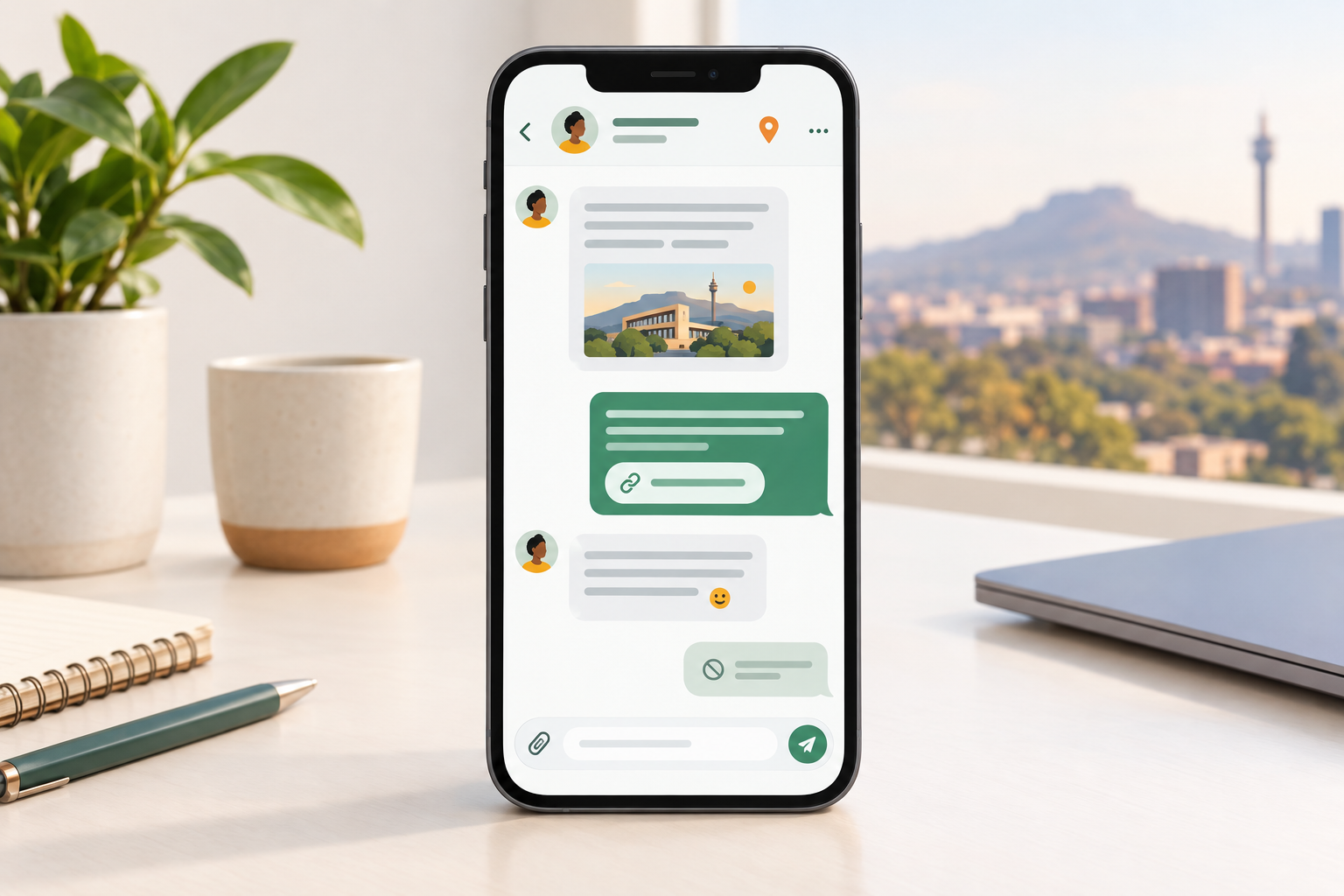
WhatsApp messages you can copy for workshop promotion
Announcement:
'Hi Naledi 👋 You asked me to let you know when the next sourdough workshop opens. It's Saturday 21 March in Pretoria East, 15 seats, R550 each. Book here: [link]. Reply STOP any time and I won't message again.'
Personal nudge:
'Hey Sam, you mentioned this on my Story. 4 seats are left. Want me to hold one while you check your diary? Link if you're ready: [link]'
Ask for a share (only if you genuinely run a group offer):
'If you know someone who'd love this, forward them this message. Friends who book together get...'
WhatsApp rules for not annoying people
- Send one or two broadcasts a week, at most.
- Include something of value, like a tip or a preview, not just 'buy now'.
- Always include a way out.
- Never add people to groups without asking.
After someone buys, invite them to an attendee group for logistics and excitement. It's also a lovely word-of-mouth engine, because excited people talk.
Send reminders that drive last-minute workshop sales
A big share of sales usually arrives in the last week. So don't panic if week 2 feels quiet. That's normal, and it's why the final-week reminders matter so much.
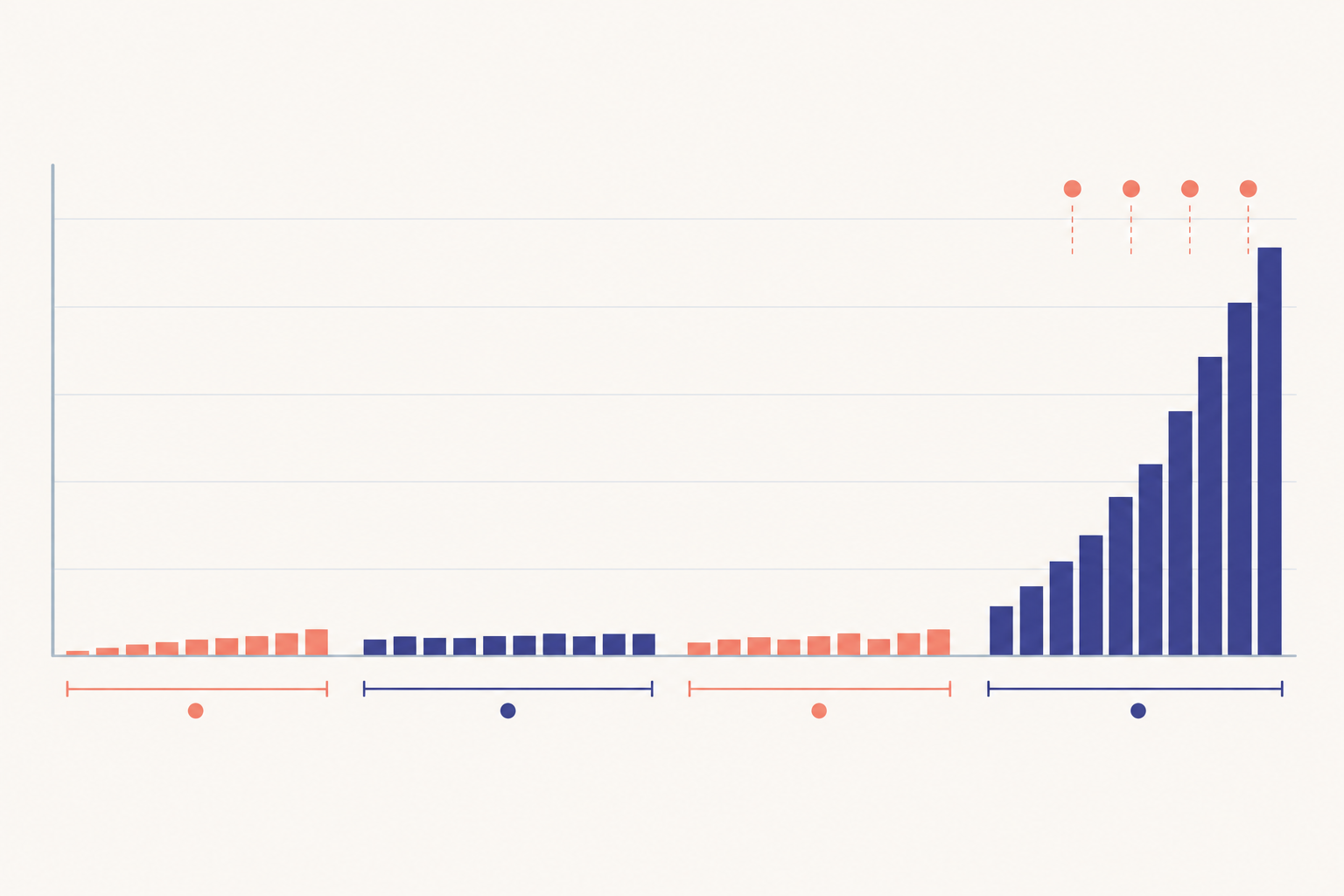
- 7 days out: post 'One week to go, X seats left' on Instagram, and send a WhatsApp broadcast to people who showed interest but haven't bought.
- 3 days out: share a Story series of what you're prepping, with the link sticker on every frame.
- 48 hours out: send one-to-one WhatsApp messages to warm leads, meaning people who asked a question, replied to a Story or clicked the link.
- The day before: send a 'last call' with practical info like parking, start time and what to bring. This also reassures anyone sitting on the fence.
- Morning of: post a Story from the venue setup, and if someone cancelled, tell your list that a seat has just opened up.
Sample last-call message:
'Hi Lerato, it's tomorrow! 2 seats left for the 9am watercolour workshop in Stellenbosch. R480, includes materials and lunch. Book before 8pm tonight: [link]'
One caution: only say 'last seats' when it's true. Inflated scarcity damages trust fast, and your audience will remember. Keep sales reminders separate from attendee logistics too. Prospects get the booking prompt, while people who've already bought get the venue and prep details.
A quick word on VAT and SARS
If your taxable turnover passes R1 million in any 12-month period, VAT registration is compulsory. VAT in South Africa is 15%, so if you're registered, your ticket prices need to account for it. Registered or not, ticket income counts as income for SARS, so keep clean sales records. A checkout that logs every order makes that far easier. If you're unsure where you stand, an accountant is worth a quick chat.
Handle workshop waiting lists and cancellations
A waiting list is good news. It proves demand, and it fills cancellations quickly.
The method is simple. When you sell out, post 'Sold out! Join the waiting list' and send people to a WhatsApp message or a short form. Don't create a second ticket. Keep a tidy list with name, number and the order they joined. When a seat opens, message the next person and give them 24 hours to pay via your ticket link.
Sample waiting-list message:
'Good news, Thabo! A seat just opened for Saturday. It's yours if you book by 6pm tomorrow: [link]. If not, I'll offer it to the next person on the list.'
Then use that list again. Send your waiting list the link for your next event 24 hours before everyone else. They've already told you they're keen.
For cancellations, have a clear policy and put it on the ticket page. For example: full refund up to 7 days before, and transfer to another person up to 24 hours before. The CPA is about treating customers fairly and clearly, so write it in plain language.
One more tip: if a workshop sells out in under a week, add a second date. Don't just raise the price.
Learn from each workshop event
A short review after each workshop makes the next one easier to fill. It takes 20 minutes, and it's the difference between guessing and knowing.
Track five workshop marketing numbers
- Tickets sold per week
- Which posts got link clicks
- Which WhatsApp messages got replies
- How many tickets came from the waiting list
- Your final fees and profit per seat
Work out your real margin
Take the ticket price and subtract the venue, materials, your time and payment fees. On the Start Free plan that's 6% all-in per sale. On Lower Fees it's 2.9% plus the monthly fee. As you run more events, revisit which plan fits.
Ask attendees, then build on their answers
- Within 48 hours, send one question: 'What almost stopped you from booking?' Use the answers in your next promo.
- Ask happy attendees for a testimonial and permission to share photos. Those become your week 2 content.
- Ask if they'd like to hear about the next workshop. That's a clean opt-in for your broadcast list.
Look ahead to your next workshop
Once you've run a few sold-out workshops, you can grow on the same page and checkout. You could add digital downloads like workbooks, recipe packs or templates, a membership site for ongoing learning, or a booking system for private sessions. Shopstar handles these alongside event ticketing, so you're not rebuilding anything.
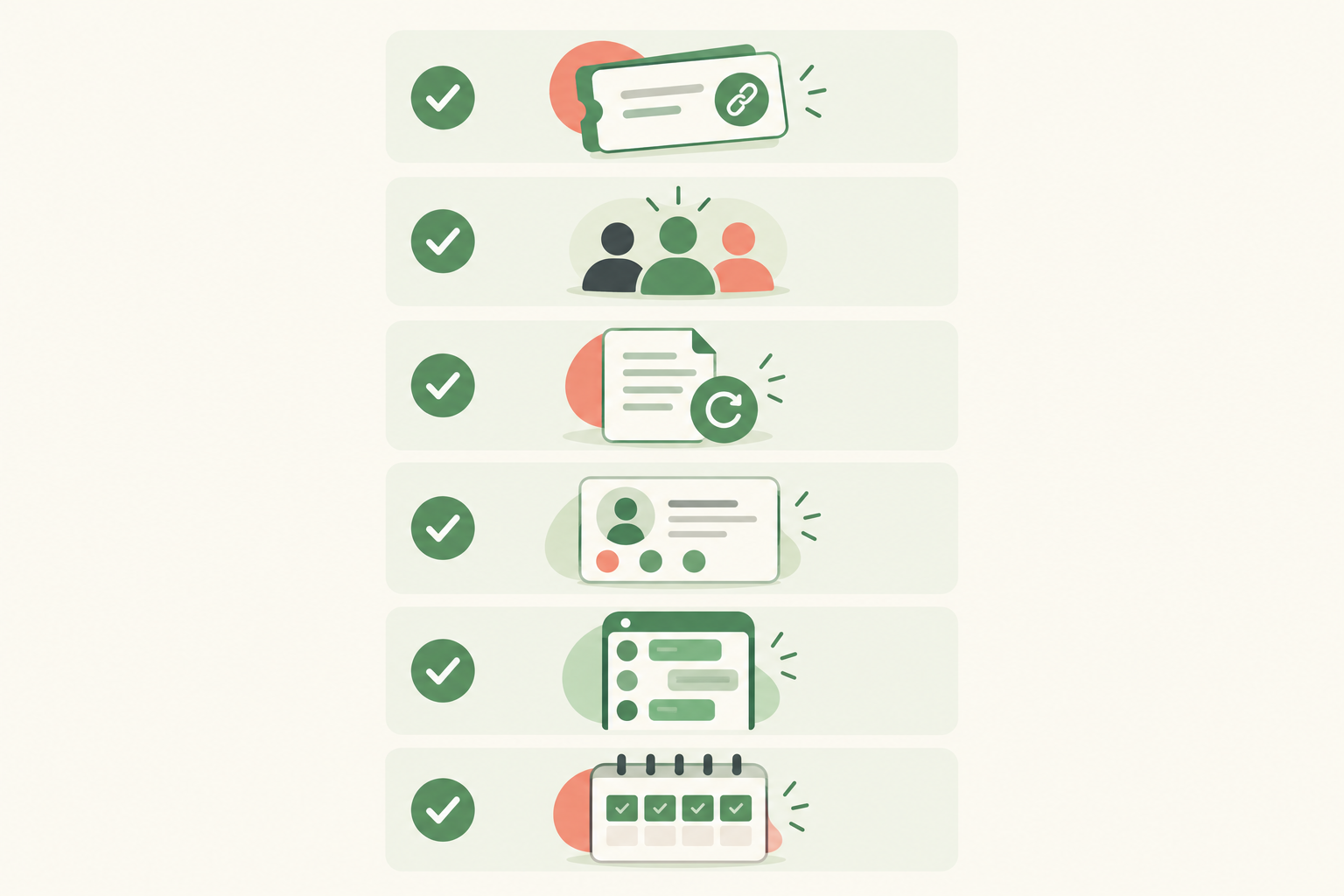
Workshop promotion checklist ✅
- Ticket link live
- Capacity set
- Refund policy clear
- Instagram bio updated
- WhatsApp list ready
- Four-week content calendar drafted
FAQ: How to sell out your workshop using Instagram and WhatsApp
How early should I start promoting my workshop?
For most small workshops of 10 to 25 people, start four weeks out. If you're aiming for 50 or more seats, or the ticket is above about R800, give yourself six to eight weeks. Early promotion feels awkward, but it gives people time to plan and pay, and it takes the pressure off the last week.
What should I post besides the workshop poster?
Show the experience: behind-the-scenes prep, the venue, what's included, the host's story, past attendee photos and testimonials, and an FAQ carousel. Use Stories for countdowns and Q&A, and Reels for short 'what to expect' clips. Every post should end with the same ticket link.
Can I use WhatsApp groups without spamming?
Yes, if you build your list with consent and give people something useful. Under POPIA, direct marketing by electronic message generally requires opt-in, so invite people to join rather than adding them. Keep broadcasts to one or two a week, mix useful tips with the booking link, and always make it easy to opt out.
How do I handle workshop waiting lists?
When you sell out, invite people to join a waiting list via WhatsApp and keep a simple list in order. When a seat opens, message the next person with the ticket link and a 24-hour deadline. Give your waiting list first access to your next workshop too, since they've already told you they're keen.
Do I need a website to sell workshop tickets?
No. A simple link-in-bio page with built-in event ticketing and payment processing is enough. You share one link on Instagram and WhatsApp, people pay by card, Apple Pay or Scan to Pay, and the money is paid out to your South African bank account.
Do I need to charge VAT on workshop tickets?
Only if you're registered for VAT. In South Africa, registration is compulsory once your taxable turnover passes R1 million in any 12-month period, and VAT is 15%. If you're below that, you don't charge it, but your ticket income is still reportable to SARS. Check with SARS or an accountant for your situation.
Your next step to sell out your workshop
Pick your date, set your goal (seats × price), and get your ticket link live before you post a word. Everything else in this plan, from the weekly content to the WhatsApp nudges, works because it all leads to one clear place. If you'd like a hand setting up your page, Shopstar's team is happy to walk you through it. 🎉