Every store can take deposits for bookings. Your plan decides a few extras: how small a deposit can be, whether customers can pay everything at the appointment, and whether free services can be booked online.
What each plan includes
Pay Per Sale
- Pay in full online
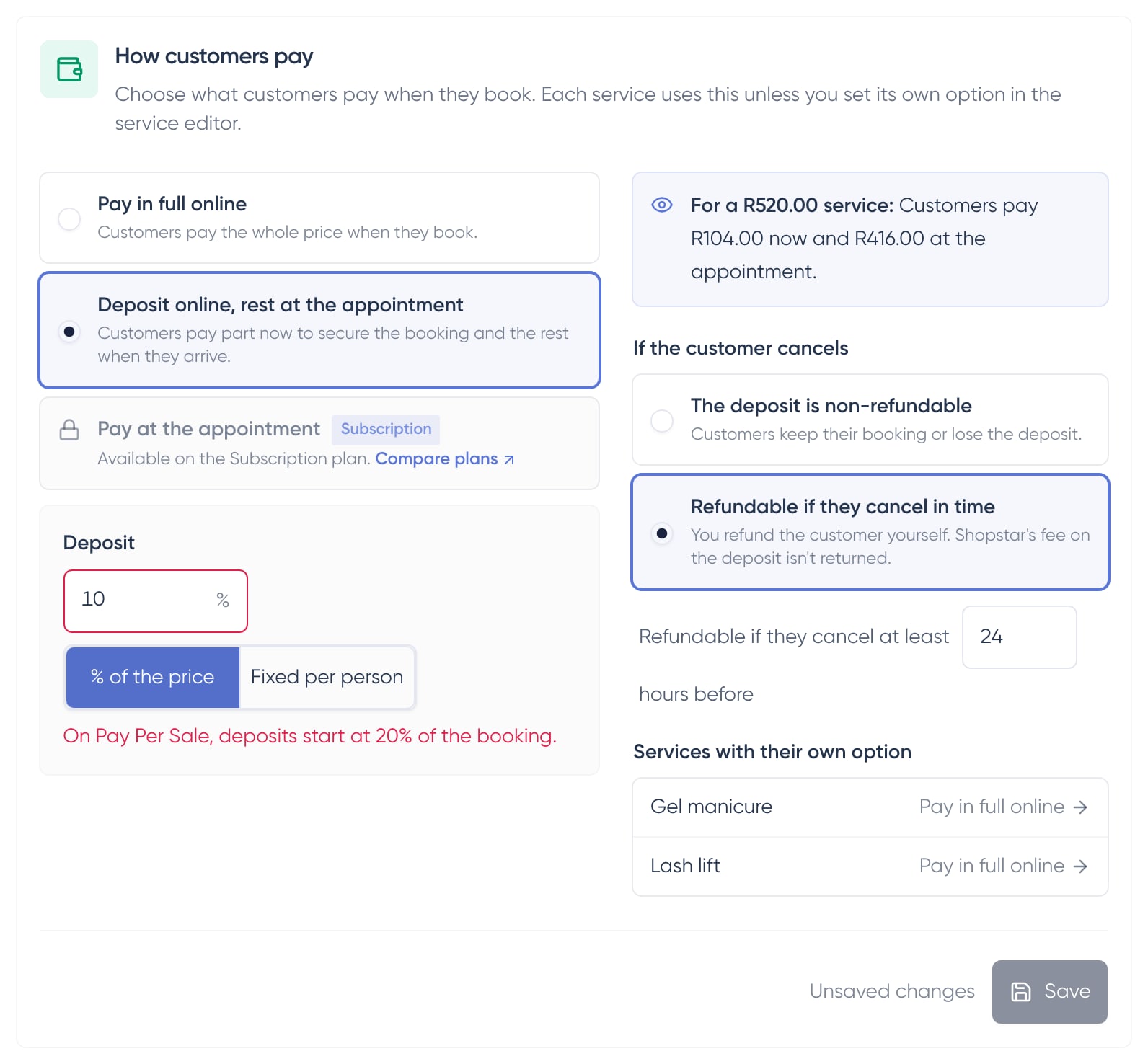
- Deposits of at least 20% of the booking total, including fixed deposits
- Pay at the appointment isn't available
- Free (R0) services can't take online bookings
Subscription
- Pay in full online
- Deposits of any amount
- Pay at the appointment, with no payment step when customers book
- Free services can take online bookings
Bookings you add yourself aren't affected
When you add a booking from your dashboard, the Free, Paid, Send Payment Link and Send Deposit Link options work the same on both plans.
Fees on booking payments
The Shopstar fee only applies to money paid through Shopstar: the deposit, a balance paid online, and saved-card charges. Money you take yourself, in cash or on your own card machine, has no Shopstar fee.
If you move from Subscription to Pay Per Sale
If you switch to Pay Per Sale, or your subscription lapses, your booking payments change to fit the plan:
- Services set to pay at the appointment switch to a 20% deposit and keep taking bookings
- Deposits below 20% move up to 20%
- Free services stop taking online bookings
- Bookings that were already made keep the terms they were booked with
What to do after the change
- 1
Read what changed
We email you and show a notice in your dashboard that lists exactly which services changed and how.
- 2
Check your store default
Click Store, then Products, and open the Bookings tab. How customers pay shows what customers now pay when they book.
- 3
Update your free services
Give each free service a price so customers can book it online again, or switch back to the Subscription plan.
Free services stop taking online bookings on Pay Per Sale
Customers can't book a free (R0) service online on Pay Per Sale, and a discount code can't bring a booking down to R0 either. You can still add bookings for it yourself from your dashboard.
Frequently asked questions
Why is Pay at the appointment locked?
It's part of the Subscription plan. On Pay Per Sale, customers pay at least a 20% deposit when they book instead.
Can I take a 10% deposit on Pay Per Sale?
No. On Pay Per Sale a deposit must be at least 20% of the booking total, and that includes fixed-amount deposits. Your settings show a message if a deposit is too small.
Do I pay a Shopstar fee on cash I take at the appointment?
No. Cash and card-machine payments have no Shopstar fee, on either plan.
What happens to bookings already made if my plan changes?
Nothing. They keep the payment terms they were booked with. Only new bookings follow the new plan.